


Every top model, with tools built in.
Search the web, run deep research, read files, create images and run code with GPT, Claude, Gemini, Grok and more.
Tired of slow coding? Discover the best AI coding assistant for your workflow. We review 12 top tools with honest pros, cons, and real-world tips.
Let's be real: you're not looking for another glorified autocomplete. You're searching for a coding sidekick that can untangle legacy spaghetti code, write boilerplate faster than you can say "Stack Overflow," and maybe, just maybe, not hallucinate a library that doesn't exist. The market is flooded with tools promising to 10x your output, but which ones actually deliver on that promise?
We've rolled up our sleeves, chugged some coffee, and tested the big names (and a few underdogs) to create the definitive guide to the best AI coding assistant. Forget the hype and marketing copy. This is a no-fluff zone where we dive deep into the practical side of these tools. We'll break down the good, the bad, and the "it-depends" for each option, focusing on real-world use cases, honest limitations, and actionable tips to get you started immediately.
Inside this guide, you'll find:
Our goal is simple: to give you the information you need to pick the right partner for your IDE and coding style. To fully appreciate the capabilities of these tools, it's beneficial to understand the fundamental concepts of Artificial Intelligence that power them. And spoiler alert: one of these tools we tested aims to replace your entire AI toolkit, not just your pair programmer. Let's find your keyboard's new best friend.
Zemith secures the top spot not just by being a tool, but by being a comprehensive AI workspace. It’s an all-in-one "AI Powerhouse" for developers, creatives, and researchers who are tired of juggling a dozen different AI subscriptions. Instead of paying for a separate code generator, a writing assistant, and an image creator, Zemith consolidates best-in-class models from Google, Anthropic, and others into a single, unified interface. This integrated approach is its superpower, making it a formidable contender for the title of best AI coding assistant for professionals with multifaceted roles.
The platform excels where workflows intersect. For developers, this means you can debug a tricky React component with live previews, then pivot to the Document Assistant to instantly summarize dense technical documentation into flashcards or even a podcast for your commute. No more context switching or losing your flow. Sound good? Let's dive deeper.
What truly sets Zemith apart is its multi-disciplinary toolkit. The Coding Assistant is a standout feature, offering robust code generation, debugging, and the killer app: live previews for web technologies like React and HTML. This allows you to see the output of your code in real-time without leaving the platform, dramatically speeding up front-end development and prototyping. It’s like having a senior dev over your shoulder, providing instant visual feedback.
Beyond coding, Zemith’s features support the entire project lifecycle:
Our Take: Zemith isn't just an AI coding assistant; it's a productivity ecosystem. The ability to generate code, analyze documentation, create visual assets, and collaborate in one place eliminates friction and saves a massive amount of time and money. It's the ultimate answer to the question "what's the best ai coding assistant for someone who does more than just code?"
To get the most out of Zemith, treat it like your central development hub. Start by uploading project documentation to the Document Assistant to create a searchable knowledge base. Use the Coding Assistant's live preview for rapid UI iteration. When you hit a wall, switch to AI Live Mode to verbally brainstorm solutions. This holistic approach makes it more than just a code generator; it becomes a genuine partner in the development process. For a deeper dive into its capabilities, you can explore more about Zemith’s AI-powered coding features.
Website: https://www.zemith.com
As the de facto pair programmer for millions, GitHub Copilot is arguably the most well-known and battle-tested tool on this list. Backed by Microsoft and deeply integrated into the GitHub ecosystem, it feels less like an add-on and more like a native extension of your IDE. Its inline code completion is famously fast and context-aware, often predicting entire blocks of code with uncanny accuracy. It's so good, sometimes I think it's reading my mind. Spooky, but useful.
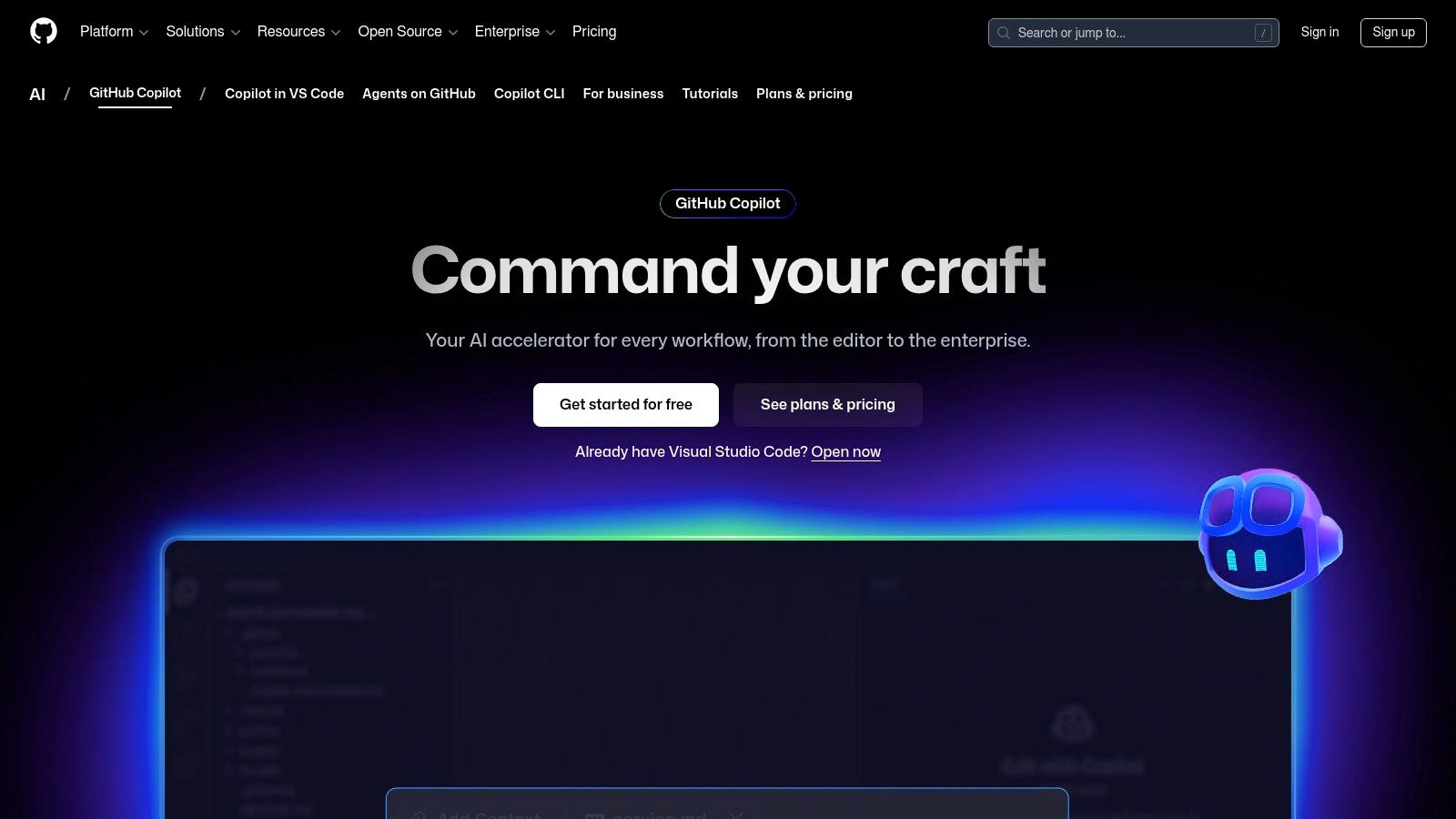
What really sets Copilot apart is its seamless integration with the developer workflow. If your team lives and breathes GitHub for repositories, pull requests, and Actions, Copilot feels like a natural superpower. The "Agent mode" and multi-file awareness let it tackle complex, multi-step tasks that go beyond simple autocompletion, like refactoring code across your entire project. The new extensions ecosystem also opens up exciting possibilities, allowing you to connect tools like Docker or Sentry directly into your AI chat.
While its core function is phenomenal, the reliance on third-party extensions can introduce security considerations, and the most powerful features are locked behind a paywall. Still, for its stability and ecosystem fit, it remains one of the best AI coding assistant options available. If you want to dive deeper into how tools like this can transform your workflow, check out our guide on how to code faster with AI.
Website: https://github.com/features/copilot
For teams living and breathing in the Amazon Web Services ecosystem, Amazon Q Developer is less of a choice and more of a homecoming. Evolving from its predecessor, CodeWhisperer, Amazon Q is deeply woven into the fabric of AWS, from your IDE and command line all the way to the AWS console. It's designed from the ground up to understand your AWS environment, providing context-aware code suggestions and powerful, agent-driven workflows that simplify cloud development.
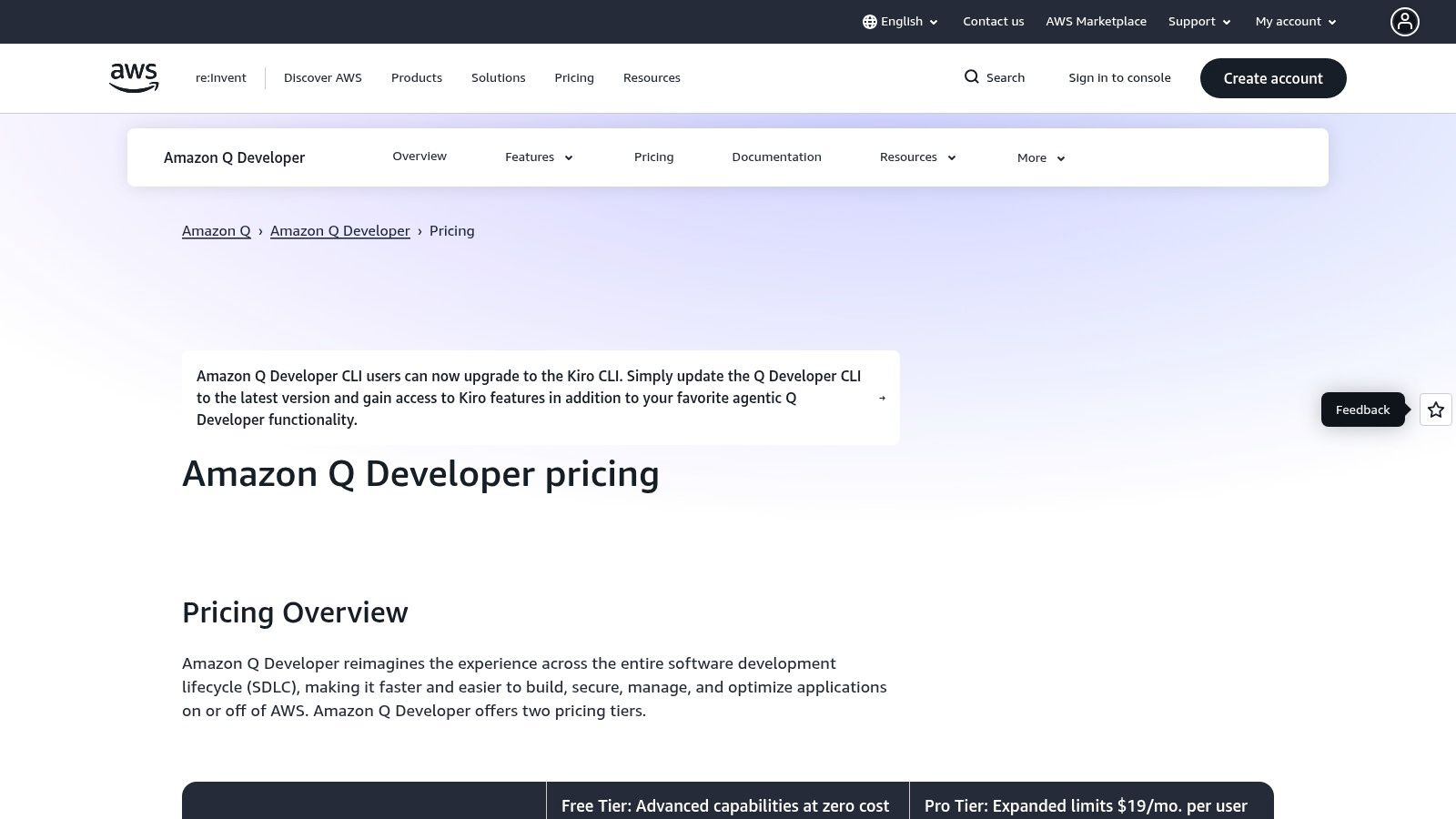
What makes Amazon Q a compelling contender for the best AI coding assistant is its unique focus on large-scale code transformations and AWS-specific tasks. Need to upgrade an entire legacy Java application? Amazon Q can automate much of that heavy lifting. Its deep integration with AWS services and IAM means it can perform complex actions on your behalf, like troubleshooting a production issue or optimizing a service configuration, all with the right permissions. It’s like having an AWS expert pair-programming with you 24/7.
While its deep AWS integration is its greatest strength, it's also its main limitation; teams not committed to the AWS cloud will find less value here. The pay-per-line model for transformations can also lead to unpredictable costs for very large projects. Still, for AWS-native teams, Amazon Q is an incredibly powerful and natural fit.
Website: https://aws.amazon.com/q/developer/pricing
For teams deeply embedded in the Google Cloud ecosystem, Gemini Code Assist is a powerful, enterprise-grade contender. Previously known as Duet AI, this tool is designed for organizations that prioritize security, compliance, and seamless integration with GCP services. It extends beyond simple IDE completions, offering a robust Gemini-powered command-line interface (CLI) and deep integrations into products like BigQuery, Apigee, and Firebase, making it an indispensable asset for cloud-native development.
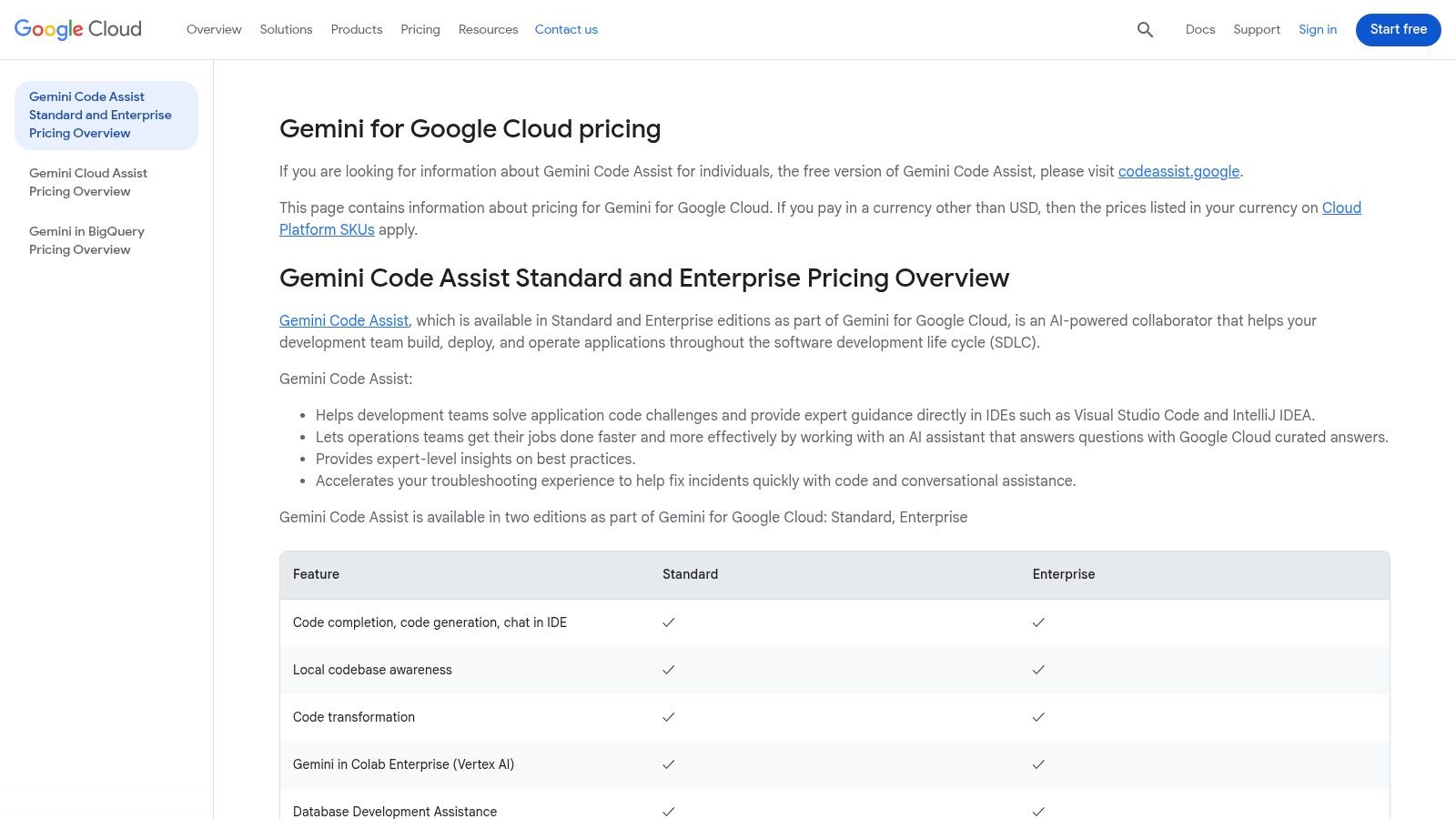
What makes Gemini Code Assist stand out is its enterprise-first approach. It provides mature organizational controls, IP indemnification, and private code handling, addressing major concerns for large companies. The agent mode and local codebase awareness allow it to understand the full context of your private repositories to provide highly relevant suggestions, refactoring, and explanations. This focus on security and deep cloud integration makes it a uniquely powerful and best AI coding assistant for businesses running on Google's infrastructure.
While the enterprise focus is a huge plus for large organizations, its metered billing can make cost forecasting a bit tricky compared to a flat-rate subscription. Still, for teams that live and breathe GCP and need a secure, deeply integrated AI partner, Gemini Code Assist is a top-tier choice that streamlines complex cloud workflows.
Website: https://cloud.google.com/products/gemini/pricing
For the legions of developers who swear by IntelliJ, PyCharm, or WebStorm, the JetBrains AI Assistant is a godsend. Instead of bolting on a third-party tool, this assistant is built from the ground up to feel like a native part of the IDE you already love. It leverages the deep code intelligence JetBrains is famous for, providing highly contextual, project-aware suggestions that understand your entire codebase, not just the open file.
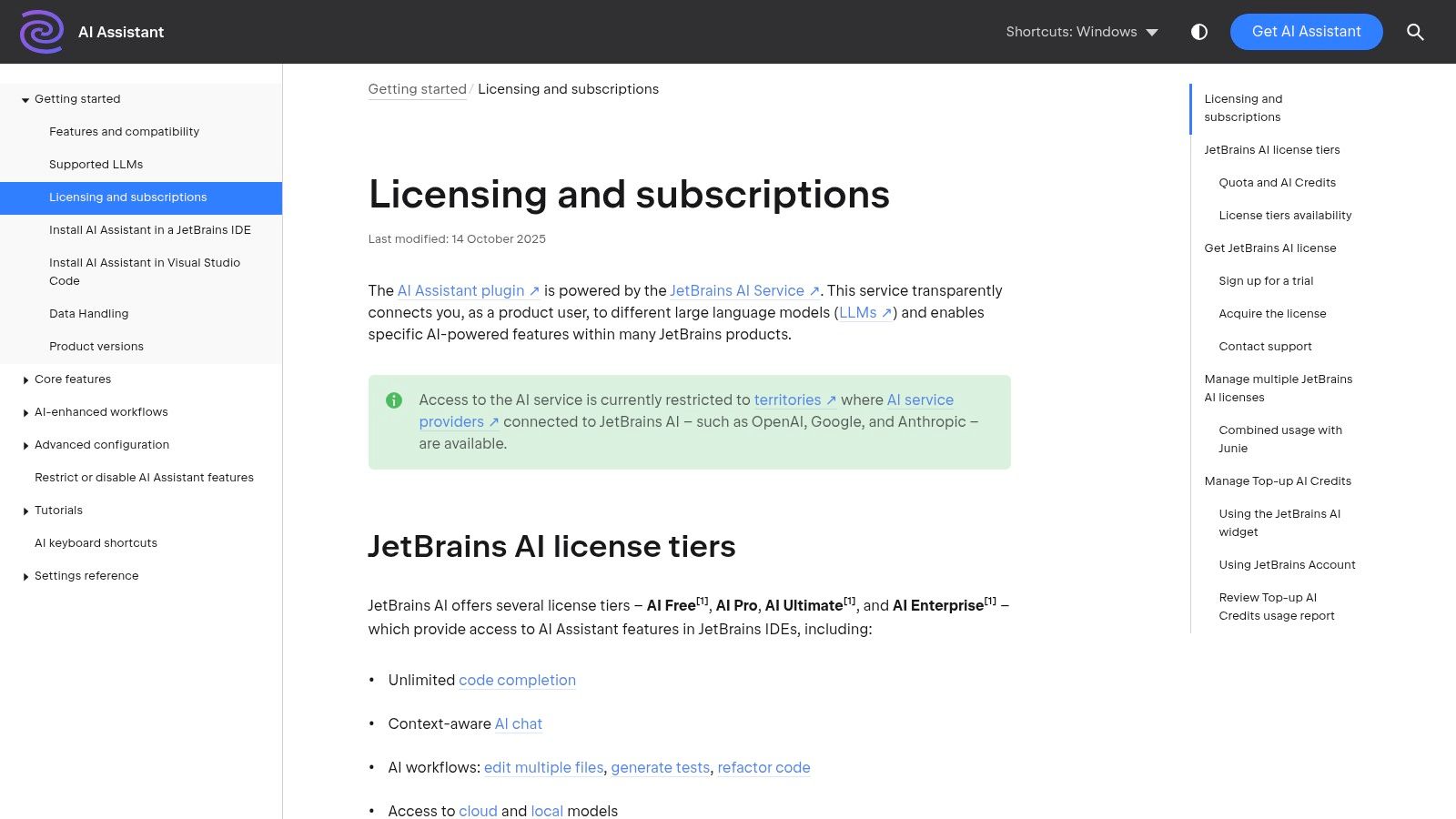
What makes it a strong contender for the best AI coding assistant is its polished user experience and powerful multi-file workflows. You can highlight code across multiple files and ask the assistant to perform complex refactors, generate documentation, or find bugs. It uses both local and cloud models, giving you a mix of speed and power. The tight integration means features like AI-powered commit message generation or code explanation feel seamless, not like you're context-switching to a separate chat window.
While the native integration is its greatest strength, the credit-based system for cloud features can be a bit confusing and may lead to unexpected costs for power users. However, for a cohesive, powerful, and deeply integrated experience within the JetBrains ecosystem, it’s an incredibly compelling option.
Website: https://www.jetbrains.com/ai/
If standard AI assistants feel like helpful backseat drivers, Cursor is aiming to be the full self-driving car. Built from the ground up as an AI-native IDE, it moves beyond simple code completion and into the realm of autonomous agent workflows. Instead of just suggesting the next line, Cursor can take on complex, multi-file tasks in the background, making it feel like a true collaborative partner that understands the entire scope of your project.
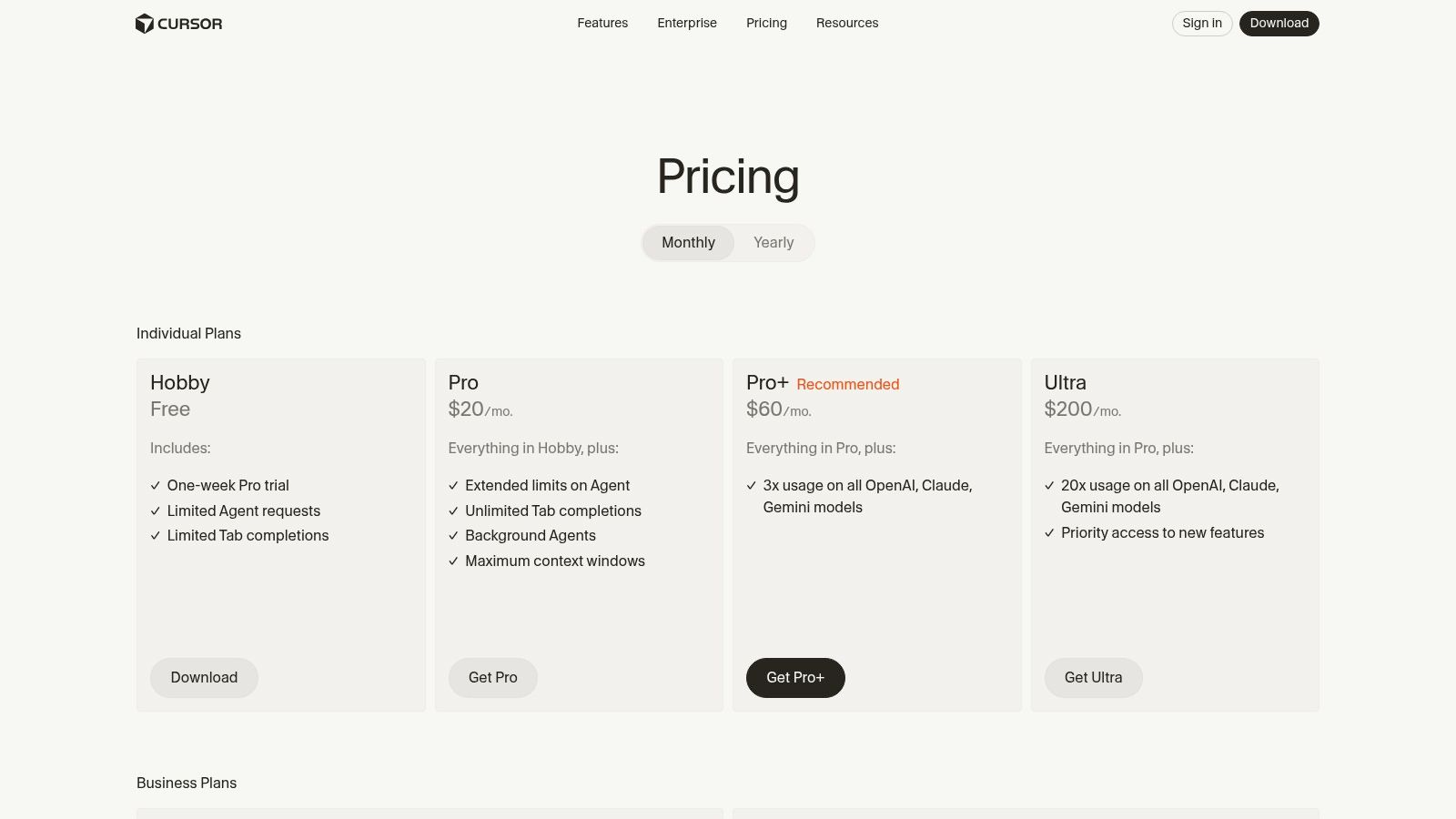
What makes Cursor feel so powerful is its focus on large-scale edits and deep context. With large context windows and features designed for "edits-at-scale," it excels at tasks like migrating a feature across multiple components or refactoring an entire API schema. The rapid pace of development also means new, experimental features are constantly being added, giving it a cutting-edge feel. For teams, it offers robust admin controls, RBAC, and SSO, making it a viable enterprise option.
While its autonomous workflows are impressive, the most advanced features are locked behind the Pro and Ultra tiers, which can be a significant investment for solo developers. Still, for those who want a glimpse into the future of AI-driven development, Cursor is one of the best AI coding assistant platforms pushing the boundaries. It's a great example of how AI can move from suggestion to execution, a concept we explore in our guide on turning screenshots into code.
Website: https://cursor.com/pricing
For teams where security isn't just a feature but a mandate, Tabnine carves out a unique niche. It’s an enterprise-first AI coding platform built with privacy and compliance at its core. While many tools operate solely in the cloud, Tabnine offers flexible deployment options, including on-premises or in your own virtual private cloud (VPC), ensuring your proprietary code never leaves your secure environment. This makes it a go-to for organizations in highly regulated industries like finance or healthcare.
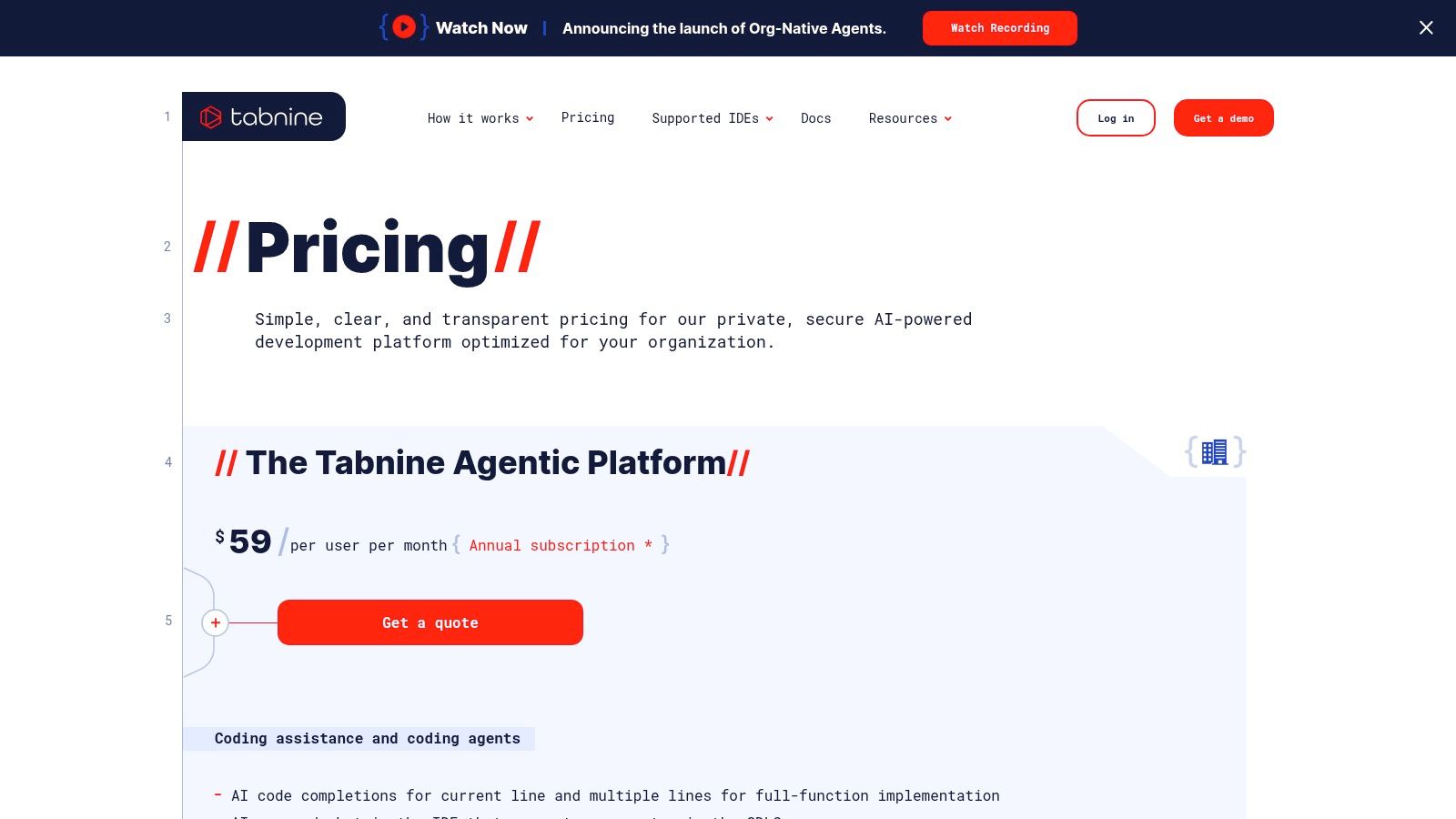
What makes Tabnine a strong contender is its commitment to control and customization. It provides robust governance tools, analytics, and even allows you to bring your own large language models (BYO LLM). This level of control means you can fine-tune the AI's behavior to match your team's specific coding standards and security protocols. It's less of a one-size-fits-all assistant and more of a highly configurable, secure coding partner that adapts to your organizational needs.
While its strict focus on enterprise means pricing can be opaque and requires sales engagement for exact quotes, the security benefits are undeniable. For teams who can't risk code exposure, Tabnine is a top-tier choice. If you're exploring the landscape of AI tools beyond just code, you can find more options in our overview of the best AI coding tools.
Website: https://www.tabnine.com/pricing
Replit takes a unique, all-in-one approach by bundling an entire development environment directly into your browser, supercharged with AI. It’s not just a code editor; it's a complete platform to build, test, and deploy applications without ever needing to configure a local machine. This turnkey solution is fantastic for rapid prototyping, collaborative projects, and educational purposes where getting started quickly is key. Forget npm install nightmares.
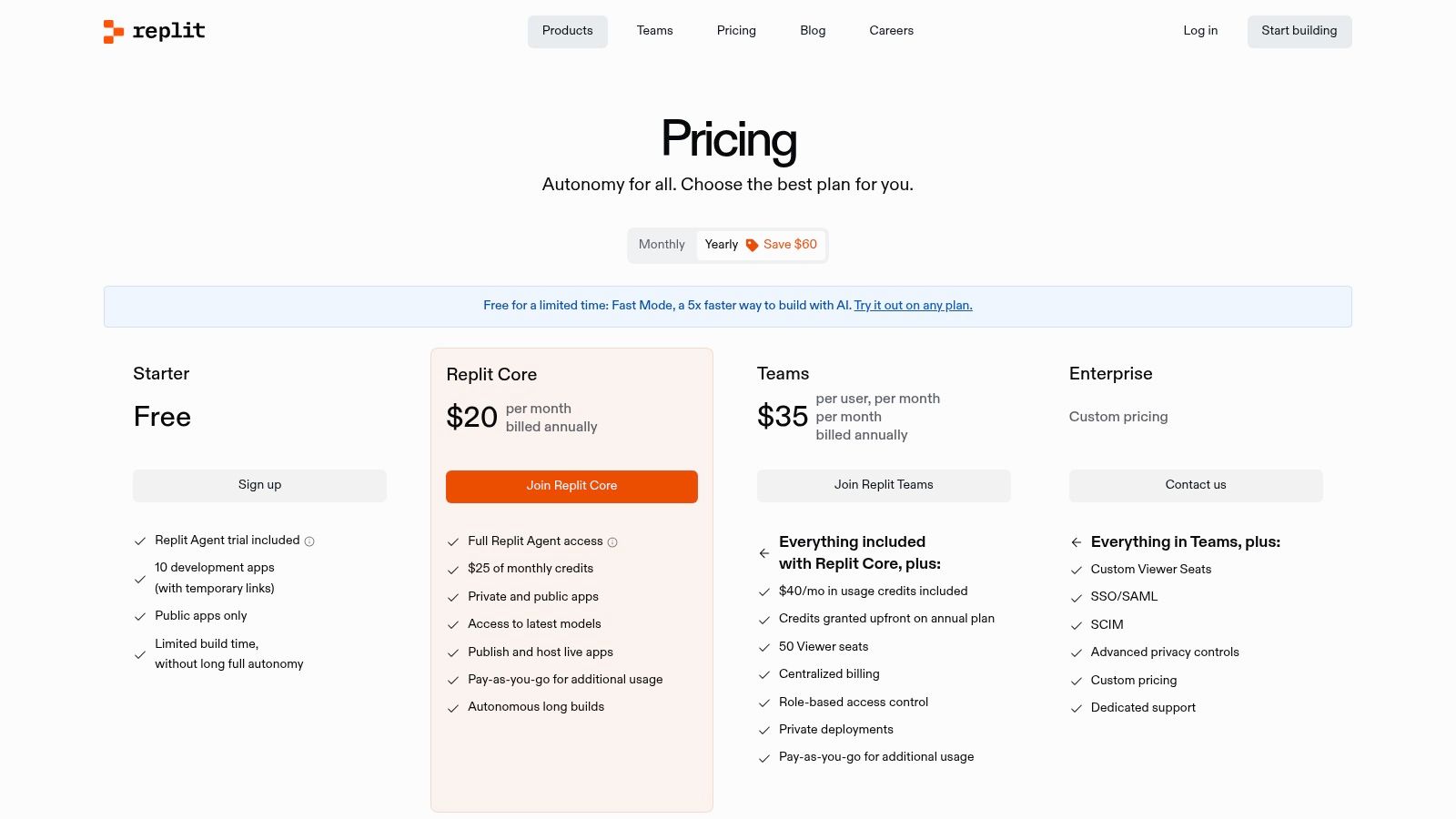
The star of the show is the Replit Agent, an autonomous coding assistant designed to handle complex, multi-step tasks from start to finish. You can ask it to build an entire feature, debug a tricky issue, or set up a new project, and it will work in the background to get it done. This shifts the paradigm from simple autocompletion to genuine task delegation, making it one of the more ambitious AI coding assistants on the market. The integrated hosting and included compute resources mean you can go from idea to live application in minutes.
While the all-in-one workflow is a massive advantage, some users report variability in the agent's reliability, and compute-heavy tasks can quickly burn through the included credits, requiring pay-as-you-go top-ups. Still, for a seamless "code-to-cloud" experience, Replit is a powerful contender.
Website: https://replit.com/pricing
For large enterprises staring down the barrel of a massive application modernization project, IBM watsonx Code Assistant is a highly specialized tool built for the job. Unlike general-purpose assistants, it's fine-tuned for specific, high-stakes tasks like translating legacy COBOL code on mainframes to modern Java or generating Ansible automation playbooks. This focus makes it less of an all-around pair programmer and more of a strategic modernization engine.
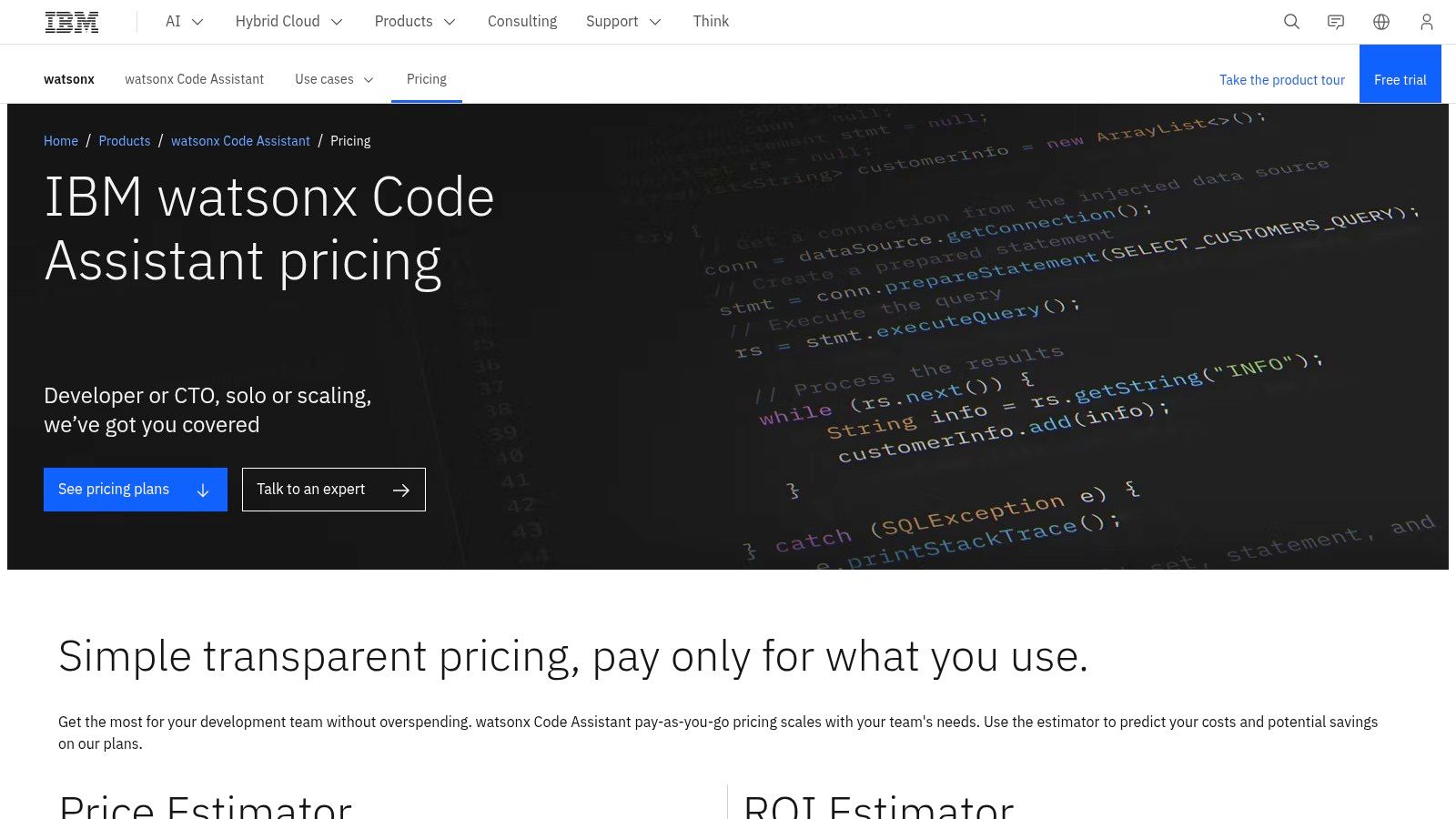
What truly sets watsonx Code Assistant apart is its enterprise-grade DNA. It offers both SaaS and on-premises deployment options, giving organizations full control over their data and models. IBM also provides crucial IP indemnification, a major concern for companies worried about the provenance of AI-generated code. Its use of IBM's own Granite foundation models, trained on trusted enterprise data, further reinforces its commitment to security and compliance, making it one of the best AI coding assistant choices for regulated industries.
While its specialization is a strength, the unique credit-based pricing model can be tricky to forecast without a pilot project. It's a powerful, niche tool, but if your needs are broader, an all-in-one platform might offer more day-to-day value without requiring complex procurement.
Website: https://www.ibm.com/products/watsonx-code-assistant/pricing
For large organizations grappling with massive, complex codebases, Sourcegraph Cody offers a powerful solution that pairs AI with best-in-class code search. Rather than just generating code, Cody's core strength is its ability to understand your entire private codebase, providing context that other tools can only dream of. This "understand + generate" stack is a game-changer for enterprise-level development, security, and onboarding.
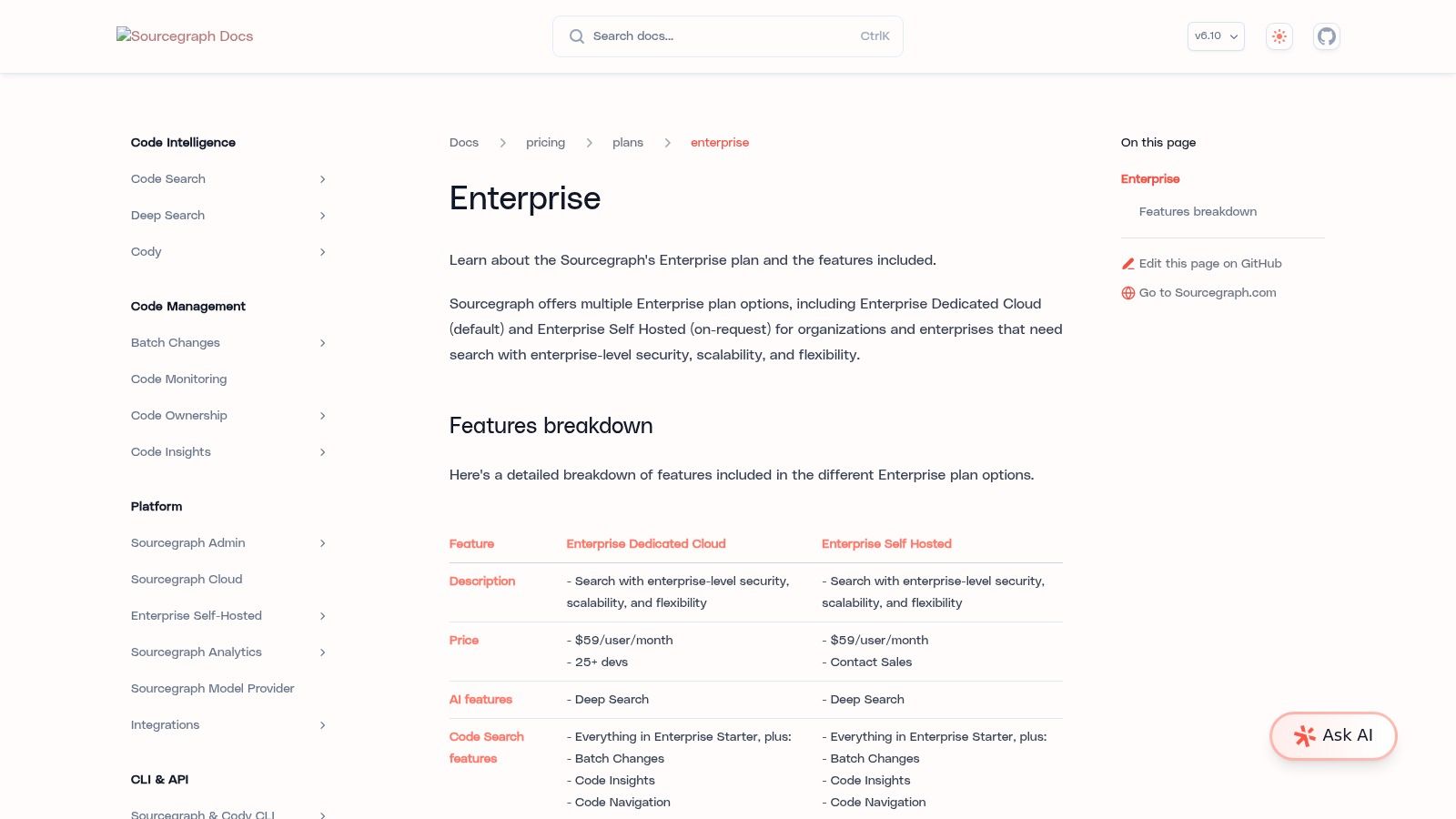
What makes Cody a compelling enterprise option is its focus on control and security. It offers various deployment options, including on-premise, to keep your code secure. Features like SSO, audit logs, and the ability to bring your own LLM via gateways provide the governance and flexibility that large companies demand. While its free and pro plans were discontinued, the enterprise version remains a top-tier choice for teams needing deep code intelligence integrated directly into their AI coding assistant.
The biggest drawback is its accessibility; Cody is no longer a tool you can just pick up and try. It’s a serious enterprise investment. However, for organizations where understanding complex, proprietary code is paramount, it’s one of the few tools built for the job. Exploring how specialized tools like this fit into a broader strategy is key, as covered in our roundup of the best AI tools for developers.
Website: https://sourcegraph.com/docs/pricing/enterprise
While not a dedicated IDE plugin out of the box, OpenAI's ChatGPT is the powerhouse generalist that most developers already have open in a browser tab. Its strength lies in its versatility and advanced reasoning capabilities, making it an indispensable partner for tasks that happen outside of direct code generation. Think of it as your go-to expert for architectural planning, debugging complex logic, writing documentation, or generating robust test cases from scratch.
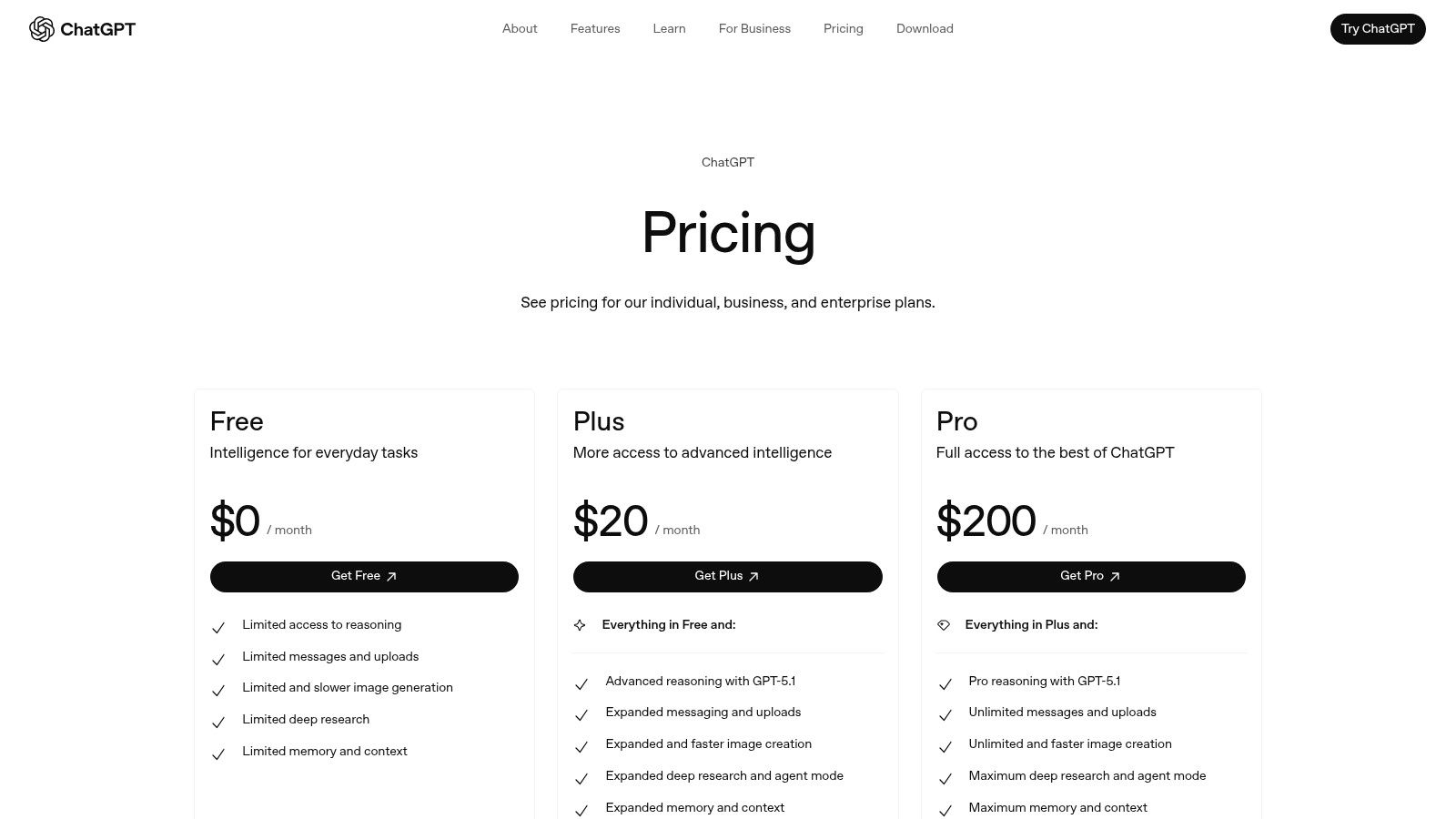
What makes ChatGPT a unique contender for the best AI coding assistant is its conversational prowess and ability to handle abstract problems. With features like file uploads, you can provide it with entire codebases for high-level analysis or refactoring suggestions. The platform scales incredibly well, from a powerful free version for individuals to enterprise-grade plans with SSO, admin controls, and the latest models. It's the perfect tool when you need more than just autocomplete; you need a brainstorming partner.
The main drawback is its lack of native IDE integration, which relies on third-party extensions that can vary in quality. However, for its raw intellectual horsepower and its ability to tackle the "why" and "how" behind the code, ChatGPT remains a fundamental tool in any developer's arsenal. When you need this level of conversational intelligence integrated directly into a project management workflow, you might find an all-in-one solution like Zemith to be a more streamlined alternative.
Website: https://openai.com/chatgpt/pricing/
For developers living in Visual Studio Code, the official Marketplace page for GitHub Copilot Chat is the ground-zero entry point. This isn't just an install button; it's the canonical source for ensuring you have the latest, most compatible version of Copilot's powerful chat features. It provides crucial release notes, version compatibility guidance, and documentation links that are essential for teams standardizing their development environment.
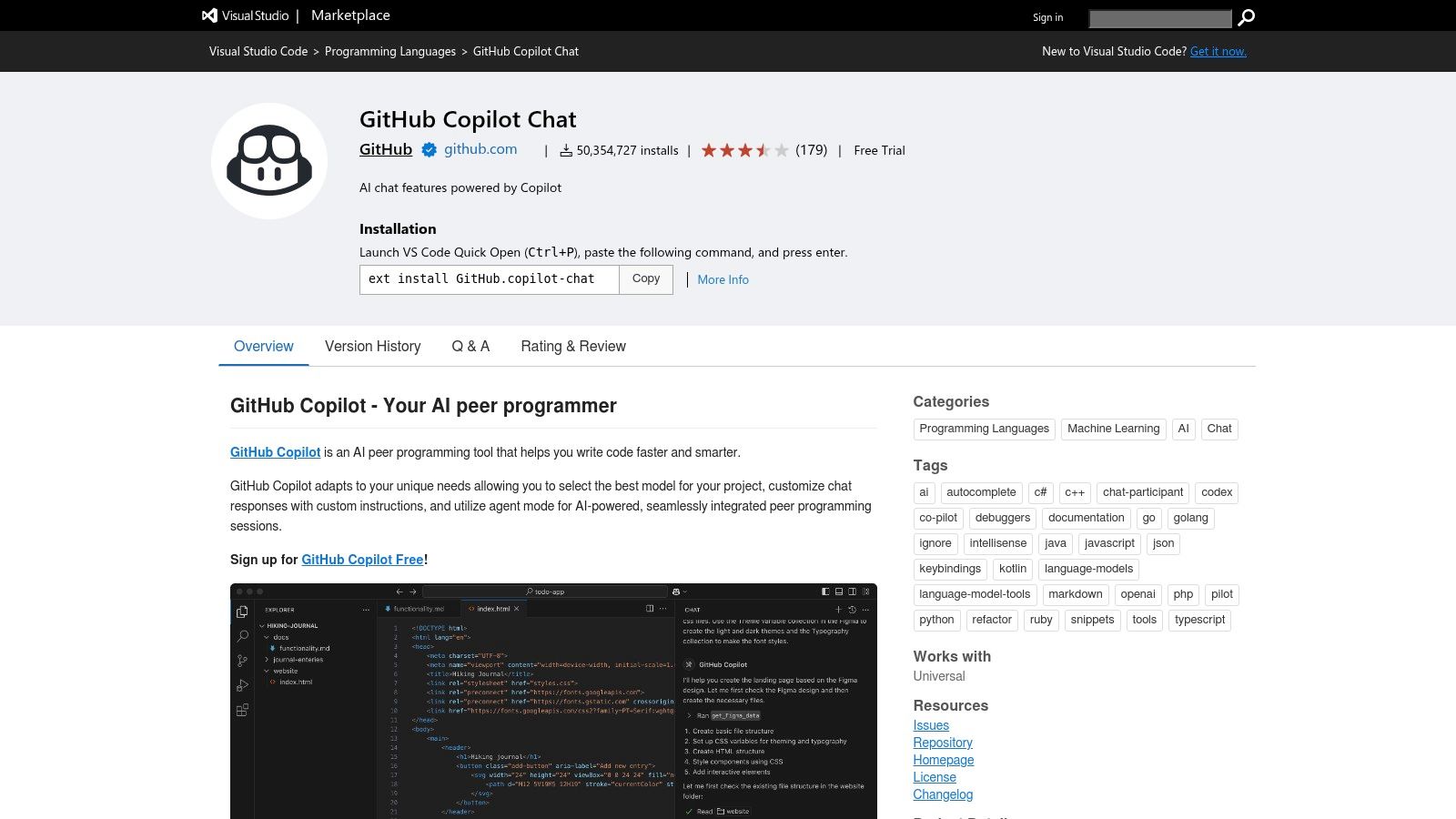
What makes this page a vital resource is its role as a trust anchor. While the VS Code Marketplace is flooded with AI tools, this official listing from GitHub ensures you're not installing a sketchy third-party extension with questionable permissions. The page clearly explains core functionalities like agent mode, edit mode, and inline chat, serving as a quick-start guide. It’s the fastest, most secure way to integrate one of the best AI coding assistant tools directly into your primary editor, minimizing setup friction and configuration headaches.
While this is the safest way to get the extension, remember that the Marketplace's vetting process isn't foolproof, so always be cautious with other AI tools. For teams seeking a more unified solution that bundles coding assistance with project management and documentation without needing separate extensions, an integrated platform like Zemith might offer a more streamlined workflow.
Website: https://marketplace.visualstudio.com/items?itemName=GitHub.copilot-chat
Whew, that was a whirlwind tour of the AI coding landscape, wasn't it? We’ve dissected everything from the GitHub-native powerhouse Copilot to the enterprise-grade behemoths like IBM's watsonx. At this point, you've probably got a dozen browser tabs open and a head full of feature comparisons. Let’s bring it all home and figure out what this means for you.
The big takeaway is this: the "best ai coding assistant" isn't a one-size-fits-all trophy. It’s a deeply personal choice, like picking a mechanical keyboard or your favorite coffee roast. It depends entirely on your stack, your team's ecosystem, and, most importantly, the full scope of your daily work. If you're a die-hard JetBrains fan, their integrated AI Assistant is going to feel like a natural extension of your workflow. If your entire career is built on the AWS cloud, ignoring Amazon Q would be like trying to build a LEGO set without the instructions.
But here’s the million-dollar question: what if your job is more than just slinging code?
Most developers don't just write code in a vacuum. We’re also technical writers, project planners, researchers, and sometimes even impromptu presentation designers. You might spend your morning debugging a Python script, your afternoon analyzing a competitor's API documentation, and your evening drafting a project proposal based on your findings.
This is where many specialized coding assistants start to feel a bit... narrow. You have GitHub Copilot humming along in your IDE, but then you have to switch over to ChatGPT to brainstorm blog post ideas. Then you open another tool to analyze a PDF of technical specs, and yet another to create slides for the weekly sync. Each switch is a small productivity papercut, and by the end of the day, you're bleeding time and focus. This constant context-switching is the hidden tax on productivity that single-purpose tools don't talk about.
So, how do you choose? Let’s break it down into a simple decision framework. Ask yourself these questions:
This is precisely the gap that an all-in-one AI workspace like Zemith is designed to fill. It understands that modern work is multifaceted. It provides a robust coding assistant right alongside powerful tools for document analysis, deep research, and content creation. Instead of treating coding as an isolated task, it sees it as one crucial piece of a much larger puzzle. It’s for the developer who also has to be a writer, a strategist, and a communicator, all before lunch.
Your goal isn't just to write code faster; it's to ship great products faster. That means streamlining every step of the process. So, as you make your final decision, look beyond the code completion. Find the AI sidekick that supports your entire workflow, eliminates the tab-switching chaos, and truly helps you get more done.
Ready to ditch the subscription juggling and consolidate your workflow? Zemith combines a powerful AI coding assistant with research, writing, and creative tools in one seamless platform, helping you go from idea to launch faster than ever. Give Zemith a try and discover what a truly integrated AI workspace can do for your productivity.







Trusted by teams at






The top models, plus image, video and voice tools, in one plan.
Without Zemith
ChatGPT PlusUS$20.00Claude ProUS$20.00Google AI ProUS$19.99SuperGrokUS$30.00Perplexity ProUS$20.00 MidjourneyUS$10.00
 ElevenLabsUS$6.00Le Chat ProUS$14.99
 RunwayUS$15.00Kling StandardUS$8.80
 Gamma PlusUS$12.00
 Otter ProUS$16.99
 QuillBot PremiumUS$19.95
 Photoroom ProUS$12.99
 Quizlet PlusUS$7.99
Total if paying separatelyUS$234.70/mo
"I love the way multiple tools they integrated in one platform. Going in the right direction."
— simplyzubair
"The quality of data and sheer speed of responses is outstanding. I use this app every day."
— barefootmedicine
"The credit system is fair, models are perfect, and the discord is very responsive. Quite awesome."
— MarianZ
"Just works. Simple to use and great for working with documents. Money well spent."
— yerch82
"The organization of features is better than all the other sites — even better than ChatGPT."
— sumore
"It lives up to the all-in-one claim. All the necessary functions with a well-designed, easy UI."
— AlphaLeaf
"The team clearly puts their heart and soul into this platform. Really solid extra functionality."
— SlothMachine
"Updates made almost daily, feedback is incredibly fast. Just look at the changelogs — consistency."
— reu0691
Hand off the research, writing, design and follow-ups. Zemith picks the tools it needs and brings back finished work.
Search the web, run deep research, read files, create images and run code with GPT, Claude, Gemini, Grok and more.
Zemith keeps working in the cloud and pings you when it's done.
Notion, Linear, Canva, Airtable and more. It asks before it creates or changes anything.
Docs, slides, sheets and PDFs, ready to send.
Chain models and tools on a visual canvas, from one prompt to a finished promo video.
Briefings, reports and reminders run on a schedule and are ready when you need them.
Real-time voice that can see your camera or screen.
The best image and video models, in one studio.
Turn PDFs, links and YouTube videos into podcasts, quizzes, flashcards and mind maps.














 Podcast
 Quiz
Quiz Flashcards
 Mind map
 Infographic