


Every top model, with tools built in.
Search the web, run deep research, read files, create images and run code with GPT, Claude, Gemini, Grok and more.
Cut through the digital clutter. Our straightforward document management software comparison reveals what actually works for modern teams and workflows.
A solid document management software comparison really comes down to what you're trying to achieve. Are you just looking for a digital filing cabinet, or are you ready for an intelligent workspace that helps you think? Traditional systems are great for rock-solid storage and version control, but modern AI platforms like Zemith give you interactive tools to actually analyze and create new things from your documents. The right choice depends on a simple question: do you need a place to park your files, or a co-pilot for your work?
We’ve all been there. You’re desperately searching for that one critical file, ‘Final_Report_v4_USE_THIS_ONE.pdf’, only to find three nearly identical versions staring back at you. That sinking feeling is all too familiar. For many teams still relying on shared drives or basic cloud storage, this digital scavenger hunt is a daily, soul-crushing routine where productivity goes to die.
This chaos isn't just a minor frustration; it's a clear sign that the system itself is broken. Old-school file storage was designed for a world of static files, not the fluid, collaborative workflows that drive business today. It’s like trying to manage a modern streaming service with a library card catalog—the core technology just can’t keep pace.

The problem goes way deeper than just lost time. A messy digital filing cabinet exposes you to some serious business risks that you can't just brush aside. To get past the 'mountains of paperwork and messy digital folders,' you really need to understand what a dedicated document management software brings to the table.
This is where a real Document Management System (DMS) changes the game by bringing order to the chaos. A DMS is so much more than a storage bin; it’s an active system built to manage the entire lifecycle of your documents, from creation to archive.
A proper DMS gives you:
A great DMS isn't just about finding files faster. It's about reclaiming the 8-10 hours per week that employees waste, on average, just searching for information or redoing work that already exists. That’s an entire workday, every week, lost to disorganization.
It’s easy to mistake a DMS for something like Google Drive or Dropbox. And while they both store files in the cloud, they are built for fundamentally different jobs. Getting this difference is the first step in any serious document management software comparison.
At the end of the day, basic cloud storage is just a digital box. A DMS, on the other hand, is an intelligent system that not only holds the box but also organizes, secures, and automates everything inside it—paving the way for even smarter solutions.
Picking the right Document Management System (DMS) feels a lot like buying a new car. You wouldn't just grab the first shiny one you see on the lot. You’d think about your daily commute, whether you’re hauling kids or equipment, and if you need something that sips gas or can handle a bumpy road. The best DMS is the one that actually fits your team’s day-to-day work, not just the one with the flashiest feature list.
Before you even start looking at demos, take a hard look at your own processes. What are the real pain points you're trying to fix? Is your biggest headache a messy version control system that causes constant rework? Or is it the security nightmare of sensitive documents floating around in email chains? Jot it all down. Be specific. You’re not just looking for a better digital filing cabinet; you're trying to fix what’s fundamentally broken in how you work. This internal audit is the absolute foundation for comparing any software.
Once you’ve identified your problems, you can start separating your "must-haves" from your "nice-to-haves." This becomes your personal scorecard for judging every platform you look at. Every business operates differently, so your list will be completely unique to you. Wondering "what features should a document management system have?" Start here.
Here are a few core areas to really think through:
Don’t get distracted by shiny features you'll never use. A simple, elegant solution that solves 100% of your core problems is always better than a complex system that solves 100% of problems you don't actually have.
There's a reason the DMS market is exploding. Valued at roughly USD 7.68 billion, it's projected to shoot up to USD 18.17 billion by 2030. That growth isn't just hype; it's driven by a real need for better security, compliance, and smarter workflows. You can discover more insights on this market growth to get a sense of how critical these tools have become.
With that in mind, think about the future. Storing files is one thing, but what if your software could help you understand what’s inside them? This is where the next generation of platforms is really changing the game. Instead of just parking a PDF in a folder, what if you could ask it questions? That's the kind of forward-thinking functionality you should be looking for. A platform like Zemith, for instance, doesn't just store your research papers. Its AI Document Assistant can summarize dense reports or pull out key takeaways on command, turning a static file into an interactive knowledge base. This is a leap from simple organization to genuine productivity.
Finally, you have to think about the actual implementation. How are you going to get that mountain of existing files from your old system into the new one? This is often the biggest hurdle people forget. A good DMS provider should have clear tools or guidance for data migration. Figuring this out before you sign a contract will save you a world of headaches down the road.
Getting your digital house in order is a crucial first step. You might want to check out our guide on how to organize digital files effectively to get prepped for the move. A successful DMS rollout is as much about your own preparation as it is about the software you choose.
Alright, let's get into the specifics. You know you have a problem and you have a list of what you're looking for, so now it's time for the real showdown between different document management systems. A smart document management software comparison isn’t about finding the one "best" tool—it's about finding the right fit for the job you need to do.
We won't just throw a long list of names at you. Instead, we'll compare the critical functions to show you where different types of solutions really shine... and where they completely miss the mark. To get a wider view of the field, it's also helpful to review the best document management software solutions out there.
Version control is the absolute foundation of a solid DMS. Without it, you’re stuck with "Final_Report_v5_ForRealThisTime.docx," and nobody wants to live in that kind of chaos.
Traditional DMS (like SharePoint): These systems are built for rigid, formal version control. Think check-in/check-out functions, super detailed version histories, and easy rollbacks. This is non-negotiable for legal teams or engineering firms where every single change has to be tracked for compliance.
Basic Cloud Storage (like Google Drive): While Google Drive and similar services offer a version history, it’s not nearly as robust. It’s more of a safety net for when you accidentally delete something, not a structured system for managing iterative work. It’s useful, but not what you’d call business-critical.
AI Workspaces (Zemith): Here, versioning happens automatically in the background. What’s really different is the focus on the context of the changes. By linking document storage to a project workspace, a file's evolution is tied directly to the team's conversations and tasks. This makes the "why" behind a new version just as clear as the "what."
This infographic hits on the three pillars you should always be thinking about when comparing platforms: security, scalability, and user experience.
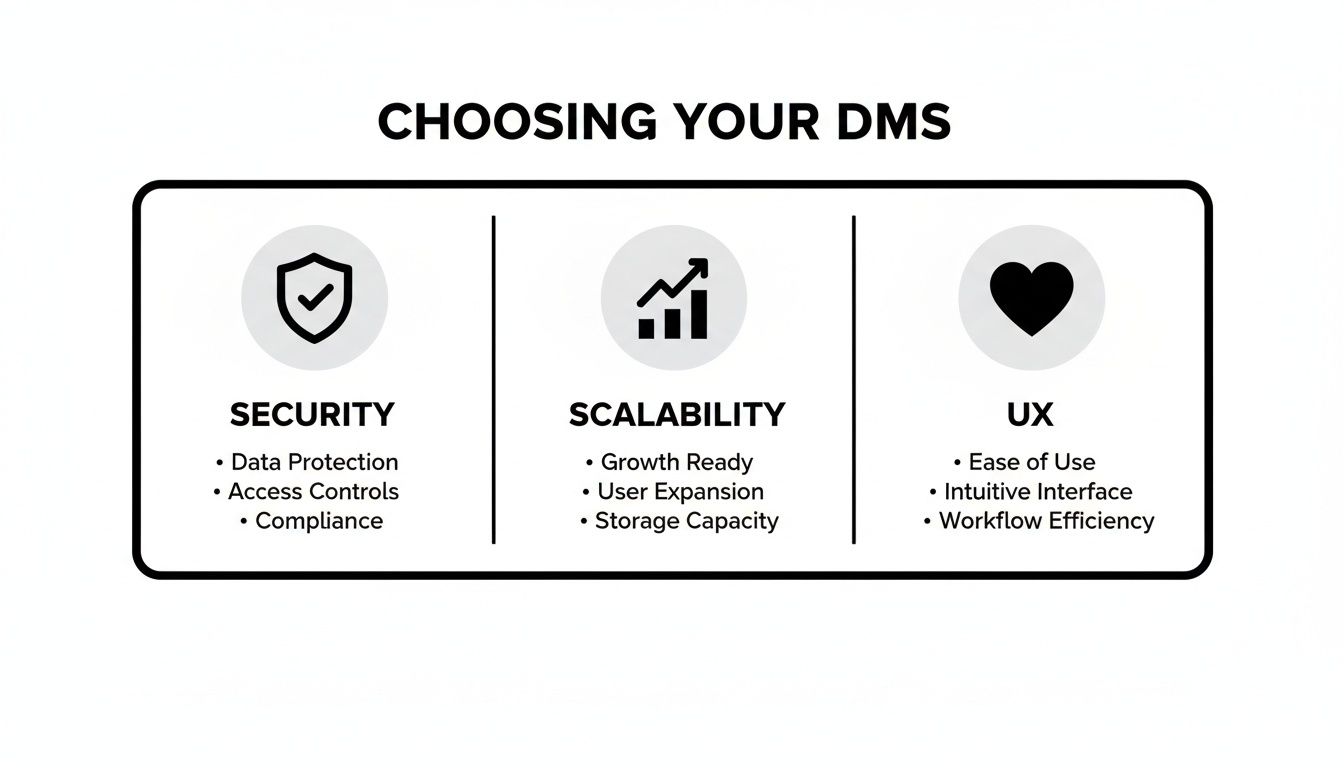
Get these three right, and you'll have a tool your team actually wants to use. Get them wrong, and you've just bought everyone a new source of daily frustration.
Finding a document shouldn't feel like an archaeological dig. A powerful search function is what turns a digital mess into an organized knowledge base.
Most systems offer a basic keyword search. The better ones add Optical Character Recognition (OCR) to scan the text inside PDFs and images. That's a big improvement, but it's still just matching words. It can find the document that mentions "Q3 financial projections," but it can't tell you what those projections were.
This is where things shift from just finding information to truly understanding it.
Imagine asking your document library a question in plain English, like, "What were our key marketing KPIs from last quarter's report?" That's the leap AI brings to the table. Zemith's AI Document Assistant lets you have a conversation with your files. It doesn't just point you to the right document; it reads it, synthesizes the important information, and gives you the answer directly. It’s the difference between a librarian pointing you to the right aisle and a research assistant who has already read the book and highlighted the important parts.
Real collaboration is so much more than leaving a comment on a Google Doc. It's about creating a shared space where ideas and the documents that hold them can grow together. Here’s a quick look at how different platforms approach teamwork.
A side-by-side look at how top DMS solutions stack up on critical features, from basic storage to advanced AI capabilities.
This table really highlights the idea of a "workspace." A traditional DMS just stores the file. A tool like Zemith, on the other hand, builds an entire environment around that file. With its integrated Smart Notepad, a static report becomes a dynamic hub for action. Your team can pull key quotes, brainstorm next steps, and assign tasks right beside the source document, keeping the conversation and the content locked together. If you're looking to really level up your team's workflow, our guide on the best document collaboration software is a great place to explore more options.
In a world where work happens everywhere, mobile access is non-negotiable. But let's be honest, not all mobile apps are created equal. Many traditional DMS platforms have mobile apps that are just watered-down versions of the desktop experience, letting you view and maybe make a few small edits.
Modern platforms get that mobile isn't just a smaller screen—it's a totally different way of working. The goal should be to provide a full-powered experience, not a limited one. With Zemith's mobile app, you don't just get your files. You get the full power of the AI Document Assistant, the Smart Notepad, and all your project workspaces right in your pocket. You can ask a 100-page report for a quick summary while you're waiting for a coffee. That's not just mobile access; that's mobile intelligence.
A features list is one thing, but seeing how a tool actually solves a real-world, hair-pulling problem is where the rubber meets the road. A good document management software comparison needs to go beyond the checkboxes and dive into the messy reality of day-to-day work. To do that, let's look at a couple of common situations.
You might just recognize your own struggles in one of our examples.

First up is Maria. She’s a marketing manager at a fast-growing e-commerce company, and her world is a constant storm of campaign briefs, ad copy, performance reports, and huge image files. Her team is always working on new assets, and keeping track of which version is the final final one is a total nightmare.
Her biggest headaches are:
For someone like Maria, even a traditional DMS would be a massive improvement. It offers a central, secure hub for all campaign files with strict version control. An automated approval workflow could make sure every asset gets the right sign-offs in the right order. This brings much-needed structure and sanity to her creative process. You can learn more about how this works by checking out document workflow automation and its impact on team productivity.
But an AI-powered workspace like Zemith pushes things even further. Maria could upload all her campaign docs—briefs, reports, mockups—into one project. Then, the AI Document Assistant could instantly answer a question like, "What was the click-through rate on our summer sale campaign?" without her having to spend 15 minutes hunting through a dense 20-page PDF report. This transforms her document library from a simple storage locker into an active marketing analyst.
The right tool doesn't just store your work; it participates in it. For a marketer like Maria, this means turning disconnected files into a cohesive, intelligent campaign hub.
Now, let's look at Rachel. She's a researcher at a biotech firm, and her job is to consume incredible amounts of information. Her days are spent sifting through dense academic papers, clinical trial data, and long, technical reports. Her challenge isn't just storing these documents—it's pulling out the critical information locked inside them.
Her main struggles are:
For Rachel, a traditional DMS is okay for organization, but it does almost nothing to solve her actual problem. Sure, it can store her research papers neatly, but it can’t help her understand them any faster.
This is where a platform like Zemith becomes a complete game-changer that traditional systems can't even dream of touching.
Instead of just storing Rachel's PDFs, Zemith lets her have a conversation with them. She can upload a 50-page clinical study and ask the AI Document Assistant to provide a one-page summary of the key findings, methodology, and conclusions. She can then ask follow-up questions, like, "What were the main contraindications noted in this study?" and get an instant, accurate answer pulled directly from the text.
But it gets even better. Zemith can:
This isn't just document management; it's knowledge acceleration. For a researcher like Rachel, this is the difference between drowning in data and surfing on top of it. It’s all about making your information start working for you.
Let's pull back for a moment. The whole conversation around document management is shifting under our feet. For years, the big goal was solving the digital filing cabinet problem—how to store files so they’re secure and you can actually find them again. That’s still important, but honestly, it’s becoming the bare minimum.
The future isn't about finding documents; it's about interacting with them. We're seeing a huge shift from passive storage to active intelligence. Your digital files shouldn't just sit there like a library of PDFs and Word docs. They should be partners you can work with.
Think about how maps have changed. We started with paper maps (static). Then we got digital apps that just showed the route (basically a better filing cabinet). Now? We have apps giving us real-time traffic, suggesting detours, and finding a gas station along the way. The map is no longer just a stored image; it’s an interactive tool. That’s exactly what’s happening to your documents right now.
This is the core idea that separates old-school systems from what's next. A traditional DMS helps you manage your collection of digital "books." You can organize them, lock them up, and pull the right one off the shelf. But that’s where it stops.
An AI-powered workspace, on the other hand, lets you have a conversation with what's inside the books. This is the game-changing difference that makes platforms like Zemith so powerful. It completely reframes your relationship with your own information.
The ultimate goal is no longer just an empty inbox or a perfect folder structure. It's to shrink the time between question and answer to nearly zero, using the knowledge you already have.
For example, with a classic system, if you need to know last year's project budget, you have to find the right report, open it, and scroll through pages of data. With Zemith, you just ask, "What was our total spend on the Q4 project last year?" The AI Document Assistant gives you the answer. It doesn't just point you to the file; it reads it for you.
This interactive approach changes everything. All of a sudden, your document library isn’t a chore you have to manage; it’s a living resource you can tap into. The tools we’ve talked about in this comparison aren't just features on a list—they're doorways to a much smarter way of working.
This is what a real document management software comparison looks like today. It’s not just about which system has better version control. It's about which one helps you think better and move faster. Our deep dive into intelligent document processing software shows exactly how this technology is making it all happen.
As you finish your evaluation, the choice isn't just about buying "a DMS." It’s about deciding what kind of relationship you want with your team's collective knowledge. Are you happy with a well-organized but silent library? Or do you want a dynamic workspace that actively helps you create, analyze, and innovate?
The answer is pretty clear. It’s time to upgrade your entire relationship with information. Choosing a smarter way to work means picking a tool that does a whole lot more than just store files. Zemith is leading that charge, turning your passive document archive into your team’s smartest assistant.
Alright, you've made it through the heavy lifting of the comparisons. But I bet you still have a few questions buzzing around. That’s good. Getting the details right is what separates a smart decision from a frustrating one. Let's dig into some of the most common questions we get asked during any document management software comparison.
Think of this as your final checklist before you hit "go."
Hands down, the two biggest pain points are migrating all your old data and getting your team to actually use the new system. Moving years of files can feel like herding cats—it’s messy and surprisingly difficult. My best advice? Tidy up your digital house before you move. Archive old junk, set up a simple folder structure, and then train everyone on the new rules.
As for getting your team on board, pick something that doesn't feel like a chore to use. If the interface looks like it was designed in 2005, people will find every excuse to avoid it, usually by emailing attachments or creating their own rogue Dropbox folders. A clean, modern interface isn't just a nice-to-have; it's essential for adoption.
For personal files or a two-person startup? Sure, they can work. But let’s be clear: they are cloud storage, not a proper Document Management System. Think of them as a digital junk drawer. It holds things, but it’s not organized for business.
They're missing the serious business tools you'll eventually need, like automated approval workflows, granular access controls, and detailed audit trails for compliance. A real DMS is built for process. If you need to track who opened a sensitive contract and when, or automatically route an invoice for a three-step approval, you've already outgrown basic cloud storage.
A DMS is for your internal business documents—the stuff that runs your company. A Content Management System (CMS), like WordPress, is for publishing content to the outside world, like your website or blog. They're two completely different tools for two completely different jobs.
This is where things get really interesting. A traditional DMS is like a hyper-organized digital filing cabinet. It’s fantastic at helping you store and find documents. An AI-powered workspace like Zemith, on the other hand, helps you actually understand and work with the information inside those documents. It’s the difference between a librarian who can find any book and a research assistant who has read them all.
Instead of just searching for "Q3_Report.pdf," you can ask your documents questions like, "What were the key takeaways from our Q3 performance review?" Zemith can instantly summarize a 50-page legal contract, draft an email based on a project brief, or even turn a dense training manual into a Q&A you can use to prep for a meeting. It’s about shifting from just finding information to using it intelligently.
Ready to stop just storing your documents and start interacting with them? Zemith transforms your static files into an intelligent, interactive workspace. Ditch the endless searching and discover a smarter way to work by exploring the AI-powered tools at https://www.zemith.com.







Trusted by teams at






The top models, plus image, video and voice tools, in one plan.
Without Zemith
ChatGPT PlusUS$20.00Claude ProUS$20.00Google AI ProUS$19.99SuperGrokUS$30.00Perplexity ProUS$20.00 MidjourneyUS$10.00
 ElevenLabsUS$6.00Le Chat ProUS$14.99
 RunwayUS$15.00Kling StandardUS$8.80
 Gamma PlusUS$12.00
 Otter ProUS$16.99
 QuillBot PremiumUS$19.95
 Photoroom ProUS$12.99
 Quizlet PlusUS$7.99
Total if paying separatelyUS$234.70/mo
"I love the way multiple tools they integrated in one platform. Going in the right direction."
— simplyzubair
"The quality of data and sheer speed of responses is outstanding. I use this app every day."
— barefootmedicine
"The credit system is fair, models are perfect, and the discord is very responsive. Quite awesome."
— MarianZ
"Just works. Simple to use and great for working with documents. Money well spent."
— yerch82
"The organization of features is better than all the other sites — even better than ChatGPT."
— sumore
"It lives up to the all-in-one claim. All the necessary functions with a well-designed, easy UI."
— AlphaLeaf
"The team clearly puts their heart and soul into this platform. Really solid extra functionality."
— SlothMachine
"Updates made almost daily, feedback is incredibly fast. Just look at the changelogs — consistency."
— reu0691
Hand off the research, writing, design and follow-ups. Zemith picks the tools it needs and brings back finished work.
Search the web, run deep research, read files, create images and run code with GPT, Claude, Gemini, Grok and more.
Zemith keeps working in the cloud and pings you when it's done.
Notion, Linear, Canva, Airtable and more. It asks before it creates or changes anything.
Docs, slides, sheets and PDFs, ready to send.
Chain models and tools on a visual canvas, from one prompt to a finished promo video.
Briefings, reports and reminders run on a schedule and are ready when you need them.
Real-time voice that can see your camera or screen.
The best image and video models, in one studio.
Turn PDFs, links and YouTube videos into podcasts, quizzes, flashcards and mind maps.














 Podcast
 Quiz
Quiz Flashcards
 Mind map
 Infographic