


Every top model, with tools built in.
Search the web, run deep research, read files, create images and run code with GPT, Claude, Gemini, Grok and more.
Learn how to do deep work with practical steps to block distractions, plan your day, and regain focus in a noisy world.
Most knowledge workers get only 2 to 3 hours of true focus time per day, so learning how to do deep work requires a system, not heroic willpower. Start with one or two protected sessions, remove interruptions before they arrive, and keep demanding work inside a single, uninterrupted workspace.
You probably know the scene. You open your laptop early, make real progress on a difficult problem, then Slack pings. You answer one message, check an email, glance at a calendar invite, and return to the document with no idea where your argument, code, or train of thought went. The morning hasn't disappeared, exactly, but it has been chopped into useless little pieces.
Deep work means concentrating on cognitively demanding work without reactive switching. That might mean debugging a stubborn issue, drafting a strategy, researching a market, designing a system, or writing something that requires more than rearranging bullet points. The practical challenge isn't discovering that focus matters. It's building a workday that makes focus possible.
A productive morning can collapse after a single Slack ping because the interruption has two costs. First, you spend time handling the message. Then you spend more time reconstructing the mental state you had before it arrived.
A foundational study of knowledge work found that employees are interrupted roughly every 11 minutes, and it can take as long as 25 minutes to fully regain the previous level of focus after each disruption, according to this study of interruption and knowledge work. That doesn't mean every interruption always consumes the full recovery period. It does explain why a day filled with small requests feels strangely unproductive even when you're busy from morning to evening.
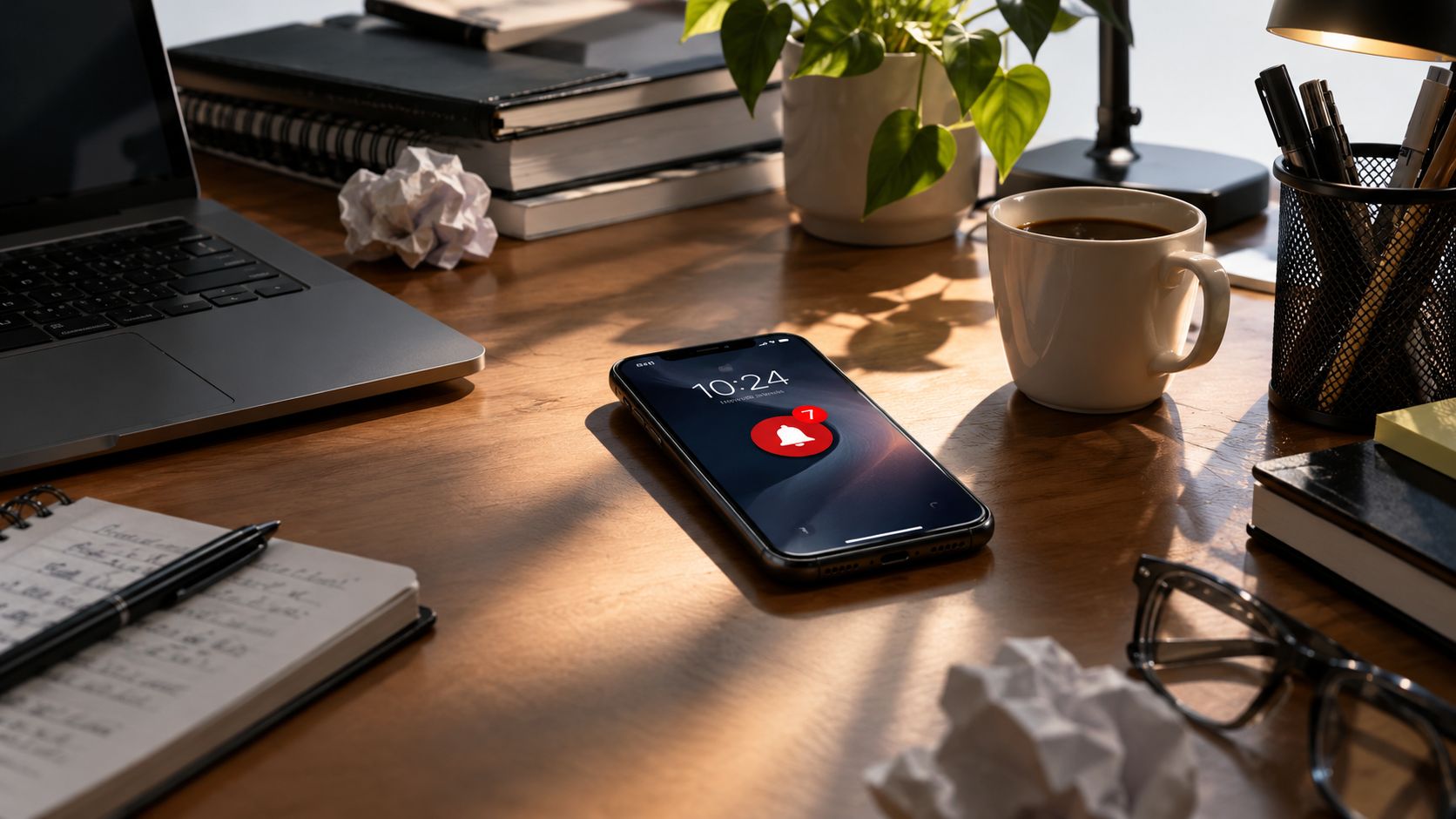
Sophie Leroy's research describes attention residue as the mental carryover that remains attached to a previous task after you switch. You may be reading a technical specification while part of your attention is still tracking the unresolved customer question in your inbox. The new task gets less than your full working memory, even though the old task is no longer visibly open.
That is why checking a message for “just a second” can damage a writing session. You haven't merely lost the seconds spent reading. You've also forced your brain to reload the problem, remember what you were about to say, and rebuild the context around it. The cost of context switching is cognitive, not just chronological.
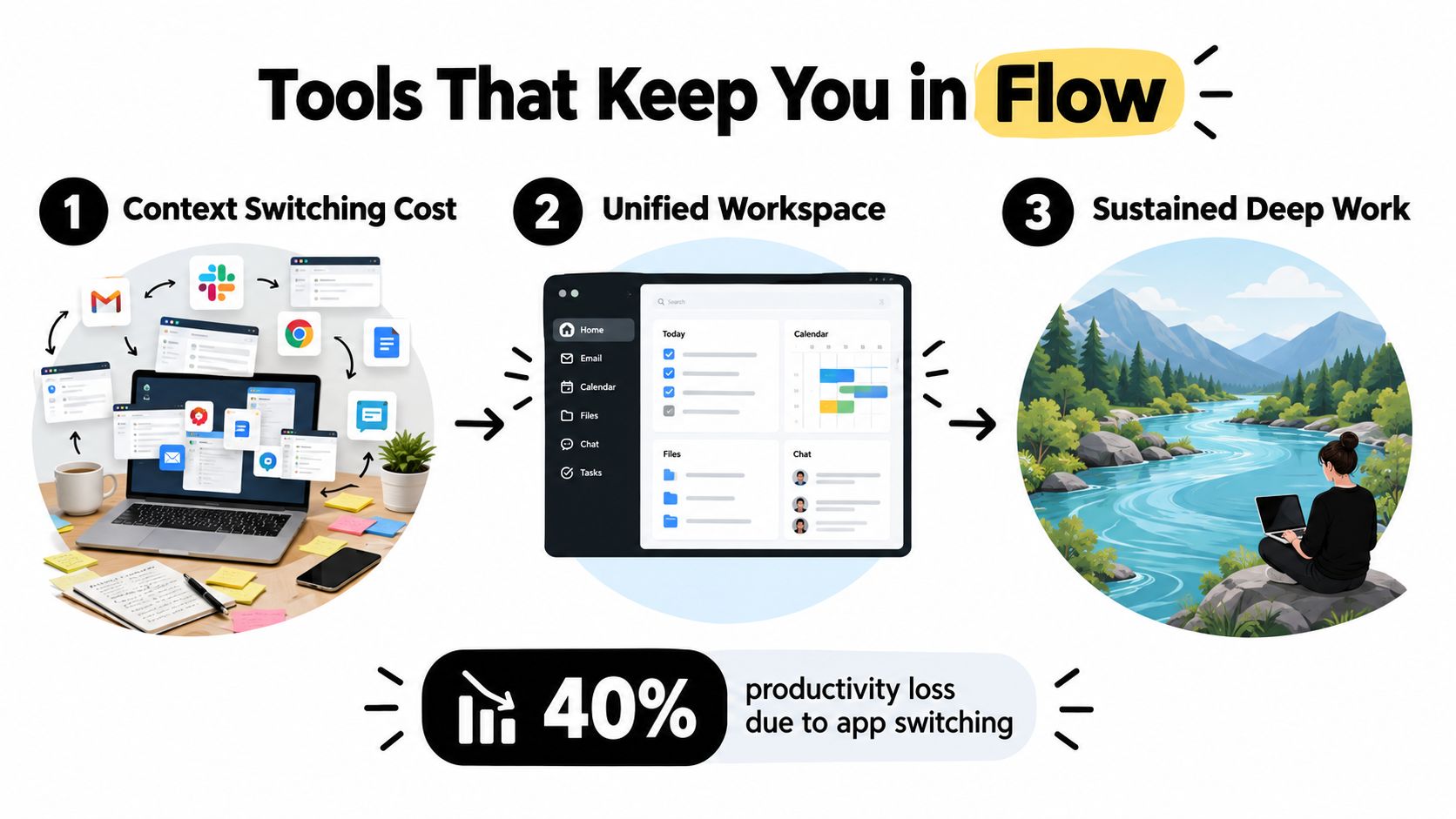
Recent workplace data associates frequent interruptions with productivity losses of about 40%, as summarized in this research paper on interruption and task switching. The useful conclusion isn't that every notification is evil. Some messages matter. The conclusion is that unscheduled access to your attention needs rules.
Practical rule: If a task needs judgment, memory, or original thinking, don't leave its attention budget to chance.
Blaming yourself for poor focus is convenient because it gives you one thing to criticize, but it often points at the wrong problem. If your phone, chat apps, email, meetings, and browser tabs can interrupt you at any moment, your environment is designed for availability rather than concentration. Fix the environment first, then work on stamina.
Deep work needs a place on the calendar before shallow work fills every gap. If you wait for a free hour to appear, email and meetings will happily consume it.
Start by identifying when your mind does its cleanest thinking. For some people that's early morning. For others it's late afternoon, after conversations and operational work have settled. Track the quality of your output for several working days, then reserve your strongest period for one demanding task instead of scattering it across several priorities.
A practical daily setup looks like this:
Zemith's calendar and task tools can help you see whether your day contains a genuine focus window or only optimistic empty space. Use the task view to group related work, then arrange those tasks around protected blocks rather than dragging unrelated requests into the same hour. Its approach to prioritizing tasks at work is useful here because prioritization isn't complete until the important task has a realistic place to happen.
Sleep also changes the quality of the plan. If you regularly start a focus block exhausted, moving the block around won't solve the underlying problem. For a grounded look at the science behind work performance and rest, consider how recovery affects the attention you're asking your schedule to provide.
A good calendar doesn't make you unavailable all day. It makes your availability predictable. Colleagues can learn when you'll respond, and you can stop treating every incoming notification as a demand for immediate action.
Willpower is a poor notification-management strategy. It asks you to notice every interruption, remember that it isn't urgent, resist opening it, and return to the task without carrying the message in your head. That's a lot of administrative work for a method that was supposed to help you think.
Design an interruption-resistant workflow instead. Before a focus session, close unrelated tabs, put the phone out of reach, pause nonessential notifications, and set a visible status that tells colleagues when you'll respond. If your role requires genuine availability, define an escalation path for urgent issues rather than leaving every channel open by default.
Treat notifications as incoming work. Each channel should have a purpose, an owner, and a response expectation.
Zemith's Focus OS provides a minimalist environment for sessions where chats, notes, and whiteboards can remain available side by side without requiring constant movement across unrelated applications. The point isn't to eliminate every tool. It's to make the deliberate path easier than the impulsive one. You can also use the practical ideas in this guide on how to improve concentration to tighten the boundaries around your working environment.
A useful test is to ask what can interrupt you without permission. If the answer is “almost anything,” your system is still reactive. If urgent work arrives through several channels, agree with your team on one route for genuinely urgent matters and let everything else wait for the next communication batch.
A quiet workspace is not a personality trait. It's an access-control decision for your attention.
Try a short pre-session ritual as well. Open only the document or project you need, write the next physical action at the top of the page, start the timer, and begin before you feel perfectly ready. Focus gets easier when the first decision has already been made.
For a visual demonstration of the kind of focused environment this approach supports, use the embedded walkthrough below.
A fragmented toolchain can undo a carefully protected calendar block. You start in a document, jump to a search tab, copy findings into notes, open another AI assistant, return to the document, then search for the source you had open a moment ago. The work feels digital and efficient, but your attention is paying a toll at every transfer.
The solution isn't to add a dozen productivity apps. It's to reduce the number of places where the current context can break. A unified workspace should let you research, draft, organize supporting material, and review the next action without making you rebuild the project in every window.
Zemith's Smart Notepad supports drafting tasks such as rephrasing, adjusting style, generating paragraphs from notes, and turning rough bullets into polished content. Its Library helps organize documents and chats so project material doesn't disappear into an unsearchable pile of browser tabs. The Document Assistant can work with documents through summaries, questions, quizzes, flashcards, and other transformations, which can reduce the need to move research into separate tools.
That matters most when the task has several cognitive layers. A developer may need a specification, code, debugging notes, and an explanation. A marketer may need source material, a brief, draft copy, and revisions. A student may need readings, notes, questions, and a study outline. Keeping those materials in project-based workspaces reduces the number of times you must stop thinking about the problem and start thinking about where the problem is stored.
The wider idea resembles autopilot fitness, where a system supports repeated action without demanding conscious effort at every step. In knowledge work, the equivalent is making the next useful action obvious while keeping supporting context close.
A tool still fails if it creates more decisions than it removes. Before a session, decide which workspace contains the source material, where the output belongs, and what the assistant may help with. Then keep the session narrow. The cleverest interface in the world can't rescue a goal that says “work on everything.”
For a practical comparison of features and workflows, see this overview of the best AI productivity app, then choose only the capabilities that fit the task in front of you. A smaller, coherent stack usually beats a large collection of disconnected tools.
The fantasy version of deep work assumes everyone should produce four intense hours every day. That standard makes skilled people feel behind before they've started. Your realistic target depends on your role, experience, responsibilities, sleep, and how many decisions your day already demands.
Recent benchmark data places average true focus at 2 to 3 hours per day, while people reaching at least 3.5 hours of daily focus report higher productivity and satisfaction in the cited dataset. The same source reports an average of 2.9 deep-work sessions per week against a stated need of 4.2, a 31.3% shortfall, and notes that average focused sessions can be only 13 minutes 7 seconds in workplace data. These figures come from the deep-work statistics benchmark, so treat them as orientation, not a verdict about your personal capacity.
Use this decision matrix:
The upper limit is often described as about four hours of deep work per day, according to this deep-work timer guide. More time isn't automatically better. Once quality falls, extending the session can turn deliberate practice into staring at a screen with excellent posture.
Log session length, interruptions, and output for a week. If you repeatedly lose focus after an hour, don't label yourself undisciplined. Start with an hour, improve the conditions, and build from evidence. For remote and hybrid workers, this guide to improving work efficiency offers useful context for designing routines around the realities of distributed work.
A sustainable routine protects your best cognitive hours without pretending the rest of your job is optional. Consider a developer who starts the day with one hard technical problem, keeps communication closed during the first block, handles collaboration after lunch, and ends with a short review of the next day's starting point. That schedule gives the difficult work a clear home while leaving room for the human parts of work, including meetings, support, and the occasional conversation that can't be reduced to a ticket.
The routine doesn't need to look impressive. It needs to survive ordinary disruption.
Use this as a starting pattern:
People often underestimate the closing step. A clear starting point reduces the temptation to begin the next morning with email because email offers an effortless stream of other people's priorities. A day-to-day planner online can help turn that rhythm into a visible plan rather than a vague promise to focus later.
The first week may feel awkward. You may discover that your “focus habit” was a collection of favorable conditions that disappeared as soon as a meeting moved. Adjust the system instead of declaring failure. Shorter sessions, clearer escalation rules, fewer open applications, and a realistic daily target are all valid progress.
Deep work is a skill, but it's also infrastructure. Protect the block, control access to your attention, keep related materials together, and stop before exhaustion turns concentration into punishment.
Zemith brings Focus OS, Smart Notepad, Document Assistant, Library, Projects, and research tools into one workspace so you can spend less time switching and more time finishing demanding work. Visit Zemith to build a calmer, more interruption-resistant workflow around the way you work.







Trusted by teams at






The top models, plus image, video and voice tools, in one plan.
Without Zemith
ChatGPT PlusUS$20.00Claude ProUS$20.00Google AI ProUS$19.99SuperGrokUS$30.00Perplexity ProUS$20.00 MidjourneyUS$10.00
 ElevenLabsUS$6.00Le Chat ProUS$14.99
 RunwayUS$15.00Kling StandardUS$8.80
 Gamma PlusUS$12.00
 Otter ProUS$16.99
 QuillBot PremiumUS$19.95
 Photoroom ProUS$12.99
 Quizlet PlusUS$7.99
Total if paying separatelyUS$234.70/mo
"I love the way multiple tools they integrated in one platform. Going in the right direction."
— simplyzubair
"The quality of data and sheer speed of responses is outstanding. I use this app every day."
— barefootmedicine
"The credit system is fair, models are perfect, and the discord is very responsive. Quite awesome."
— MarianZ
"Just works. Simple to use and great for working with documents. Money well spent."
— yerch82
"The organization of features is better than all the other sites — even better than ChatGPT."
— sumore
"It lives up to the all-in-one claim. All the necessary functions with a well-designed, easy UI."
— AlphaLeaf
"The team clearly puts their heart and soul into this platform. Really solid extra functionality."
— SlothMachine
"Updates made almost daily, feedback is incredibly fast. Just look at the changelogs — consistency."
— reu0691
Hand off the research, writing, design and follow-ups. Zemith picks the tools it needs and brings back finished work.
Search the web, run deep research, read files, create images and run code with GPT, Claude, Gemini, Grok and more.
Zemith keeps working in the cloud and pings you when it's done.
Notion, Linear, Canva, Airtable and more. It asks before it creates or changes anything.
Docs, slides, sheets and PDFs, ready to send.
Chain models and tools on a visual canvas, from one prompt to a finished promo video.
Briefings, reports and reminders run on a schedule and are ready when you need them.
Real-time voice that can see your camera or screen.
The best image and video models, in one studio.
Turn PDFs, links and YouTube videos into podcasts, quizzes, flashcards and mind maps.














 Podcast
 Quiz
Quiz Flashcards
 Mind map
 Infographic