


Every top model, with tools built in.
Search the web, run deep research, read files, create images and run code with GPT, Claude, Gemini, Grok and more.
Learn how to create a high-quality AI article summary with workflows, prompts and evaluation tips. Streamline research with Zemith's Document Assistant.
You've probably done this today already. Opened a long article, a dense PDF, or a research paper you meant to “quickly summarize,” pasted it into an AI tool, and got back something smooth, short, and weirdly off.
It reads well. It sounds confident. It also drops the one caveat that mattered, softens uncertainty into certainty, and turns “this may apply in limited cases” into “this changes everything.” Classic AI behavior. Fluent intern energy.
That's why a good AI article summary isn't just shorter text. It's compressed meaning. If the summary loses the author's qualifiers, limitations, attribution, or scope, it hasn't saved you time. It's just handed you a faster misunderstanding.
The problem usually isn't that AI can't write. It's that AI is very willing to flatten nuance if you let it.
A research-heavy article might say a treatment helped a specific subgroup under specific conditions. A lazy summary turns that into “the treatment works.” A news article might present a claim from an official alongside uncertainty from witnesses and analysts. A sloppy summary fuses all of that into one clean statement, as if the article itself had no tension.
People get fooled. The summary sounds polished, so it feels accurate.
But one controlled study reported that LLM summaries were nearly 5× more likely than human expert summaries to contain broad generalizations, with overgeneralization appearing in 26–73% of cases across the most affected models, according to Inside Higher Ed's coverage of the research. That tracks with what many of us see in the wild. The bot doesn't always invent facts. Sometimes it commits the quieter sin of overstating them.
That's especially risky when you summarize:
A useful AI article summary should keep four things intact:
A summary that removes the caution tape from a claim doesn't save time. It creates cleanup work later.
This is why source-grounded workflows matter. If you want summaries you can trust, you need a process that checks the original wording, preserves uncertainty, and refuses to “helpfully” round everything into a hot take.
A lot of teams now pair summarization with fact-checking AI workflows because the summary step is exactly where subtle distortion slips in. Not always as a hallucination. Often as a missing “may,” “in this sample,” or “according to the authors.”
The fix is not some magic one-line prompt from PromptTok.
It's a cleaner workflow: prepare the source properly, prompt for nuance on purpose, and check the output against the original before you trust it. Boring? Slightly. Effective? Very.
If you summarize a lot of articles each week, that workflow beats “summarize this” every single time.
Most bad summaries start before the prompt. They start with junk input.
If you paste a messy PDF extraction, a page full of cookie banners, or an article with duplicated text and broken headings into a model, the output usually reflects that chaos. Garbage in, polished garbage out.
Before I summarize anything, I do a quick prep pass. It's short enough to keep, and it catches most of the avoidable mess.
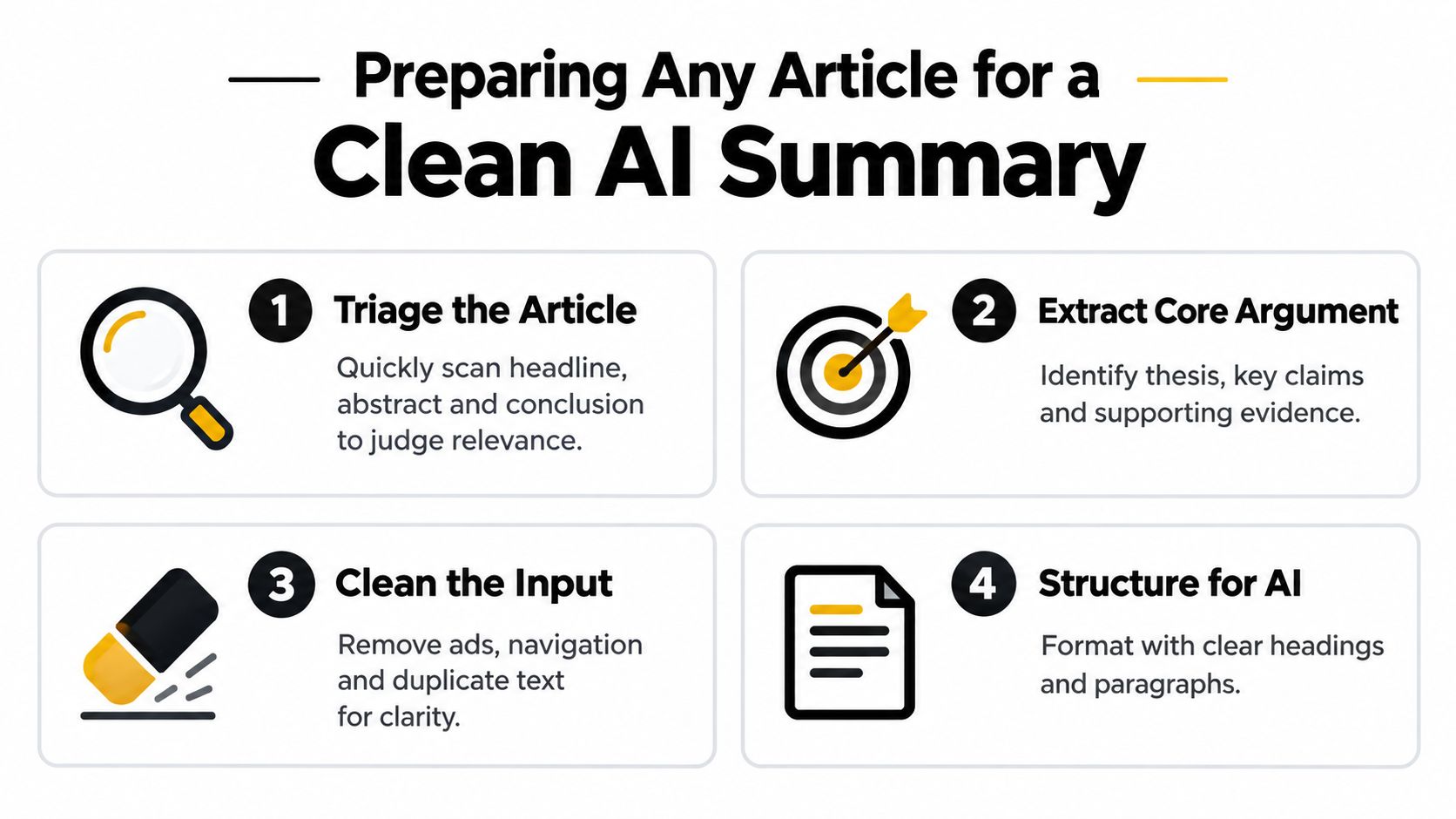
Here's the practical version:
Triage the article first
Skim the headline, abstract, intro, subheads, and conclusion. Decide whether you need a full summary, an executive brief, or just key takeaways. Not every article deserves the same treatment.
Extract the core argument
Write one sentence in your own words: “This article argues that…” If you can't do that yet, the AI probably won't either.
Clean the input
Remove ads, menus, “related posts,” author bio fluff, duplicated paragraphs, and references that don't need summarizing. If it's a PDF, convert it to usable text before anything else. A simple PDF to text workflow makes a big difference here.
Structure the content
Keep headings, section breaks, bullet lists, and caption notes when they matter. Models handle organized source text better than one giant text brick that looks like it lost a fight with a copier.
A news article, a blog post, and a journal paper should not go through the exact same intake process.
One habit saves a lot of rework. Decide the job of the summary before you generate it.
Ask yourself:
Practical rule: If you haven't defined audience, format, and risk level, the model will choose for you. It usually chooses “vaguely impressive.”
A few small choices improve output fast:
This prep phase is where speed comes from. Not from rushing, but from preventing reruns.
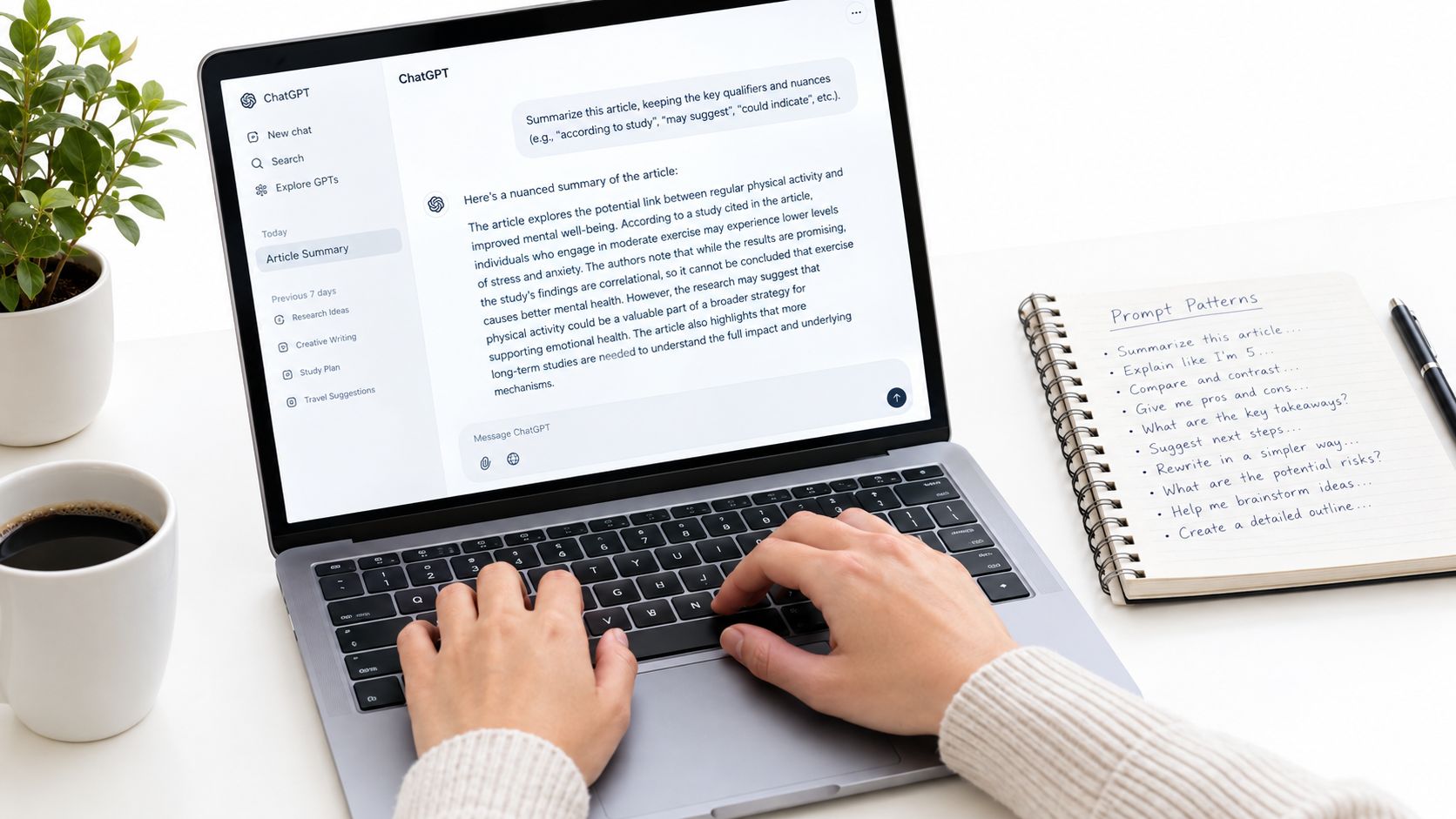
Once the source is clean, prompting gets much easier. The goal isn't to make the model sound smart. The goal is to stop it from “improving” the article into something the author never said.
That means your prompt has to ask for fidelity, not just brevity.
A 2024 scientific-article study found that AI-generated summaries can perform comparably to human-written summaries in reader comprehension: participants rated AI-generated summaries at 3.68 on a 1–5 readability scale versus 3.58 for human summaries, with no significant difference in comprehension outcomes, as reported in this scientific summary evaluation paper. That's encouraging. It also explains why weak summaries can slip past busy readers. They're easy to read even when they smooth over important constraints.
Here's the lazy version:
That often produces bullets that are tidy and incomplete.
Now compare it to this:
Same model. Better instructions. Less cleanup.
Use this when you need a fast read without losing the point.
Summarize the article in one short paragraph. Preserve the author's main claim, confidence level, and any stated limitations. Do not overstate findings. If the source uses cautious language, keep that caution in the summary.
Use this for papers, white papers, or technical explainers.
Summarize this article as 6 bullets:
- Main thesis
- Key supporting points
- Evidence or examples used
- Limitations or uncertainties
- Important qualifiers or conditions
- What should not be concluded from this article
That last line does a lot of work.
Use this when someone wants the “so what” without losing credibility.
Write an executive summary for a busy reader. Keep it under 150 words. Include the central argument, why it matters, and any constraints on the conclusion. Preserve attribution for claims and avoid language stronger than the source.
These are the kinds of prompts that tend to produce more reliable output because they define context:
If you want more structured ideas, a good set of prompt engineering tips for document work helps when you're bouncing between papers, news, and internal docs.
After the first pass, refine instead of regenerating from scratch. Ask things like:
A quick walkthrough can help if you want to see prompting in action before building your own workflow:
Add one line to almost every summary prompt: “Do not generalize beyond the source text.” It won't solve everything, but it cuts a lot of the model's urge to become your overconfident spokesperson.
The same article summary workflow doesn't produce the same output shape every time, and that's a good thing. A literature review, a content repurposing job, and a newsroom brief all need different forms of compression.
If you use one generic summary style for everything, you end up with summaries that are too vague for research, too dry for marketing, or too fuzzy for news. Nobody wins. Least of all the poor soul reading your Slack update.
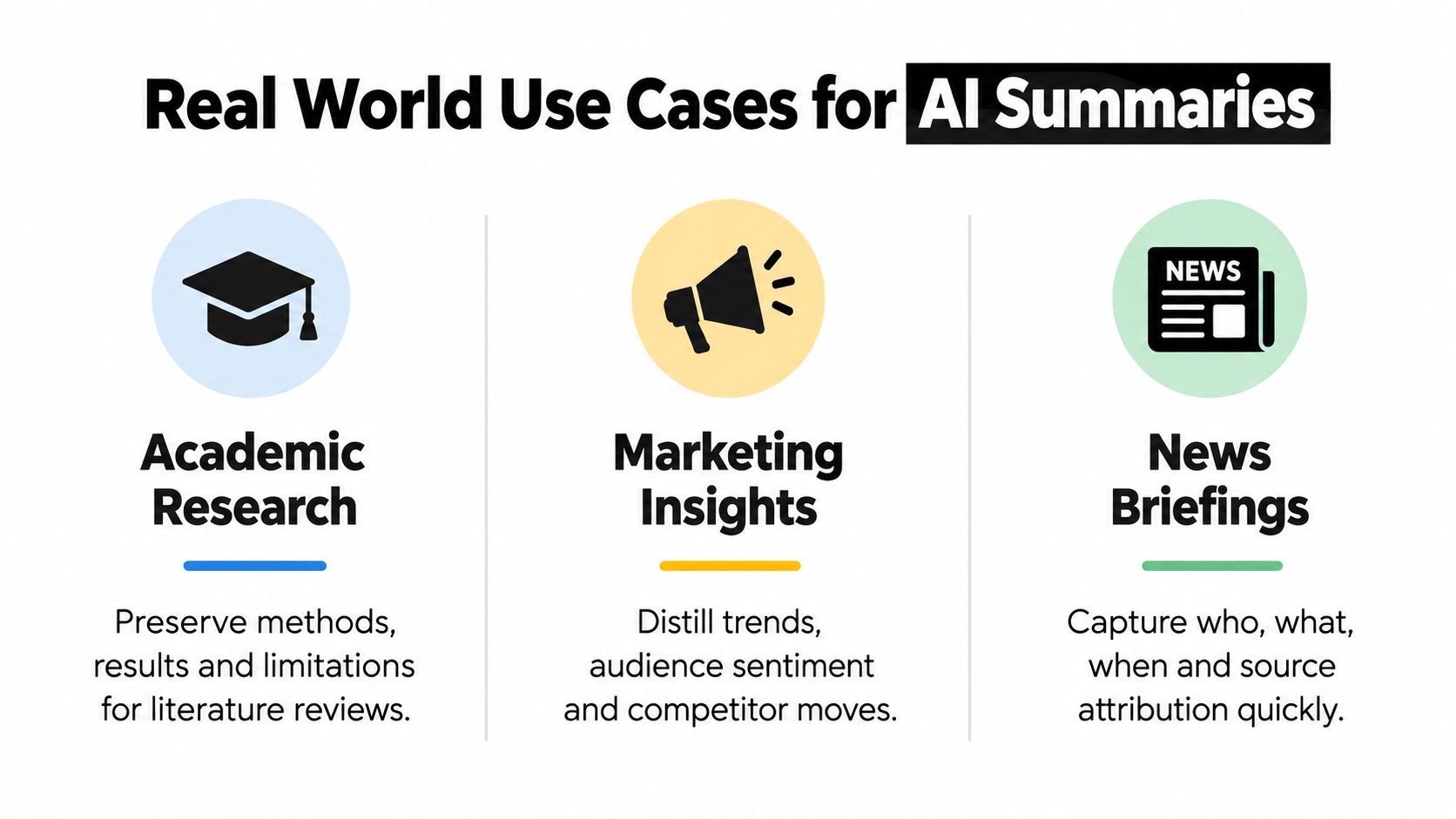
For research papers, the summary should preserve method, result, and limitation. If a paper studies a narrow sample, the summary should say so. If the authors hedge, the summary should hedge too.
A useful output shape looks like this:
That's the version you can trust later when you're building notes for a literature review or comparing multiple papers.
Marketing teams often summarize articles for idea mining, competitor tracking, audience research, or repurposing. The trick is to pull out usable insights without turning every post into the same “Top 5 trends” mush.
A better marketing summary usually includes:
If you're using a document workflow tool, chat plus repurposing matters. Instead of just producing one summary, you ask follow-up questions, then spin the article into talking points, hooks, FAQs, or a short brief for your team.
News is where speed pressures people into trusting summaries a little too much. That's dangerous because attribution is often the whole story.
The Reuters Institute's 2025 report shows AI summaries are already the most common newsroom AI use case at 19%, ahead of chatbots at 16%, as cited in this newsroom AI adoption report coverage. Adoption is moving fast. Quality control is trying to keep up.
For news, I'd use an output shape like this:
If you're unsure what kind of AI article summary to generate, ask:
That last question saves a lot of headaches.
Here's the rewritten paragraph with the flagged phrase removed:
Time isn't lost because summarization is hard. It's lost because the workflow is split across too many tabs. One app for PDFs, another for chat, another for rewriting, another for notes, and then something else for turning the final thing into a usable asset. Browser tabs breed like rabbits.
A document workflow works better when the source, the chat, the summary draft, and the polish step stay in the same place.
One option is Zemith's document assistant, which lets you upload documents, chat with them, generate summaries, create flashcards and quizzes, and turn documents into podcast-style audio without hopping between separate tools. If you organize a lot of article summaries, the Library and Projects setup is especially useful because it keeps documents and related chats grouped by topic instead of scattering them across random sessions.
For practical article work, the flow is pretty simple:
Upload the source
Drop in a PDF, article text, or research document.
Ask targeted questions
Instead of only requesting a summary, ask for the thesis, caveats, named entities, and unresolved questions.
Generate the first draft summary
Pick a format that matches the job. Executive brief, bullets, memo, or study notes.
Polish in Smart Notepad
Tighten wording, shorten awkward lines, and rewrite sections without losing the source-grounded meaning.
Repurpose if needed
Turn that summary into flashcards, quiz prompts, notes for a meeting, or an audio recap for later.
That's a cleaner setup than the usual copy-paste obstacle course.
Tool sprawl looks productive until you measure the friction. Every export, reformat, and app switch creates a chance to lose context.
A preregistered online experiment with 453 college-educated professionals found that generative AI assistance in writing cut the average time taken by 40% and increased output quality by 18%, while also reducing inequality between workers, according to this writing productivity experiment. That doesn't mean every AI workflow is equal. It does mean the upside is real when the tooling supports the work instead of adding ceremony.
If you're comparing broader options for consolidating your stack, the SubmitMySaas guide to AI tools is a useful roundup because it frames tools by workflow rather than novelty.
The best document setups don't stop at “generate summary.” They help you test whether the summary deserves trust.
Overlap quality
Does the summary reflect the source wording enough to show coverage?
Semantic similarity
Does it preserve the meaning even when it paraphrases?
Factual consistency
Does every key claim stay grounded in the source?
That third layer is where a lot of AI summaries wobble. A polished paraphrase can still drift.
If your workflow only rewards readable output, you'll get readable errors. The useful setup is the one that keeps the source close enough to interrogate.
You paste an article into a summarizer, get a clean three-paragraph output, and it reads well enough to publish. Then you compare it to the source and catch the usual trouble: a softened caveat, a missing attribution, a conclusion that sounds stronger than the author ever claimed.
That is the polishing stage. Good summaries are not just shorter. They stay loyal to what the source said.
A useful review stack separates overlap quality, semantic similarity, and factual consistency, but they do different jobs. Overlap metrics such as ROUGE can show whether the summary covers similar phrasing. Semantic checks can show whether paraphrasing kept the meaning. Neither one reliably catches a polished false claim. Research on summary evaluation recommends treating metrics like ROUGE-L and BERTScore as diagnostic signals, not the final approval gate, as discussed in this summary evaluation benchmark.
Readable summaries fail all the time. The risky ones are usually the most convincing.
For grounded work, especially with news, policy, academic, or market analysis, run one explicit question before you edit for style: Can every important claim be traced back to the source? If the answer is no, the summary is still a draft. Benchmarks in this area make the same distinction. Relevance, compression, and factual consistency are separate checks, and a summary can perform well on the first two while still getting the facts wrong.
That trade-off matters in practice. A tighter summary often drops qualifiers first. “May improve” turns into “improves.” “In this sample” disappears. “The company said” becomes a naked claim. That is how overgeneralization sneaks in.
I use a short pass that takes about a minute for a normal article. It catches more errors than endlessly regenerating the summary.
Names, titles, and organizations
These are common drift points, especially when several people or institutions appear in the same piece.
Dates, sequence, and timing
Models love cleaning up chronology until the story sounds neater than the original reporting.
Qualifiers and scope limits
Check for words like “may,” “could,” “preliminary,” “within this group,” or “according to the authors.”
Attribution
Make sure opinions, findings, and allegations still belong to the right source.
The strongest sentence
Review the boldest claim line by line against the article. That is usually where the model reached a little too far.
Editing can improve clarity or break the summary. Both happen fast.
A safe cleanup pass should focus on plain things:
If you want a repeatable cleanup method, this guide on how to edit writing without flattening the point is a useful companion step.
One more practical rule. If a sentence becomes punchier after editing, compare it to the source again. Punchier is often less precise.
Trust summaries that survive verification, not summaries that merely sound polished.
If you summarize articles every week, keep the quality gate small enough that you will use it. Inside Zemith, that usually means reviewing the source and summary side by side, fixing drift while the context is still fresh, and only then tightening the writing for sharing.
Pay less than one AI subscription and get GPT, Claude, Gemini and more, plus 50+ AI tools.







Trusted by teams at






The top models, plus image, video and voice tools, in one plan.
Without Zemith
ChatGPT PlusUS$20.00Claude ProUS$20.00Google AI ProUS$19.99SuperGrokUS$30.00Perplexity ProUS$20.00 MidjourneyUS$10.00
 ElevenLabsUS$6.00Le Chat ProUS$14.99
 RunwayUS$15.00Kling StandardUS$8.80
 Gamma PlusUS$12.00
 Otter ProUS$16.99
 QuillBot PremiumUS$19.95
 Photoroom ProUS$12.99
 Quizlet PlusUS$7.99
Total if paying separatelyUS$234.70/mo
"I love the way multiple tools they integrated in one platform. Going in the right direction."
— simplyzubair
"The quality of data and sheer speed of responses is outstanding. I use this app every day."
— barefootmedicine
"The credit system is fair, models are perfect, and the discord is very responsive. Quite awesome."
— MarianZ
"Just works. Simple to use and great for working with documents. Money well spent."
— yerch82
"The organization of features is better than all the other sites — even better than ChatGPT."
— sumore
"It lives up to the all-in-one claim. All the necessary functions with a well-designed, easy UI."
— AlphaLeaf
"The team clearly puts their heart and soul into this platform. Really solid extra functionality."
— SlothMachine
"Updates made almost daily, feedback is incredibly fast. Just look at the changelogs — consistency."
— reu0691
Hand off the research, writing, design and follow-ups. Zemith picks the tools it needs and brings back finished work.
Search the web, run deep research, read files, create images and run code with GPT, Claude, Gemini, Grok and more.
Zemith keeps working in the cloud and pings you when it's done.
Notion, Linear, Canva, Airtable and more. It asks before it creates or changes anything.
Docs, slides, sheets and PDFs, ready to send.
Chain models and tools on a visual canvas, from one prompt to a finished promo video.
Briefings, reports and reminders run on a schedule and are ready when you need them.
Real-time voice that can see your camera or screen.
The best image and video models, in one studio.
Turn PDFs, links and YouTube videos into podcasts, quizzes, flashcards and mind maps.














 Podcast
 Quiz
Quiz Flashcards
 Mind map
 Infographic