Your downloads folder has 40 PDFs in it, three of them named some variation of "final_v2," and the report is due Friday. The old routine is ctrl-F, scrolling, a small prayer, then giving up and skimming the thing manually. That routine is exactly what AI document management replaces, and it does the job well once you stop expecting it to read your mind.
Most guides stop at the feature list. What determines whether this works for you is two unglamorous things: how much review each type of output needs, and whether you can prove later what the system did. Get those two right and the tooling mostly takes care of itself. Get them wrong and you'll have a very fast way to produce confident, unauditable nonsense.
What AI Document Management Actually Does
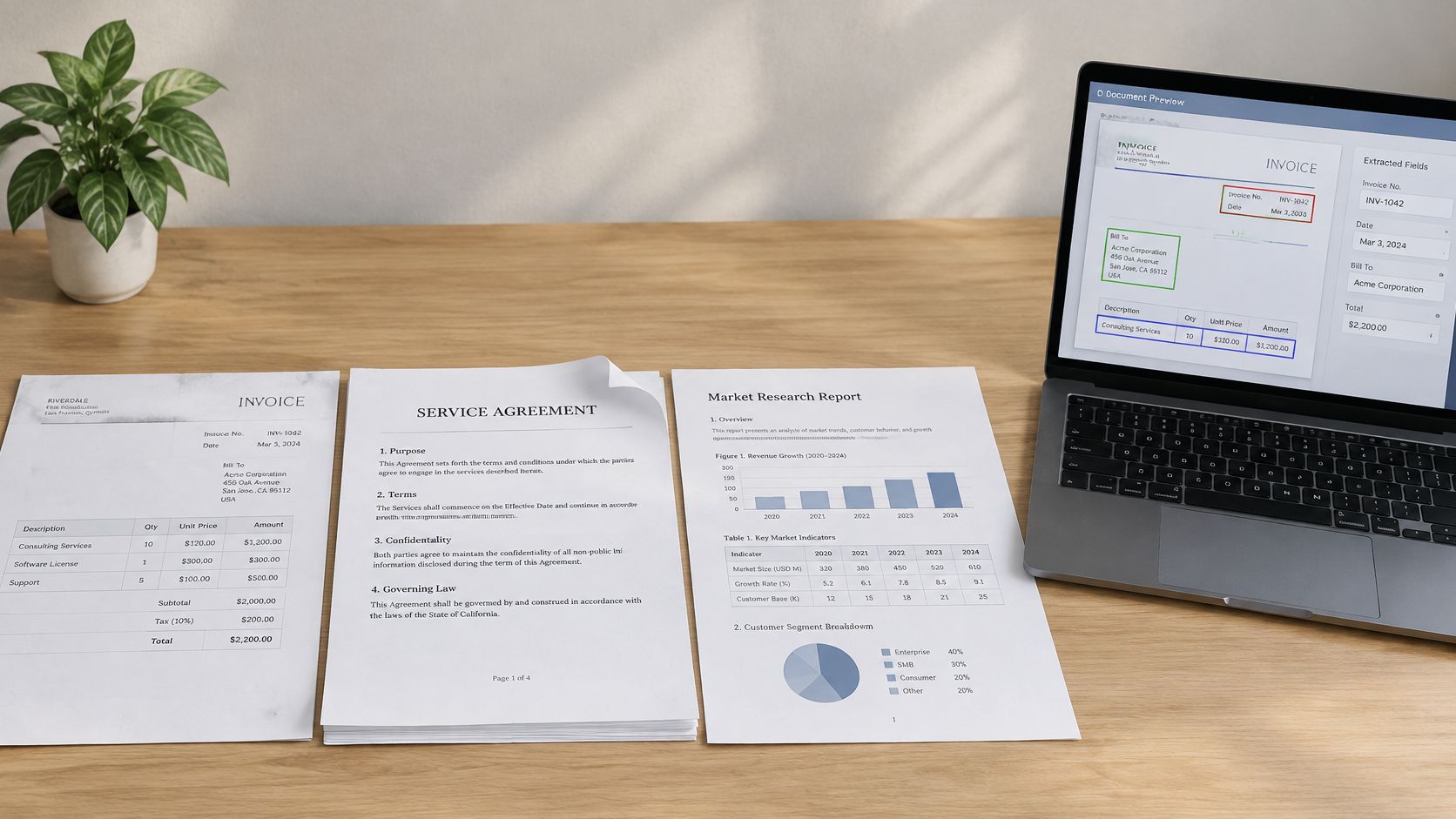
Keyword search stops at a matching string. AI document management opens each file, works out what it is, indexes the words and the structure, and answers a question across the set with a pointer back to the page it used. Drive and Dropbox store files. OCR turns a scan into a wall of text. The AI layer classifies, summarizes, links related documents and retrieves the passage you needed.
That pointer is the whole game. "Which of these contracts auto-renew in Q3, and what's the notice period?" is a question keyword search cannot answer. A language model can, if extraction kept the dates and the notice clause, and if the reply cites the page you can reopen later. A citation you can check is evidence. A fluent paragraph with no page is a claim.
The six things these tools actually do
Review weight is not the same on every row. Chat and semantic search are lookup tools: open the cited page, then decide. Summaries and translations are drafts. Read the source whenever the wording binds you, because exceptions get smoothed and legal tone can shift without a flag. Structured extraction is the row that earns a field check. Odd layouts and tables still break, so sample the output against the file before anyone treats a table as finished.
If invoice fields are your bottleneck, the steps to automate invoice processing lay out the capture-to-approval path that sits behind the extraction layer. For how the capture and classification stack fits together end to end, our guide to intelligent document processing software covers the plumbing.
This is no longer a pilot category. In a 2025 survey of 600 enterprises across the United States, Germany, Austria and Switzerland, AIIM and Deep Analysis found that 78% were already operational with AI in document-processing environments, and that 66% of new intelligent-document-processing projects planned to replace existing systems rather than bolt an AI layer onto a legacy one. Replacement, not decoration.
Every one of those capabilities is assistive. The model still needs grounded evidence from your files, and the quality ceiling is set by how well those documents were extracted. A polished chat box on mangled tables is a very polite way to be wrong. Keep the cited page with the answer, and you can show later what the system used.
How to Choose an AI Document Management Tool
Ignore the clean memo in the vendor demo. Bring your messiest files: scanned PDFs with coffee rings, a 90-slide deck, a recorded meeting with three people talking over each other. That's where tools separate.
- Citations you can open: Every answer should link to the exact source passage and let you jump to that page. A citation you can't click is decoration.
- Project-level workspaces: Client or topic files, chats and instructions should stay separate, so context from one engagement doesn't leak into another.
- Data handling in writing: Ask who can see uploads, whether your files train anyone's model, and whether admins can restrict uploads by team or file type.
- Exports that matter: Word, PDF and slide output, plus usage logs if anyone will ever audit this.
- Price per seat against the workload: Then count hours saved per task, not logins.
If you're shortlisting PDF chat tools specifically, compare AI PDF chat apps to see the field side by side.
Then run one test. Take ten questions you already know the answers to, put them through every finalist, and score each answer right, partly right or wrong. The tool with the best score wins the pilot. Everything else is a demo.
The Productivity Numbers Behind the Hype
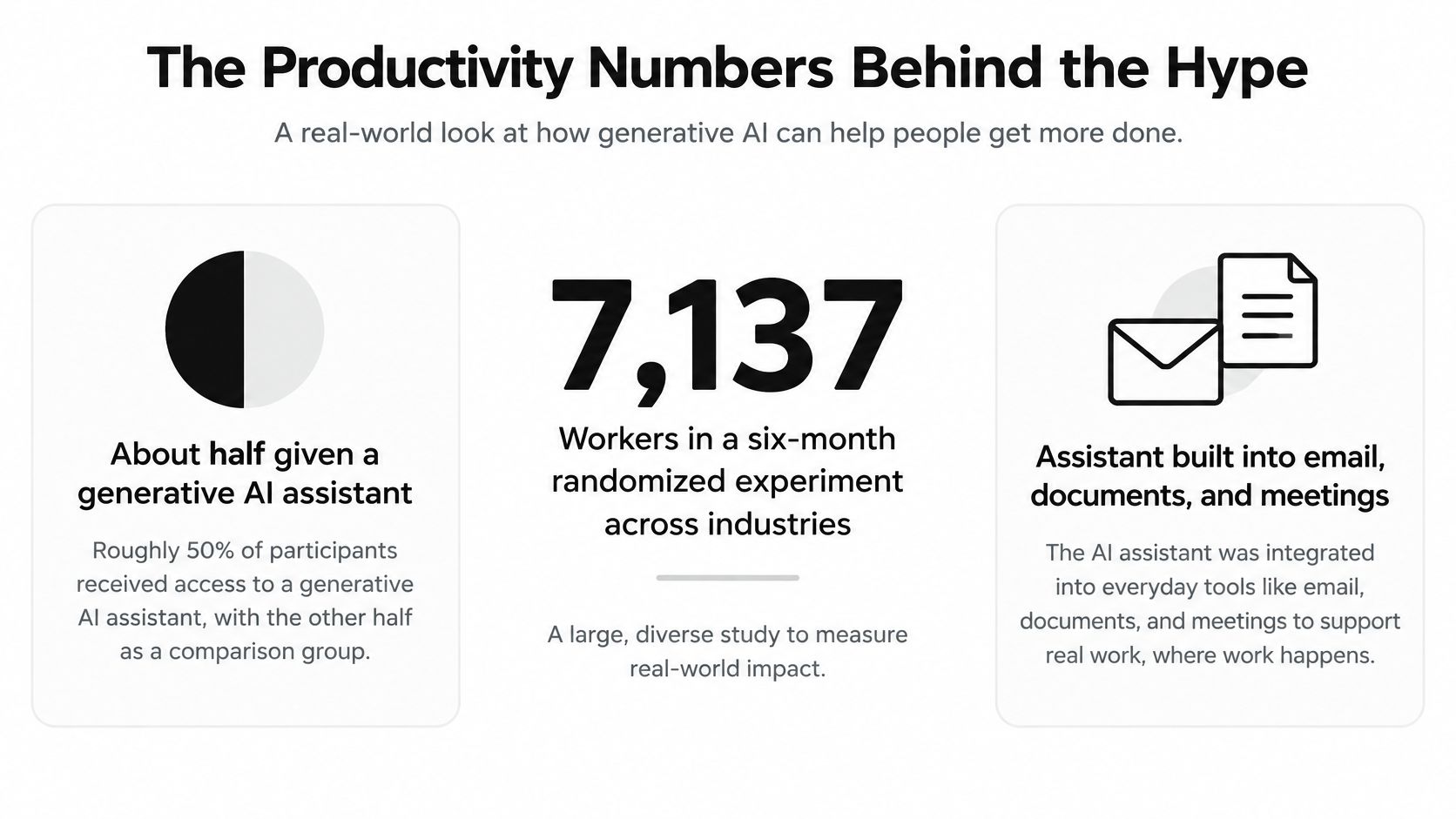
Half of 7,137 workers in a six-month randomized field experiment got a generative AI assistant inside the email, document and meeting tools they already used. The other half did not. That split, from a field experiment published through Harvard Business School, is what makes the productivity numbers usable: access and sustained use are separate facts.
More than 90% of workers given access used it at least once. The average treated worker used it in only 41% of study weeks. Trial is easy. Habit is the hard part.
Two tiers of proof sit in the same study. Workers who used the assistant in more than half the observed weeks cut weekly email time by 3.6 hours, a 31% reduction. Across everyone assigned access, the intent-to-treat effect was 1.3 fewer hours a week, because light users pull the average down. The experiment also found suggestive evidence that adopters finished authored documents 5% to 25% faster. Quote the smaller, whole-group email figure until your own logs show people staying above half of weeks. Treat the document-speed range as a hypothesis to check, not a number for a business case.
Access is not impact. The gain showed up for people who kept the tool inside their existing workflow for months. A managed workspace beats a browser tab someone opens when they remember, which is why a document summary tool earns its keep through repetition rather than novelty.
Practical rule: Budget for adoption, not licences. The licence is the cheap part. Log weeks of use before you claim the hours back.
Where AI Document Management Falls Short
Start with extraction, because that's where most disappointment is born.
Document understanding quality swings wildly by document type. OmniDocBench, which compares parsing systems across books, slides, financial reports, textbooks, exams, magazines, papers, notes and newspapers, reported mean layout-detection scores of 48.71 mAP for DocLayout-YOLO, 28.84 for LayoutLMv3 and 26.90 for DiT. A clean one-page memo looks identical under all three. A two-column financial table does not.
Fix it by routing. Send financial tables and scientific formulas to specialized parsers, keep page images, and set a human review threshold for low-confidence pages. Then build a stratified test set from your own corpus and score layout fidelity, field extraction, retrieval relevance and grounded answers separately. One aggregate accuracy number tells you almost nothing.
Hallucination is usually a source problem. When documents are incomplete or contradict each other, a helpful model will average them into something confident and wrong. Require citations and make the system flag conflicts rather than resolve them on its own.
Over-trust hits new users hardest. People with less domain experience accept fluent output faster. Spot-check their work for the first month, then relax.
Cost and context grow with the library. Keep projects scoped and prune stale files, or you'll pay to retrieve from documents nobody needed.
The policy gap is the big one. Compliance Week's 2026 AI compliance survey found that more than 83% of organizations use AI, while only about 25% report a strong AI-governance framework. Write the approved-tool list before someone writes it for you by uploading a client contract into a free chatbot.
How Much Human Review Each Document Type Needs
Here's the question almost nobody answers properly: how much review does this output need? Treating a meeting summary and a contract clause as the same category is how teams end up either paranoid or negligent.
Legal teams have already voted with their process. The 2026 ILTA survey reported by Litera found 63% view accuracy as a top concern, 55% name product maturity or accuracy as the leading barrier to wider adoption, and 58% require human review before work reaches clients or courts. That last figure is a sensible default for any high-stakes document work, not just law.
Adopt that as policy on Monday. Two things make it stick.
First, name the reviewer, not the review. "Someone should check this" is how risk gets redistributed to whoever is least equipped to carry it. Second, define what a pass looks like in concrete terms: every claim that leaves the building traces to a passage; every date and definition is checked against the source page, not against a summary of it.
"Human in the loop" is not automatically a solution. Vague review orders shift responsibility to the user without telling them what to check.
The harder case is incomplete or contradictory sources. The right behavior is to surface the conflict, quote both passages, and say plainly which one you'd trust and why. A model that says "these two clauses disagree on notice period" is worth ten that produce a tidy average.
For teams formalizing this, our notes on AI document review go deeper on review thresholds and sign-off patterns.
Keeping AI Document Work Auditable
Governance sounds like a binder nobody opens. In practice it's a short evidence trail you can produce when someone challenges a summary six months later.
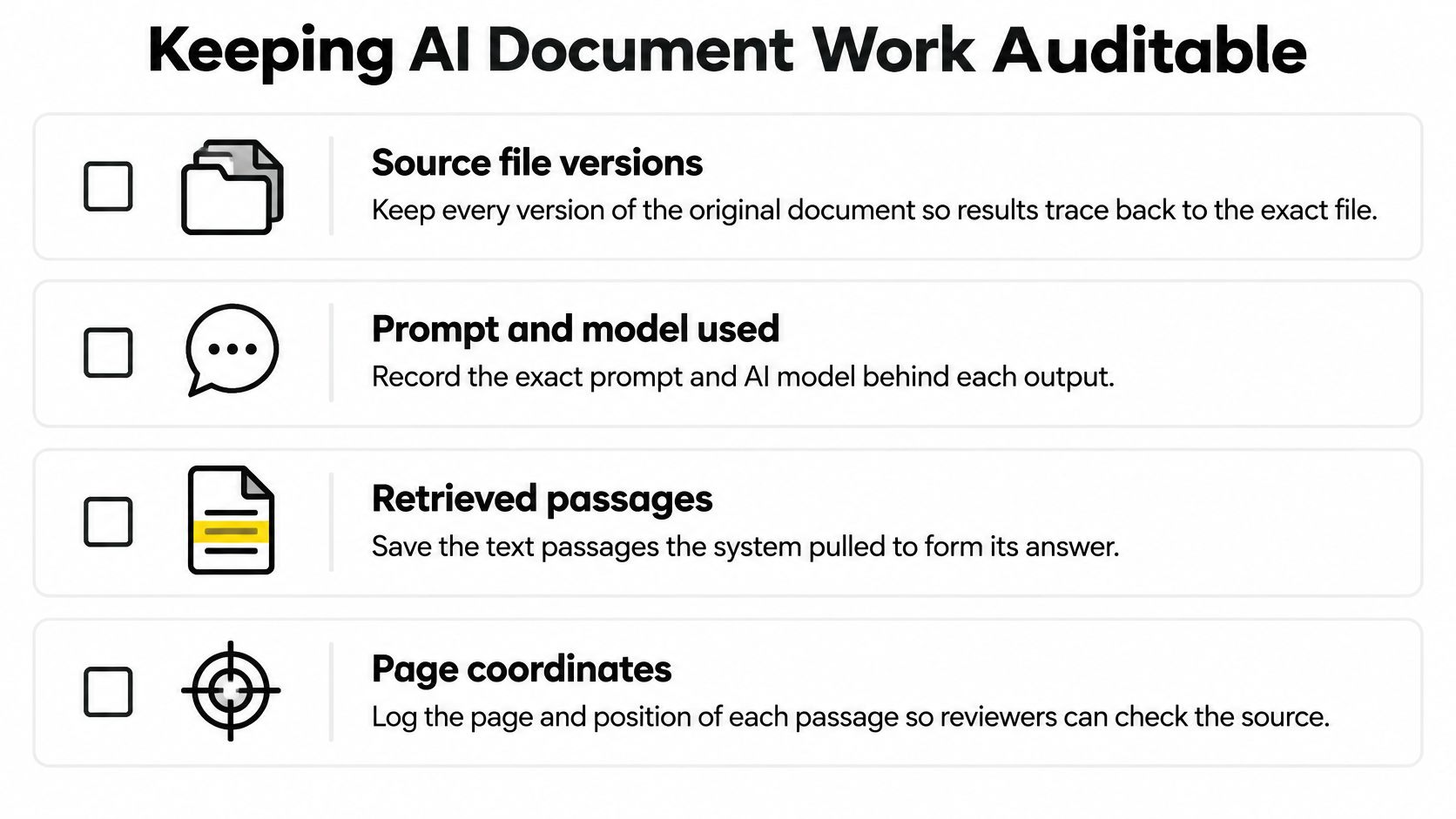
NIST's AI Risk Management Framework maps cleanly onto this: document the risks and potential impacts of the system, communicate them, and examine and document privacy risks. Translated into a document workflow, that means four things worth keeping:
- Source file versions, so a result traces back to the exact file that produced it.
- The prompt and model used, because "the AI said so" is not a defence.
- Retrieved passages and page coordinates, so a reviewer can check the evidence rather than re-run the query.
- Permission changes and reviewer sign-offs, so you know who could see what, and when.
The EU AI Act adds risk management, dataset governance, traceability and technical documentation for applicable high-risk systems. One sentence, one requirement: if your system is in scope, that paperwork is not optional.
Here's the recording from a session on running this in practice.
The financial argument is blunt. IBM's 2025 Cost of a Data Breach report found that 63% of studied organizations lacked AI governance policies, that one in five had experienced a breach involving shadow AI, and that those incidents added USD 670,000 to the average breach cost. Publishing an approved-tool policy is cheaper than that. Our document management best practices cover the retention side in more detail.
How to Roll Out AI Document Management Step by Step
Seven steps, in this order. Skipping step two is the most common mistake and the most expensive one.
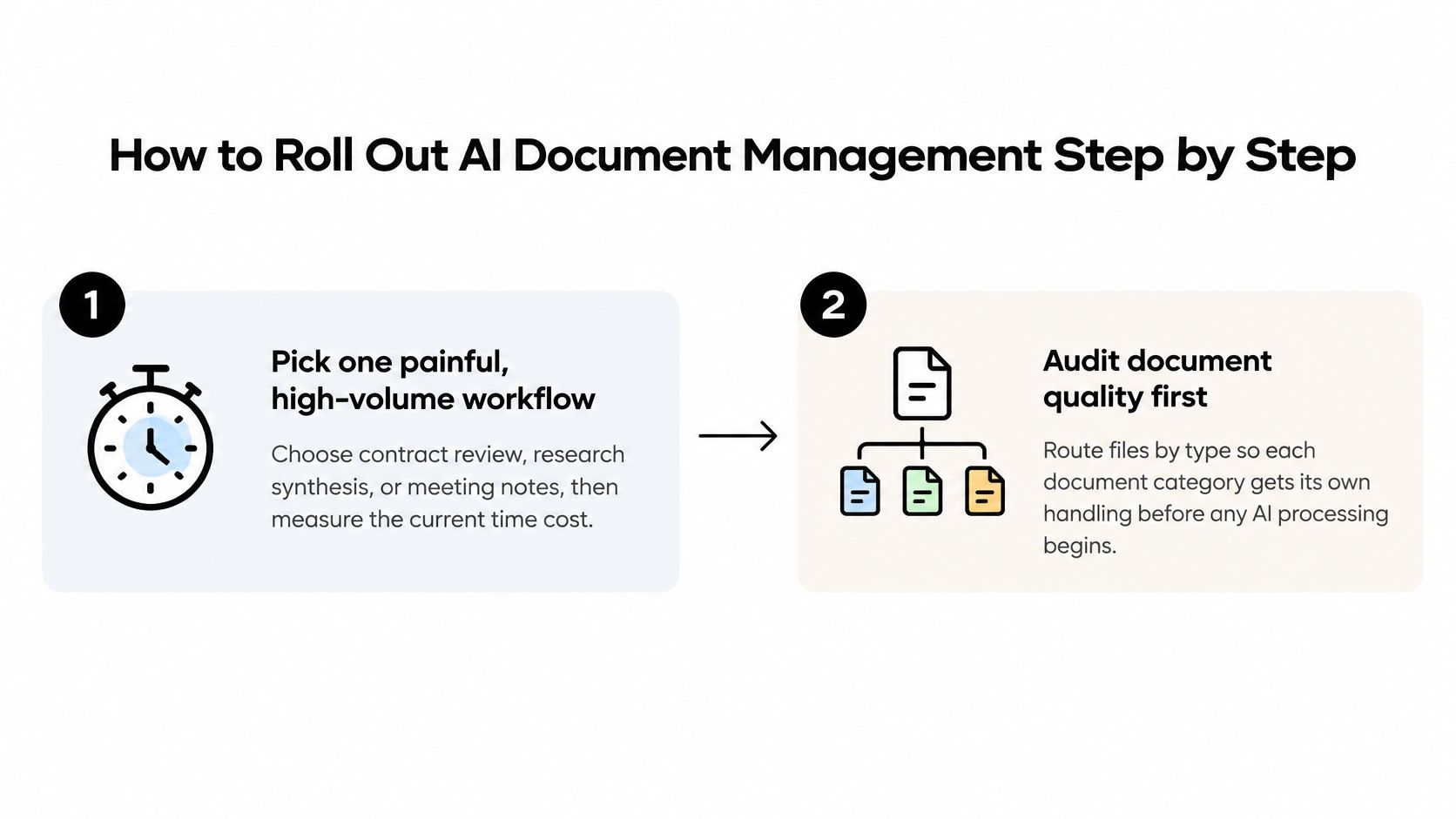
Pick one painful, high-volume workflow. Contract review, research synthesis or meeting notes. Measure the current time cost per item before you touch a tool, or you'll have no baseline to argue with later.
Audit document quality first. Route files by type, keep page images, and flag scanned or table-heavy pages for layout-aware extraction. The OHRBench study, which evaluated 8,561 real-world document images and 8,498 question-answer pairs across seven RAG domains, showed that OCR errors propagate through indexing, retrieval and answer generation. A recognition error changes the stored text, altered text weakens retrieval, and the generator then answers from bad evidence with total confidence.
Choose a workspace that keeps files, chats and instructions together per project. Context leaking between a client matter and an unrelated research topic is a subtle failure that shows up as oddly specific wrong answers.
Write the upload and review policy before day one. Which files may be uploaded, what counts as sensitive PII or IP, who owns review, how incidents escalate. One page is enough.
Run a two-week pilot with five to ten people. Track hours saved per task, not logins or messages sent. Adoption dashboards flatter everyone and prove nothing.
Set review thresholds by risk. Meeting summaries get sampling. Contract clauses and regulated records get citation-backed sign-off against the source page.
Version prompts and source files from the start. Retrofitting a paper trail onto six months of unlogged output is a miserable project.
If you want the automation layer that sits downstream of extraction, our guide to document workflow automation covers routing, approvals and handoffs.
One test tells you whether the rollout worked: if users still copy documents into a random browser tab to get an answer, it failed. Convenience beats policy every time, so make the approved path the fast one.
Pick Your First Workflow and Start This Week
Monday morning, someone drops last month's messiest folder on your desk and asks what it says. Run that as one project and five real questions. Nothing wider belongs in week one. A single project keeps context clean, so you can judge the answers instead of the interface.
Zemith is built around that shape. A project holds files, chats and instructions together with a shared knowledge base. Add PDFs, documents, websites and YouTube videos, then ask questions across all of them. The document assistant chats with those files, summarizes them, and builds quizzes and flashcards. Plus includes Document to Podcast, which turns documents, websites and YouTube into podcasts, flashcards and reports. When you need something you can send, the agent takes the documents or spreadsheets you provide and returns a finished Word document, PDF or deck. Plus is $15.99 a month and includes file creation and transcription. Cloud agents that run scheduled tasks are on the Professional plan, so leave scheduling out of the first week.
Treat the five answers as a review queue. Mark each one: fine to reuse internally, needs a human check, or blocked until someone compares it with the source file. Save the questions, the files you uploaded, and those three marks. That packet is what you show later if anyone asks why an answer was trusted.
If you want one place to run this without stitching four subscriptions together, Zemith keeps your documents, chats and instructions in project workspaces with a shared knowledge base. Upload the folder that's been haunting your downloads, ask the five questions you'd normally answer by hand, and see which answers survive a spot-check. That's the whole test, and you can run it this afternoon.













 MidjourneyUS$10.00
 ElevenLabsUS$6.00
 RunwayUS$15.00
 Gamma PlusUS$12.00
 Otter ProUS$16.99
 QuillBot PremiumUS$19.95
 Photoroom ProUS$12.99
 Quizlet PlusUS$7.99














 Podcast
 Quiz
 Flashcards
 Mind map
 Infographic