


Every top model, with tools built in.
Search the web, run deep research, read files, create images and run code with GPT, Claude, Gemini, Grok and more.
Find the right AI flashcards app for studying, research, and content creation. Learn key features, workflows, and how smart card generation beats memorization.
Your exam is getting closer, your notes are scattered across PDFs and browser tabs, and you've just spent another evening making flashcards instead of studying them. An AI flashcards app sounds like the obvious escape hatch. Upload the mess, get a deck, become academically unstoppable. Preferably before dinner.
The useful version is less magical and more practical: let AI handle the drafting, keep control of what deserves your attention, and use a review routine that fits your deadline. The app should help you learn, not just give you another collection to organize. Your downloads folder already has that job.
It's midterms week. You reread a page, recognize every sentence, and decide you know it. Then you close the document and can't explain the central idea without peeking.
That gap between recognizing an answer and producing it is exactly what your study routine needs to expose. My recommendation is simple: stop judging a session by how familiar the material feels. Judge it by what you can explain with the answer hidden.
Active retrieval means attempting an answer before you reveal it. For a biology topic, that might mean explaining a process aloud rather than admiring a highlighted definition.
The evidence supports that direction without promising miracles. A systematic review of AI-based learning tools in higher education found 21 studies reporting knowledge outcomes comparable to or better than conventional tutoring, while improvements in higher-order cognitive skills were less consistent. That's a reason to demand questions that require thinking, not to assume any AI-generated study aid will work.
Use this visual to separate the study habits you're choosing between.
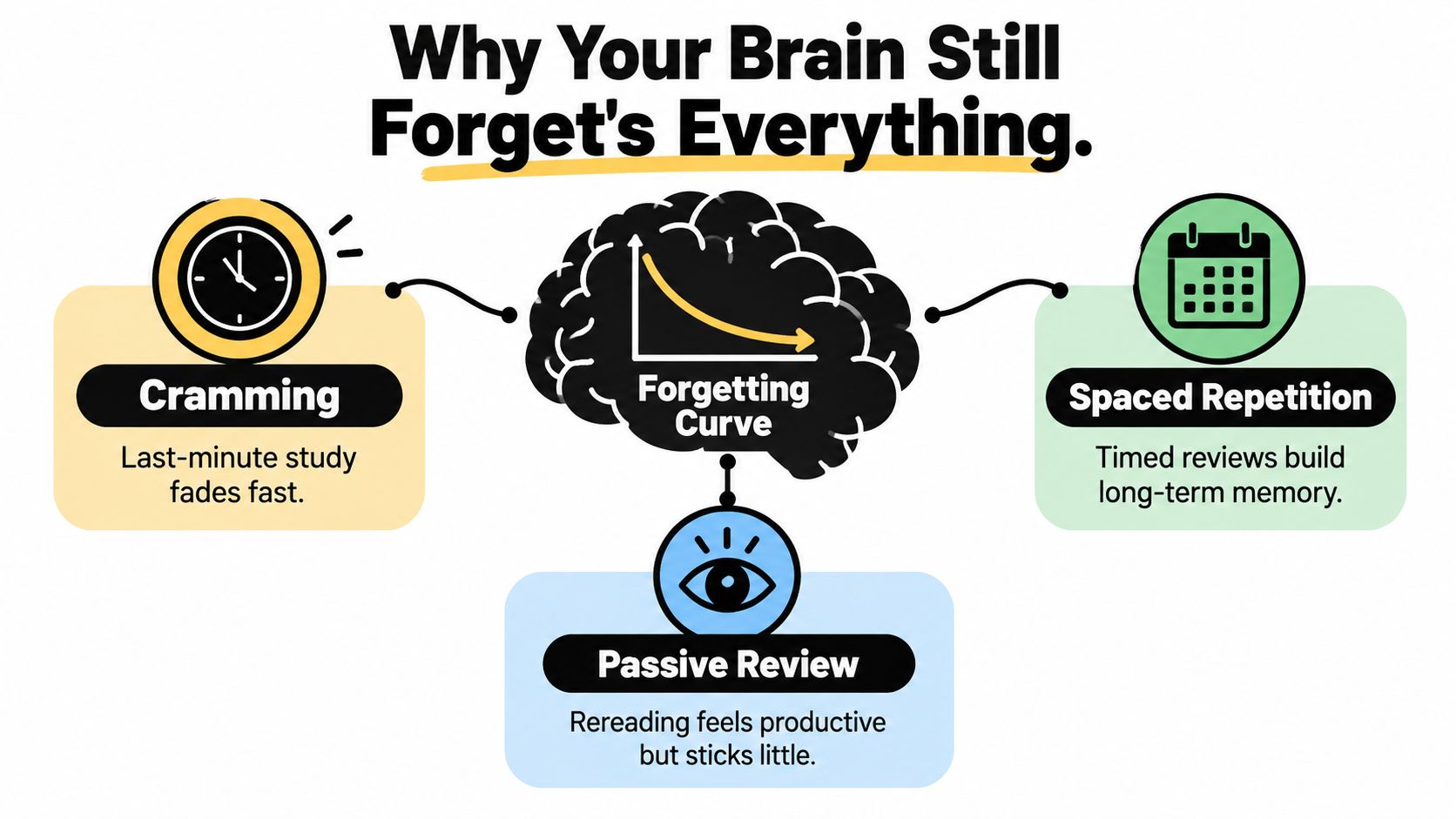
Practical rule: Hide the answer, attempt it honestly, and only then decide whether the card was easy.
Timing belongs in that routine too. Don't reserve every review for the final exhausted evening, and don't make yourself reread the entire deck whenever you open the app.
For your next session, choose a topic you think you know and explain it without your notes. Use the gaps to decide what needs a card. The guide to retaining information better is a useful companion when you're rebuilding that habit.
You don't need a prettier pile of notes. You need a reliable way to discover what's missing while there's still time to fix it.
A generator makes questions. A learning engine also helps you decide what to review and when. Don't confuse those jobs just because a product puts a sparkle icon beside both.
Think of a serious AI flashcards app as a tutor's desk: someone prepares the material, someone plans the practice, and someone notices where you're struggling. Those functions should work together, but you should check each separately.
Automated card generation converts source material into prompts and answers. Give it a biology chapter, and ask for distinct questions about definitions, mechanisms, and comparisons rather than a miniature copy of every paragraph.
Zemith's Document Assistant provides a native example: it supports document chat, summaries, quizzes, and flashcards within a broader workspace. That's useful when you want to question a passage before turning it into study material.
Personalization should respond to your actual difficulty. If you consistently mix up related concepts, the useful adjustment is a comparison prompt or targeted explanation, not merely a congratulatory animation.
The diagram shows the functions worth separating during your evaluation.
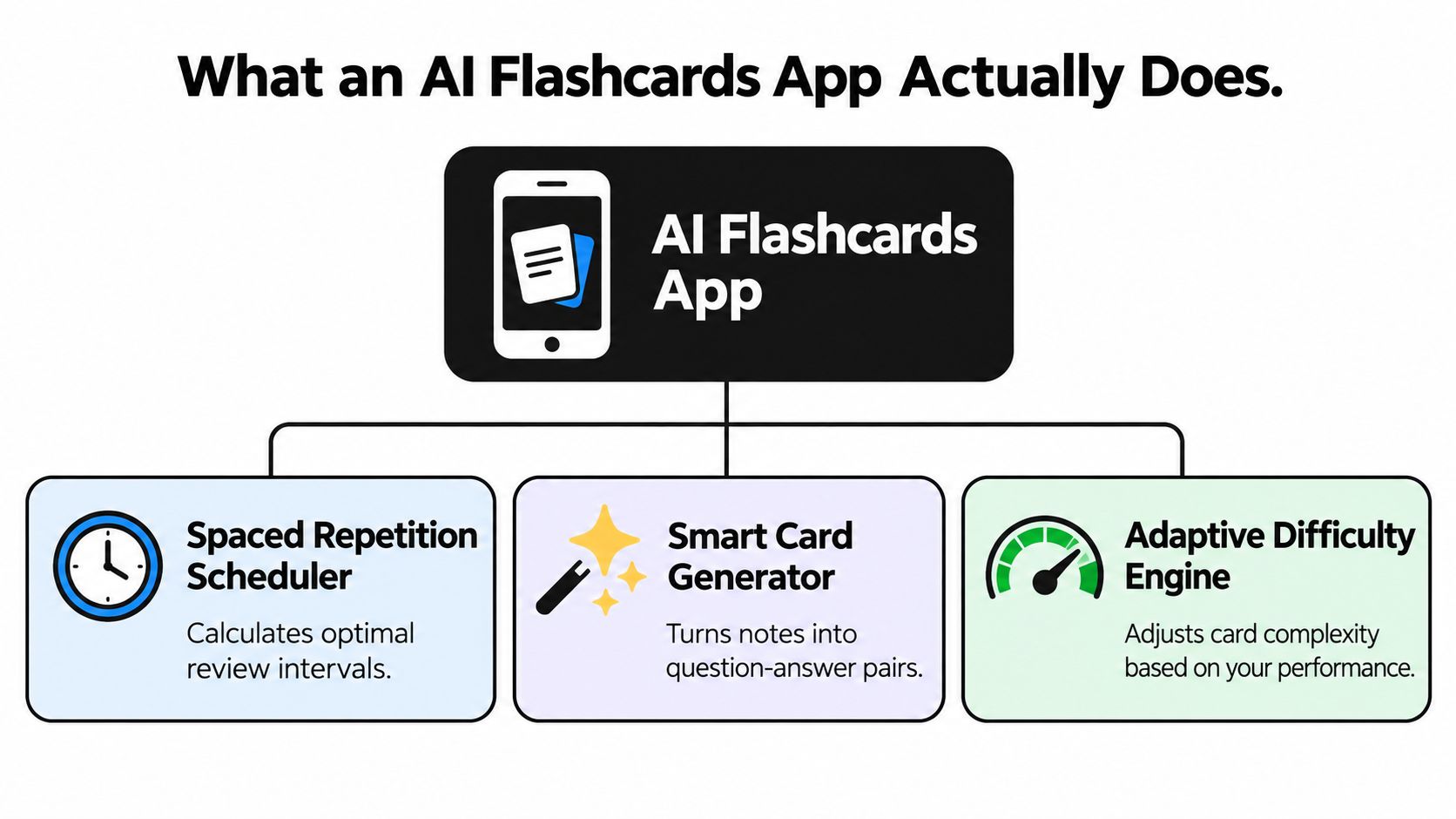
Spaced repetition means distributing reviews rather than concentrating them into a single sitting. Your target matters: preparing for an imminent exam isn't the same task as remembering technical material for future projects.
Research summarized in academic literature on spaced learning reports that intervals around 10–20% of the desired retention period can maximize later recall. Treat that as a planning principle, not a universal setting to apply blindly.
That distinction matters for Zemith too. Its document-to-flashcard workflow is described, but automatic deadline-aware scheduling shouldn't be assumed without checking the current product.
Ignore the enormous comparison checklist. The buying decision comes down to card quality, scheduling logic, source traceability, portability, and accessibility. Everything else needs to earn its place after those basics work.
Design matters more than a digital label. A peer-reviewed comparison of paper, computer, and tablet flashcards published in 2017 found tablet learners performed about as effectively as paper learners, while computer learners performed less well; cognitive load was equivalent across platforms. In that study, learners also recalled more words with ready-made cards than self-created cards.
That doesn't prove automatically generated cards are superior. It tells you to evaluate the actual interaction and content instead of assuming digital equals better.
A polished sample deck proves very little. Use your own material, especially a passage containing qualifications or closely related terms.
For source-grounded generation, Zemith's document chat lets you work with the underlying material alongside the drafting workflow. Multi-model access offers different drafting options, but agreement between models isn't independent verification. The passage still decides whether the answer belongs in your deck.
Educators assessing how study materials fit a teaching workflow can also consult the Kuraplan feature overview from Kuraplan as a separate resource. Keep that evaluation distinct from the learner's review experience.
Don't buy based on the smoothest demonstration. Buy based on what happens when your material isn't smooth.
Your ideal deck depends on what you'll need to do with the information. A medical student, a content creator, a developer, and a researcher shouldn't receive the same style of question just because they uploaded documents.
The device is only part of the choice. Your source and intended task matter more.

A medical student working from approved course notes should request cards that preserve conditions, exceptions, and the context of the syllabus. If the source gives a qualified answer, don't let the generated version turn it into a universal rule.
For high-stakes material, keep application questions clearly labeled as study exercises. A plausible scenario answer isn't clinical authority. Ask an instructor or qualified reviewer to approve anything you can't confidently verify.
A researcher reviewing a paper needs a different deck: research question, method, limitations, and what the authors concluded. Ask the generator to distinguish findings from interpretation rather than packaging both as settled facts.
Build cards for the task you'll perform, not merely for the words that appear in the document.
For a creator working from a podcast transcript, useful prompts might ask what evidence supports a talking point or which qualification must survive a short explanation. Don't turn a speaker's opinion into an unattributed fact card.
A developer learning a framework should retain the relevant version and distinguish conceptual questions from syntax recall. A hypothetical debugging prompt can be valuable, but keep it separate from claims directly supported by the documentation.
Use the embedded video as an additional resource, then judge your own workflow with material you'll study.
Zemith supports generating flashcards from PDFs, TXT notes, Markdown files, and YouTube videos with available transcripts. Its Library and Projects provide ways to organize related documents and conversations.
That makes it an option for mixed-source study. It doesn't mean every input deserves the same prompt, or that every output is ready to study untouched.
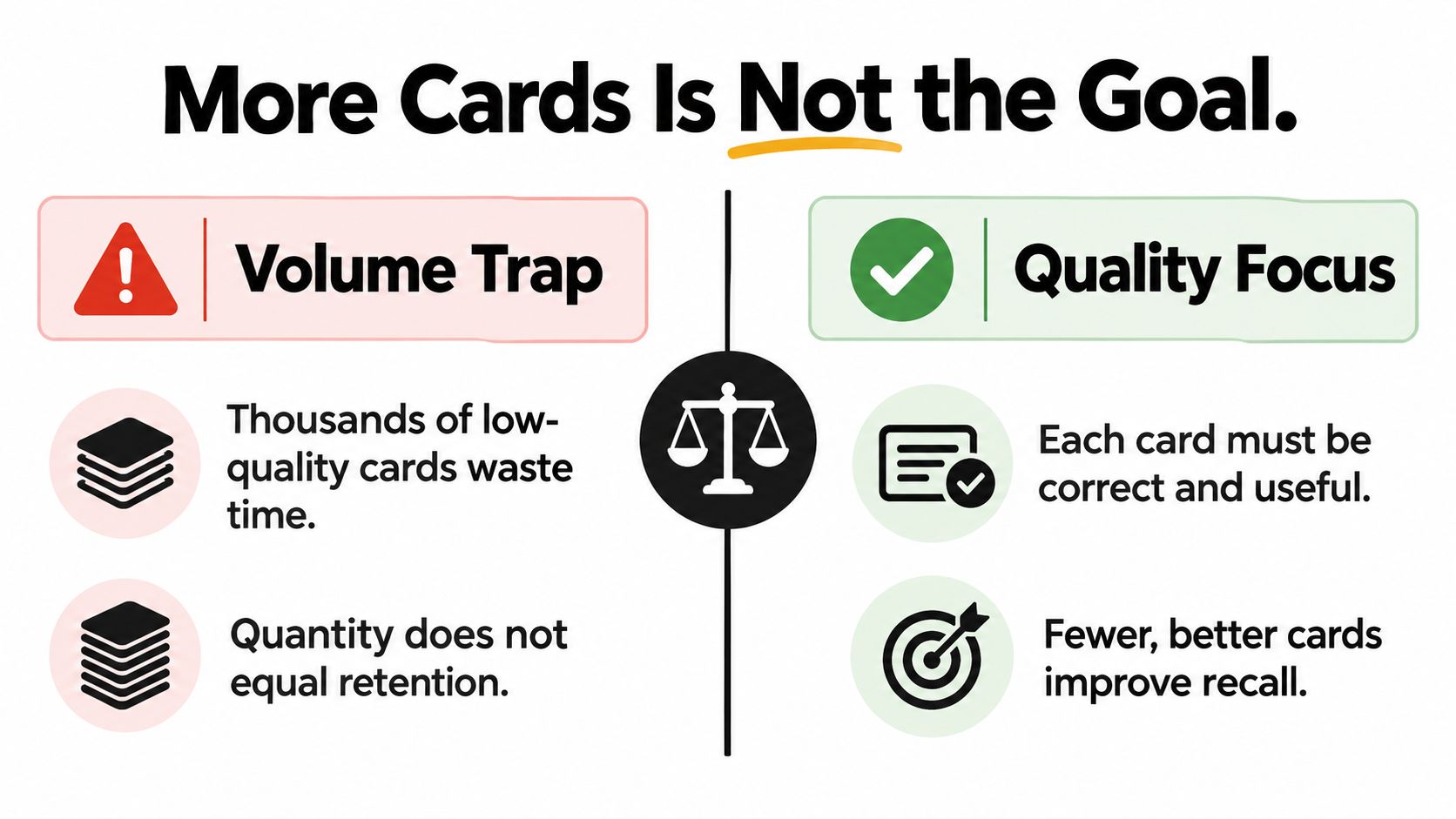
A giant generated deck can look impressive while being inconvenient. You've replaced typing with editing, and now every redundant card demands another little decision.
The right question isn't how many cards appeared. It's how many deserve to stay. Delete anything that tests trivial wording, repeats another prompt, or requires guessing what the generator meant.
A nationwide Norwegian quasi-experiment in 2025 involved 799 first-year nursing students across 19 campuses, with 10 campuses assigned teacher-made digital flashcards. Only about one-third of students in the intervention group used them, but users achieved better final-exam results, with Cohen's d = 0.42 and p < 0.001, in that study.
The same Norwegian study reported passing odds of 2.84, with a 95% confidence interval of 1.35–6.01, and highest-grade odds of 2.31, with a 95% confidence interval of 1.35–3.98; the relationship remained significant after controlling for age, prior academic performance, study time, and material covered.
These are odds ratios, not direct multipliers of a student's probability of success. The cards were teacher-made, not AI-generated, so the findings don't establish that automatic generation improves grades.
Use this comparison as an editing reminder, not a promise about a particular deck.
For language-focused practice, the Irish flashcard study technique from Gaeilgeoir AI offers a subject-specific resource. For planning your routine, consult the spaced repetition study method.
Use Zemith's document interaction to request supporting context and question questionable drafts. Treat evidence-aware generation as a workflow you enforce, not an accuracy guarantee that comes automatically with an AI button.
Start with a source you can inspect comfortably. Don't upload your entire academic life and ask the app to figure out which parts matter. That's not delegation; that's assigning a stranger your revision strategy.
Zemith's Document Assistant combines document interaction with flashcard creation. The AI assistant for documents guide is a useful starting point for working from the underlying text rather than a disconnected generated summary.
Upload a supported PDF or provide your notes in a supported text-based format. Check whether headings, tables, and important qualifications remain readable before asking for a deck.
Then state the scope, audience, and question styles. A useful prompt is direct:
Create study flashcards from this material only. Include factual, why, compare, and apply questions where the source supports them. Keep each answer focused, identify its supporting passage, and flag anything ambiguous or unsupported.
That's a request, not a guarantee that every requested citation or flag will be delivered correctly. Inspect the result.
With multi-model access, choose based on the draft you receive rather than the model's reputation. If the output flattens a nuanced comparison, ask for a revision or try another available model, then check both against the document.
Keep generation and approval separate. Read the deck as an editor before using it as a learner.
Review the approved deck in the workspace. When you miss a card, investigate whether you forgot the answer, misunderstood the concept, or encountered a badly written prompt. Those problems need different fixes.
For deadline planning, tell the assistant when you need the material and request a review calendar. A suggested calendar isn't proof of automatic spaced scheduling, so verify the current controls before relying on the app to manage intervals.
If you need a separate scheduler or a portable copy, test the available export route first. Don't build your routine around an assumed button.
The productive workflow is source, draft, approval, practice, revision. AI can help with several of those stages, but you're still responsible for deciding what enters the approved deck.
Don't paste confidential material into a study tool just because its upload box looks friendly. Patient details, client documents, unpublished work, and personal learning records deserve a deliberate decision.
Educators in the 2025 AI-in-education snapshot from Michigan Virtual identified privacy and data security, inappropriate use, overdependence, and ethical content curation as major concerns. The report also highlighted unequal access and risks for students with disabilities or limited connectivity.
Privacy and accessibility belong in the buying decision, not in the troubleshooting session after you've committed your notes.
Ask for written policy answers where testing can't settle the issue. For accessibility, use your actual device and tools rather than trusting an icon in a feature list.
Zemith's Library and Projects can organize documents and conversations, and its mobile application provides another access route. Neither fact establishes offline study, screen-reader compatibility, document retention terms, or a specific export format.
Don't infer those capabilities. Confirm them before uploading sensitive material or depending on them for coursework.
Before uploading: Remove unnecessary personal information and check whether you're permitted to share the document with an external service.
Use document management best practices to think through permissions and organization, then inspect the current product policies separately. Keeping files tidy and keeping them appropriately protected are related tasks, not interchangeable ones.
A tool you can't comfortably use on your available device isn't a good fit, however impressive its generator looks. Choose the experience you can sustain without surrendering information you shouldn't share.
Choose from your source material outward. If you need help converting documents into practice questions, a document-centered workspace makes sense. If your main need is advanced review scheduling, prioritize demonstrated scheduling behavior over generation convenience.
If you don't understand the material yet, pause the deck-building. For reading-focused needs, see what ReadLab recommends before assuming flashcards are the right first intervention.
Use a representative set of notes in Zemith or another suitable tool. Edit the output, study it across your normal week, and pay attention to the experience rather than the novelty.
That trial is a practical recommendation, not a validated benchmark. Don't interpret a pleasant session as proof of better exam performance.
The trade-off is straightforward: integrated tools can keep source material and drafting together, while a dedicated review tool may better match your scheduling preferences. You don't have to force either option to do everything.
Keep the system that makes honest practice easier. Drop the one that gives you impressive output and leaves you doing all the learning logistics yourself. Your next action is to choose the notes, not another comparison article.
Zemith offers document chat, quizzes, and flashcard generation in a shared workspace, so you can start with your own material instead of drafting every question manually. Visit Zemith, bring a set of notes you're allowed to upload, and build a deck you can check before studying. Keep the useful questions, fix the questionable ones, and give the approved deck a place in your actual routine.
Pay less than one AI subscription and get GPT, Claude, Gemini and more, plus 50+ AI tools.







Trusted by teams at






The top models, plus image, video and voice tools, in one plan.
Without Zemith
ChatGPT PlusUS$20.00Claude ProUS$20.00Google AI ProUS$19.99SuperGrokUS$30.00Perplexity ProUS$20.00 MidjourneyUS$10.00
 ElevenLabsUS$6.00Le Chat ProUS$14.99
 RunwayUS$15.00Kling StandardUS$8.80
 Gamma PlusUS$12.00
 Otter ProUS$16.99
 QuillBot PremiumUS$19.95
 Photoroom ProUS$12.99
 Quizlet PlusUS$7.99
Total if paying separatelyUS$234.70/mo
"I love the way multiple tools they integrated in one platform. Going in the right direction."
— simplyzubair
"The quality of data and sheer speed of responses is outstanding. I use this app every day."
— barefootmedicine
"The credit system is fair, models are perfect, and the discord is very responsive. Quite awesome."
— MarianZ
"Just works. Simple to use and great for working with documents. Money well spent."
— yerch82
"The organization of features is better than all the other sites — even better than ChatGPT."
— sumore
"It lives up to the all-in-one claim. All the necessary functions with a well-designed, easy UI."
— AlphaLeaf
"The team clearly puts their heart and soul into this platform. Really solid extra functionality."
— SlothMachine
"Updates made almost daily, feedback is incredibly fast. Just look at the changelogs — consistency."
— reu0691
Hand off the research, writing, design and follow-ups. Zemith picks the tools it needs and brings back finished work.
Search the web, run deep research, read files, create images and run code with GPT, Claude, Gemini, Grok and more.
Zemith keeps working in the cloud and pings you when it's done.
Notion, Linear, Canva, Airtable and more. It asks before it creates or changes anything.
Docs, slides, sheets and PDFs, ready to send.
Chain models and tools on a visual canvas, from one prompt to a finished promo video.
Briefings, reports and reminders run on a schedule and are ready when you need them.
Real-time voice that can see your camera or screen.
The best image and video models, in one studio.
Turn PDFs, links and YouTube videos into podcasts, quizzes, flashcards and mind maps.














 Podcast
 Quiz
Quiz Flashcards
 Mind map
 Infographic