


Every top model, with tools built in.
Search the web, run deep research, read files, create images and run code with GPT, Claude, Gemini, Grok and more.
An AI prompt organizer turns scattered chats into reliable workflows. Learn how to build one, what to tag, and how Zemith makes it painless.
You've got a prompt that produced exactly the answer you wanted. The tone was right, the structure was clean, and somehow the AI understood what “make it useful, but not boring” meant. Two weeks later, you need it again. You search old chats, browser tabs, screenshots, and a document called final_prompts_NEW_really_final. Nothing.
An AI prompt organizer fixes that specific kind of chaos. It stores a prompt with its purpose, inputs, model, examples, revisions, and success criteria, not just a lonely paragraph of instructions. Think less “digital shoebox” and more personal operating system for repeatable AI work.
Losing a useful prompt isn't just annoying. Rebuilding context makes you switch between tasks, tools, and half-remembered ideas, a problem explored in Zemith's guide to the cost of context switching. The aim isn't to collect hundreds of prompts. It's to make the prompts you use easy to find, understand, test, and improve.
The moment usually arrives on a Tuesday afternoon, when your deadline is close enough to be rude.
A writer opens an old chat and remembers that the perfect article brief was somewhere in there. A developer knows an AI assistant generated working test cases last month, but the original instructions have vanished. A researcher finds a screenshot of a useful research prompt with no clue which model produced it or what document it was based on.
Then comes the dangerous sentence: “I can recreate it.”
You probably can't. You can create something similar, but the useful prompt often depends on small details. Maybe it asked the model to separate facts from recommendations. Maybe it included two examples. Maybe the output needed a specific schema. The magic wasn't magic. It was context, and context is exactly what most saved snippets leave behind.
A generic notes app stores text. A chat history stores a conversation. An AI prompt organizer stores a repeatable unit of work.
That unit might include:
A chat dump says, “I asked an AI something about SEO.” An organized record says, “Create a competitor content gap analysis from the attached pages, cite every factual claim, return a table, and flag missing evidence.” One is a memory fragment. The other is a workflow you can run again.
The useful prompt isn't the one you saved. It's the one you can successfully reuse.
You don't need to turn every casual question into a formal project. Save the prompts that recur, produce valuable work, or contain hard-won instructions. Once you stop treating prompts as souvenirs and start treating them as working assets, the need for an organizer becomes pretty obvious.
A reliable prompt can disappear in seconds. You paste it into a chat, tweak it for one project, then later find three broken copies, one missing example, and a saved template containing credentials you should never have pasted. An AI prompt organizer prevents that mess by acting like a personal operating system for repeatable AI work, not a fancy folder system.
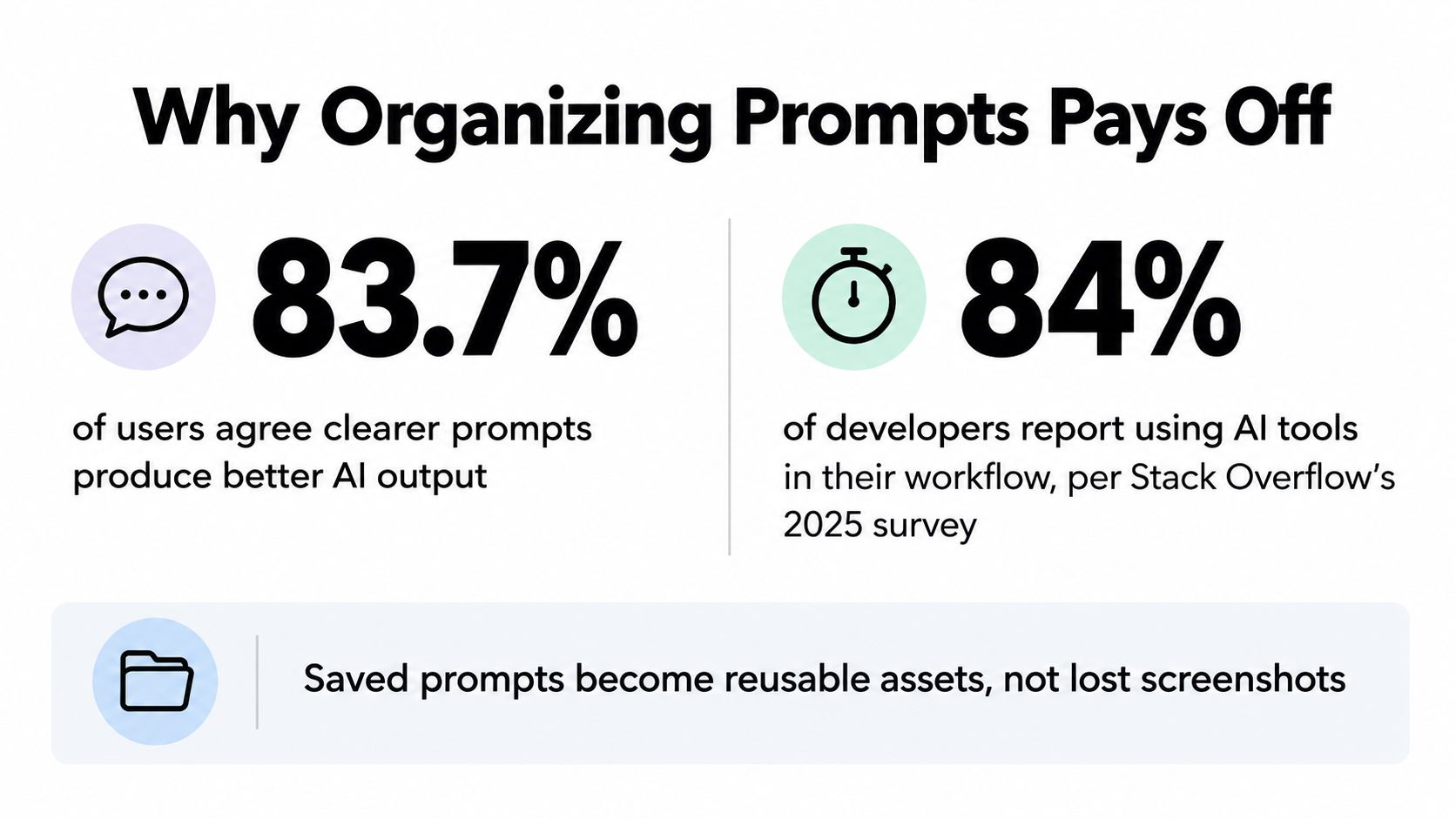
Clearer prompts are more than a matter of taste. A 2025 study of 243 AI users found that 203 respondents, or 83.7%, agreed or strongly agreed that clearer, more specific prompts produce better results, with an average perceived impact score of 4.01 out of 5. The study also found that 136 participants, or 55.9%, revised prompts occasionally or very often (study details on arXiv). An organizer gives those revisions somewhere useful to live, alongside the examples, constraints, and notes that explain why one version worked better than another.
Information retrieval creates a second problem. An IDC-related survey reported that knowledge workers spend 36% of a typical workday looking for and consolidating information, regularly access at least four systems, and find the information they need only 56% of the time (enterprise internal search research). Prompts scattered across chats, documents, browser tabs, and team messages add another layer of searching. A clear storage system reduces the hunt before the actual work begins.
A prompt may hold a research method, writing framework, debugging approach, or dependable way to turn rough notes into a finished deliverable. Lose it, and you pay the same thinking cost again. Store it with its purpose and inputs, and the next run starts with useful context instead of a blank chat window.
Organizing supports three practical jobs:
A prompt library does not need a ceremonial folder for every casual question. Start with repetition. Review recent chats and save prompts used more than once, prompts that took real effort to improve, and prompts whose output feeds a recurring workflow. A focused knowledge consolidation workflow follows the same principle: keep useful information together so it can support the next decision.
Open a saved prompt and ask:
If all three answers are no, you have a souvenir, not a tool. Delete it, rewrite it, or archive it. A smaller library of understandable prompts is easier to trust, especially when it keeps broken templates and pasted credentials out of your daily workflow.
Most prompt libraries fail before the second week because their labels are too vague. “Writing,” “marketing,” and “research” sound organized until you need one specific prompt and discover that every item has the same name.
Use a name that answers three questions: what does it do, who is it for, and what result does it produce?
Marketing prompt 2 becomes:
Blog-Outline-SaaS-Founders-v2
That name tells you the format, audience, and version at a glance. It won't capture every detail, but it gives your future self a fighting chance.
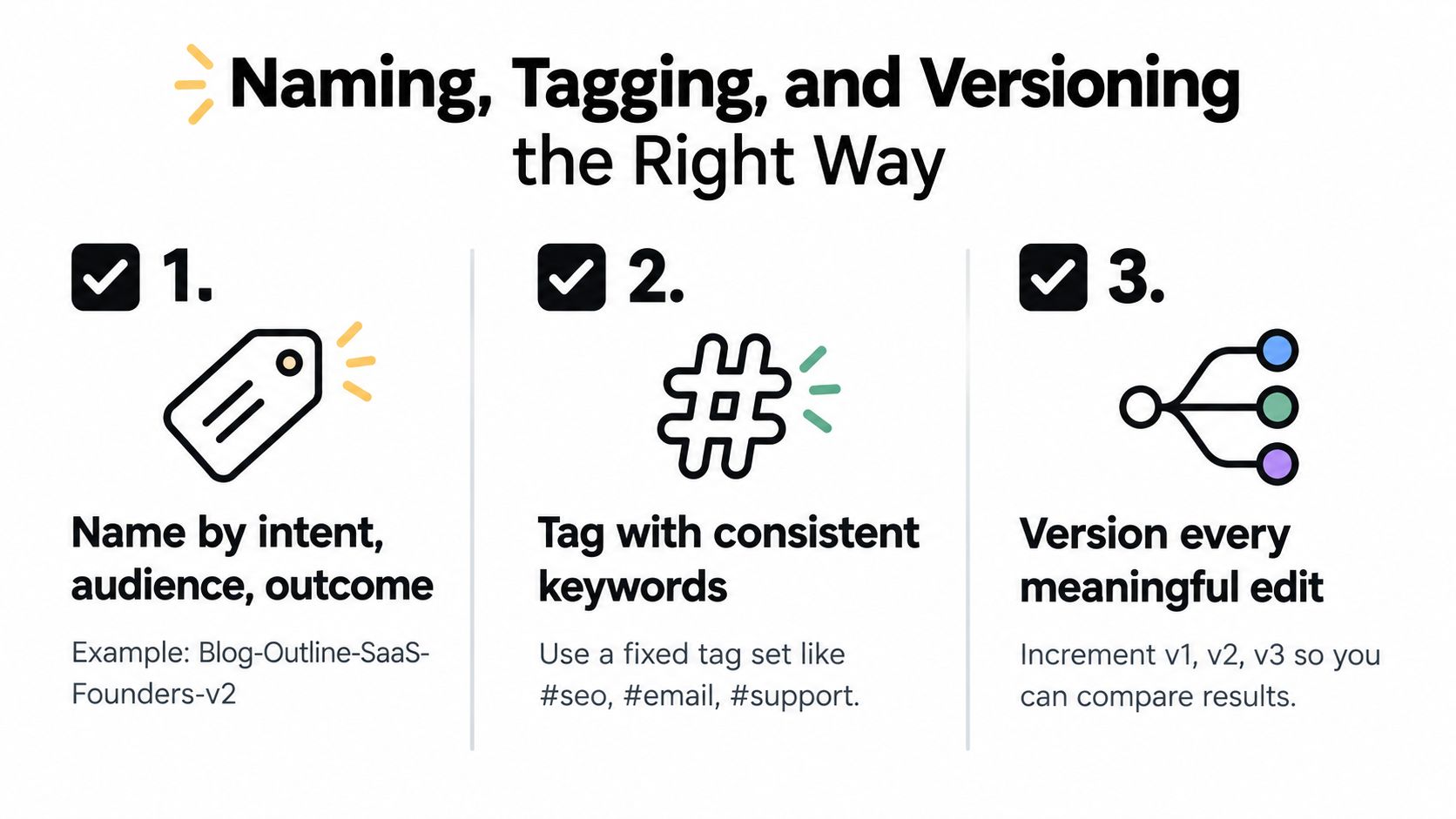
Tags should help you narrow a search, not recreate the entire prompt in hashtag form. A practical hierarchy might include:
#seo, #coding, #research#outline, #json, #email#founders, #technical, #friendly#drafting, #review, #productionPick a stable vocabulary and use it consistently. If you alternate between #blog, #content, and #article for the same kind of work, search becomes a guessing game with worse prizes than a carnival.
The prompt itself should separate stable instructions from changing material. Use placeholders such as [TOPIC], [AUDIENCE], [SOURCE_DOCUMENT], and [OUTPUT_LENGTH] instead of burying one client's details inside a supposedly reusable template.
Versioning doesn't mean creating v2 because you fixed a comma. Create a new version when you change the task, model, examples, constraints, output format, or evaluation method.
For example:
Before
Write a blog post about our software in a professional tone.
After
Create a 1,500-word educational article for operations managers about [TOPIC]. Use plain English, include practical examples, separate verified facts from recommendations, and return a title, introduction, H2 sections, and a conclusion. Flag unsupported claims instead of inventing them.
The second prompt is more reusable because it defines the job and the quality bar. Save its examples and success criteria alongside it. Research on prompt variation supports this approach, with the PromptSET benchmark containing 11,469 unique questions, each paired with nine semantically related variations, to measure how wording changes affect model accuracy (PromptSET benchmark).
A version note can be short: “Added source-checking rule after unsupported claims appeared in output.” That sentence may save you from repeating the same debugging session next month. You can also borrow the practical thinking behind version control best practices, especially the habit of recording why a change happened, not merely that it happened.
A saved prompt isn't automatically a trustworthy prompt.
That may sound obvious, but many libraries treat “stored” as equivalent to “working.” A prompt can go stale when the model changes, the task expands, the source material becomes different, or an example stops matching the desired output. The folder remains tidy while the workflow rots inside it. Very organized, very useless.
Stack Overflow's 2025 Developer Survey found that 84 percent of developers use or plan to use AI tools, yet only 3 percent report high trust in AI accuracy while 46 percent distrust it (Stack Overflow Developer Survey). That gap makes verification part of prompt management, especially for code, research, compliance, and customer-facing content.
A test doesn't need to be elaborate. Save a representative input and define what a good result must contain.
For a coding prompt, the check might require runnable code, test cases, dependency versions, and an explanation of edge cases. For a research prompt, require dated sources, direct evidence, and a clear distinction between facts and recommendations. For a content prompt, check audience fit, structure, tone, and whether every factual claim has support.
Store these fields with the prompt:
A model-specific version is often sensible. The same instruction may behave differently in GPT-4, Claude 4, or Gemini because models respond differently to examples, ordering, and constraints. Don't assume portability. Test it.
Take three old prompts today:
This exercise usually reveals something funny and slightly painful. The prompt you thought was your “best one” may have succeeded because the original chat contained extra context. The prompt that looks plain may be the dependable workhorse. Your organizer should help you discover that difference instead of hiding it behind a favorite-star icon.
A prompt library should tell you what still works, not simply what you once liked.
An organizer becomes useful when its parts match the way work happens. Prompt Gallery can provide starting points, Library can hold the templates you refine, and Projects can keep active prompts attached to the files and conversations they support. The layers solve different problems, so you don't have to force every prompt into one giant folder.
Start with a prompt you already use. Say you're researching a competitor and need a repeatable way to compare pages without making unsupported claims. Find a useful starting structure in Prompt Gallery, then adapt the wording for your task. The point isn't to worship the template. It's to avoid beginning with an empty box and a blank stare.
Save the working version in Library with a clear name such as Competitor-Research-Page-Gaps-v1. Add tags for the work area, output format, and workflow stage. Include the input requirements, source rules, expected table columns, and a quick review checklist. If the prompt improves after a test, create the next version and note what changed.
A reusable prompt floating in isolation still creates friction. Inside a project, connect it to the knowledge base, documents, and conversations that give it meaning. For the competitor example, a project might contain the source pages, research notes, previous comparisons, and the prompt itself.
That connection matters because the prompt doesn't have to carry every piece of background in its text. The project supplies the relevant context while the prompt supplies the method. You get fewer copy-paste rituals and a clearer record of how the output was produced.
You can explore the broader idea in Zemith's prompt library guide, then use a simple mental walkthrough:
The result is a personal toolkit that remains connected to active work. Gallery gives you inspiration, Library preserves your tested assets, and Projects keep those assets from wandering off into the digital wilderness.
The same pattern works for writing, coding, document analysis, and research. Save the method once, keep the context nearby, and improve the version when reality gives you feedback. That's much closer to a personal operating system than a fancy folder system.
The moment you centralize prompts, you centralize whatever users pasted into them. That can make work easier to retrieve, but it can also create a concentrated privacy risk if the library stores customer names, account numbers, internal code, or credentials.
A 2025 enterprise analysis reported that 8.5 percent of employee prompts contained sensitive information. Within that group, more than 45 percent involved customer data, while 30 percent of security-flagged prompts included credentials, secrets, or proprietary code (analysis of sensitive information in prompts).
This is why “save everything” is bad advice. A reusable prompt should preserve the method, not necessarily the live data used in one session.
Use variables for information that changes between tasks:
[CUSTOMER_NAME][ACCOUNT_NUMBER][CONTRACT_VALUE][INTERNAL_PROJECT_CODE]Then save a generic template and keep the actual values in an appropriately protected project or source document. Redact before saving, especially when you're turning a successful chat into a reusable asset. A prompt that says “analyze this support case” is safer to share than one containing the entire support case.
You also need different rules for different prompt types. A public writing template can be shared broadly. A prompt containing private customer context should have limited access, a retention rule, and a clear deletion path. Workspace permissions and audit trails can support that discipline, but no feature replaces careful judgment before you click Save.
If you're comparing AI workspaces or sharing document-based conversations, reading an actual ExChat privacy policy can help you see what kinds of data-handling questions a provider should answer. Look for clarity about collection, storage, sharing, retention, and user controls.
Before adding a prompt to a shared library, ask:
Document-based AI workflows deserve the same care. If a prompt is connected to files or conversations, check the source material as well as the instruction. Chatting with your documents is powerful precisely because it brings useful context into the workflow, so that context needs appropriate boundaries.
Don't build a museum on day one. Start with three folders:
Use five tags: #research, #drafting, #coding, #analysis, and #image. Give each saved item a name that states its job, such as Research-Summarize-Paper-with-Citations-v1 or Coding-Generate-Tests-for-Function-v2.
Your one versioning rule is simple: create a new version when the task, model, examples, constraints, or output format changes. Your one weekly habit is a short audit. Open a few prompts, test one with a real input, and retire anything you no longer understand or trust.
A useful starter record might look like this:
Prompt: Turn research notes into a cited article outline.
Inputs: Notes, audience, topic, source requirements.
Output: H2 structure, key claims, evidence gaps.
Check: Every factual claim has a source or an uncertainty flag.
By the time your second recurring task appears, you'll already have a system to copy instead of another pile to sort. Keep the structure small, make the tests visible, and let useful prompts earn their place.
For a small personal collection, yes. It becomes limiting when you need model details, structured metadata, version history, testing, permissions, and project context in the same place.
Teams need shared versions for shared workflows. Personal experiments can stay private, but production prompts should have an owner, review method, and agreed source or output rules.
Keep a model-specific variant. Re-run the same test inputs, compare outputs, and record what changed instead of assuming the old prompt transferred perfectly.
Standalone tools may focus mainly on saving and searching prompts. Zemith combines prompt management with documents, projects, conversations, research, writing, and coding workflows, so the prompt can stay connected to the work it supports.
Zemith brings Prompt Gallery, Library, and Projects into one workspace so you can discover prompt ideas, refine reusable templates, and attach them to active files and conversations. If you're tired of rebuilding useful instructions from memory, visit Zemith and start turning your best prompts into repeatable workflows.







Trusted by teams at






The top models, plus image, video and voice tools, in one plan.
Without Zemith
ChatGPT PlusUS$20.00Claude ProUS$20.00Google AI ProUS$19.99SuperGrokUS$30.00Perplexity ProUS$20.00 MidjourneyUS$10.00
 ElevenLabsUS$6.00Le Chat ProUS$14.99
 RunwayUS$15.00Kling StandardUS$8.80
 Gamma PlusUS$12.00
 Otter ProUS$16.99
 QuillBot PremiumUS$19.95
 Photoroom ProUS$12.99
 Quizlet PlusUS$7.99
Total if paying separatelyUS$234.70/mo
"I love the way multiple tools they integrated in one platform. Going in the right direction."
— simplyzubair
"The quality of data and sheer speed of responses is outstanding. I use this app every day."
— barefootmedicine
"The credit system is fair, models are perfect, and the discord is very responsive. Quite awesome."
— MarianZ
"Just works. Simple to use and great for working with documents. Money well spent."
— yerch82
"The organization of features is better than all the other sites — even better than ChatGPT."
— sumore
"It lives up to the all-in-one claim. All the necessary functions with a well-designed, easy UI."
— AlphaLeaf
"The team clearly puts their heart and soul into this platform. Really solid extra functionality."
— SlothMachine
"Updates made almost daily, feedback is incredibly fast. Just look at the changelogs — consistency."
— reu0691
Hand off the research, writing, design and follow-ups. Zemith picks the tools it needs and brings back finished work.
Search the web, run deep research, read files, create images and run code with GPT, Claude, Gemini, Grok and more.
Zemith keeps working in the cloud and pings you when it's done.
Notion, Linear, Canva, Airtable and more. It asks before it creates or changes anything.
Docs, slides, sheets and PDFs, ready to send.
Chain models and tools on a visual canvas, from one prompt to a finished promo video.
Briefings, reports and reminders run on a schedule and are ready when you need them.
Real-time voice that can see your camera or screen.
The best image and video models, in one studio.
Turn PDFs, links and YouTube videos into podcasts, quizzes, flashcards and mind maps.














 Podcast
 Quiz
Quiz Flashcards
 Mind map
 Infographic