10 Goal Setting Frameworks for Better Work
Compare 10 goal setting frameworks, from SMART goals and OKRs to Agile and Kaizen, with examples, templates, and Zemith workflows.
The most popular advice about goal setting frameworks is also the least useful: pick one system and stick to it. A developer shipping through changing requirements needs a different operating rhythm from a researcher exploring an uncertain question. A creator protecting deep work shouldn't manage goals like a sales team chasing a fixed quota.
The best goal system is the one you'll review, adjust, and use to decide what happens next. This list compares 10 goal setting frameworks by the uncertainty they handle, the roles they suit, and the work patterns they support. You'll find practical examples, trade-offs, implementation steps, reusable prompts, and honest notes on what tends to fail. You'll also see how Zemith can connect goals with documents, projects, research notes, whiteboards, and focused work sessions instead of leaving your brilliant plan stranded in a lonely spreadsheet.
The frameworks range from SMART goals and OKRs to Agile planning, Kaizen, Design Thinking, and ROWE. Some create precision. Others create ambition, protect attention, clarify messy problems, or give teams room to choose their own path. The useful question isn't “Which framework is best?” It's “What kind of uncertainty am I dealing with, and what behavior needs to change?”
1. SMART Goals
SMART goals remain the practical starting point for turning a wish into work. The framework uses five criteria, specific, measurable, achievable, relevant, and time-bound, to make an objective clear enough to act on and review. The Minnesota Department of Health's SMART objective guidance describes the framework as a way to convert vague objectives into actions that can be tracked and completed by a deadline.
George T. Doran introduced the framework in 1981, and its staying power makes sense. “Improve productivity” gives a team nothing to schedule. “Complete a defined research brief by a stated date, with the final document reviewed by the project lead” gives people something they can discuss.
Where SMART works best
SMART goals suit stable, execution-heavy work where the finish line is reasonably visible. A content creator might define a publication deadline and target word count. A software engineer might commit to resolving a specific class of defects during a sprint. A researcher could set a date for completing a literature review with a documented search method.
Use the five questions, who, what, where, when, and why, before accepting the goal. They force specificity and stop “I'll do better” from dressing up as a plan, as explained in this SMART goal management overview.
Practical rule: If you can't tell whether the goal is complete, it isn't specific enough yet.
Draft the wording in Zemith's Smart Notepad, use AI rephrasing to remove ambiguity, then store the approved version in the Library. Turn the outcome into weekly milestones in Zemith Projects, and use Focus OS to protect the sessions where the work gets done. For a reusable process, connect it with this guide to the strategic planning process.
SMART's weakness is that it can make teams excellent at completing the wrong thing. If the environment changes, review the goal rather than worshipping the deadline.
2. OKRs
OKRs separate the strategic destination from the evidence that you're moving toward it. The Objective states what you want to accomplish. The Key Results explain how you'll know whether progress is real.
A technology team might set an objective to improve system reliability, then track incident response, release quality, or service stability through carefully defined results. A content team might focus on building an engaged audience rather than merely producing more posts. This makes OKRs useful when the work involves alignment, ambition, and several contributing teams.
Ambition needs measurement design
OKRs aren't just SMART goals with trendier stationery. Their value comes from connecting meaningful objectives with verifiable results, baselines, challenging targets, and short monitoring cycles. Research on OKR implementation emphasizes concrete objectives, measurable Key Results, and reviews no longer than a quarter in its academic analysis of OKR use.
Google's OKR guidance identifies 60% to 70% attainment as a useful sweet spot for ambitious OKRs, because consistent full attainment can signal that targets weren't challenging enough. It also recommends a mid-quarter check-in, rather than waiting until the cycle ends, as outlined in Google's OKR guidance.
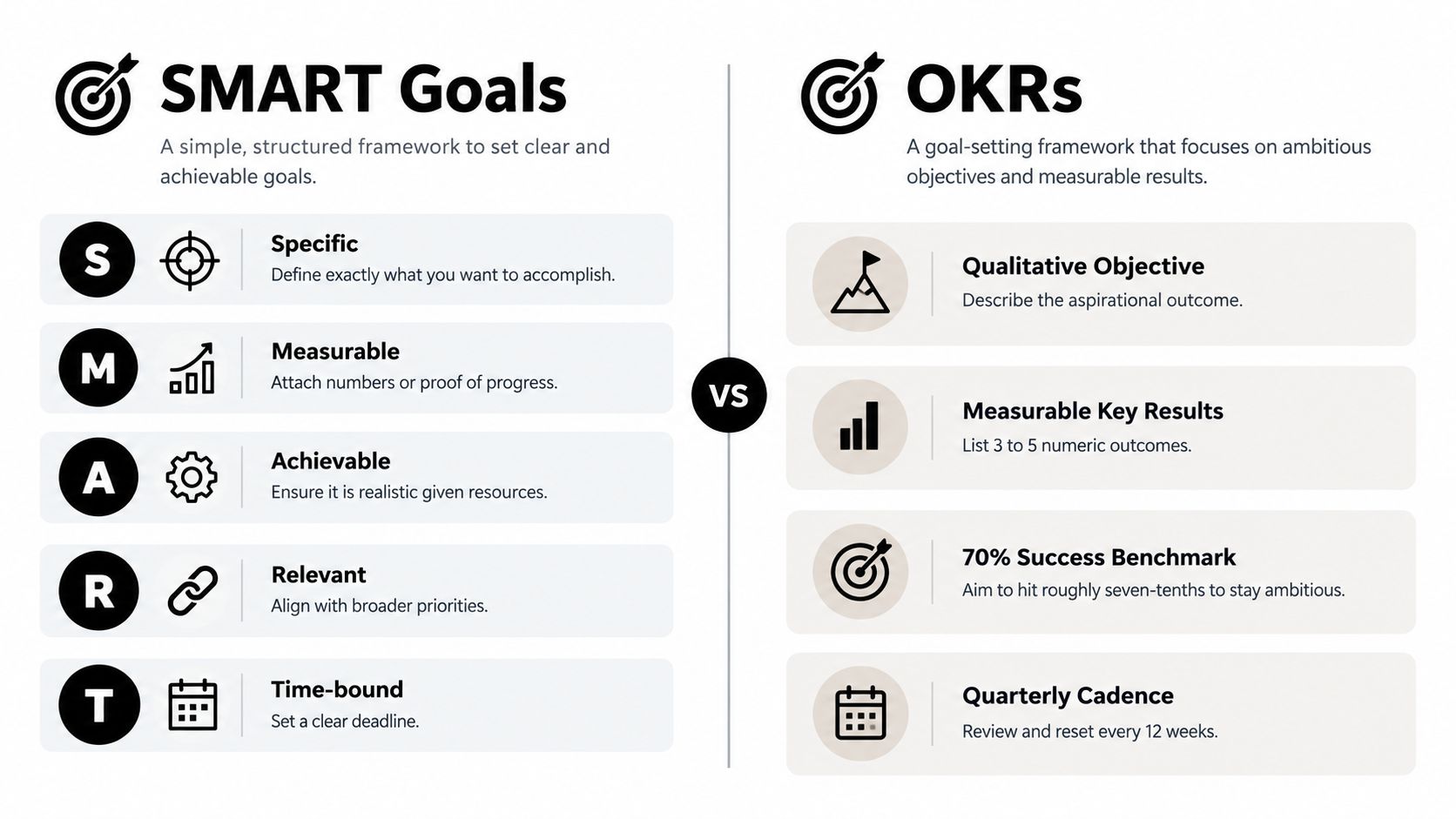
Use Zemith Projects to organize objectives, results, owners, and review dates. Deep Research can help you investigate competitors and market context before choosing targets. Document Assistant can turn a rough objective into candidate Key Results, while a scheduled Zemith reminder keeps the mid-cycle pulse check from disappearing beneath meetings. The Prompt Gallery can generate role-specific OKR templates, and the advice in this guide to improving team collaboration fits naturally into the alignment problem OKRs are meant to solve.
OKRs fail when teams confuse activity with impact. “Publish more” is an activity. “Become a trusted resource for a defined audience” is an objective that needs evidence.
3. The Eisenhower Matrix
The Eisenhower Matrix doesn't tell you what your grand ambition should be. It tells you what deserves attention today, which is often the more urgent problem.
Place tasks on a grid using two questions: is this important, and is it urgent? Important and urgent work needs immediate attention. Important but non-urgent work deserves protection before it becomes a crisis. Non-important urgent work may be delegated or handled quickly. Non-important, non-urgent work should face the delete button, a small but underused piece of office technology.
Protect the second quadrant
The framework is especially valuable for knowledge workers who mistake incoming noise for strategic progress. A production bug may be important and urgent. Refactoring technical debt is important but often not urgent. A grant deadline creates pressure, while literature review and research design usually need earlier protection.
Writers can classify deep research as important but non-urgent, then reserve Focus OS sessions before revisions become urgent. Developers can place maintenance work in the same quadrant. Researchers can make framework development visible instead of allowing every email to outrank it.
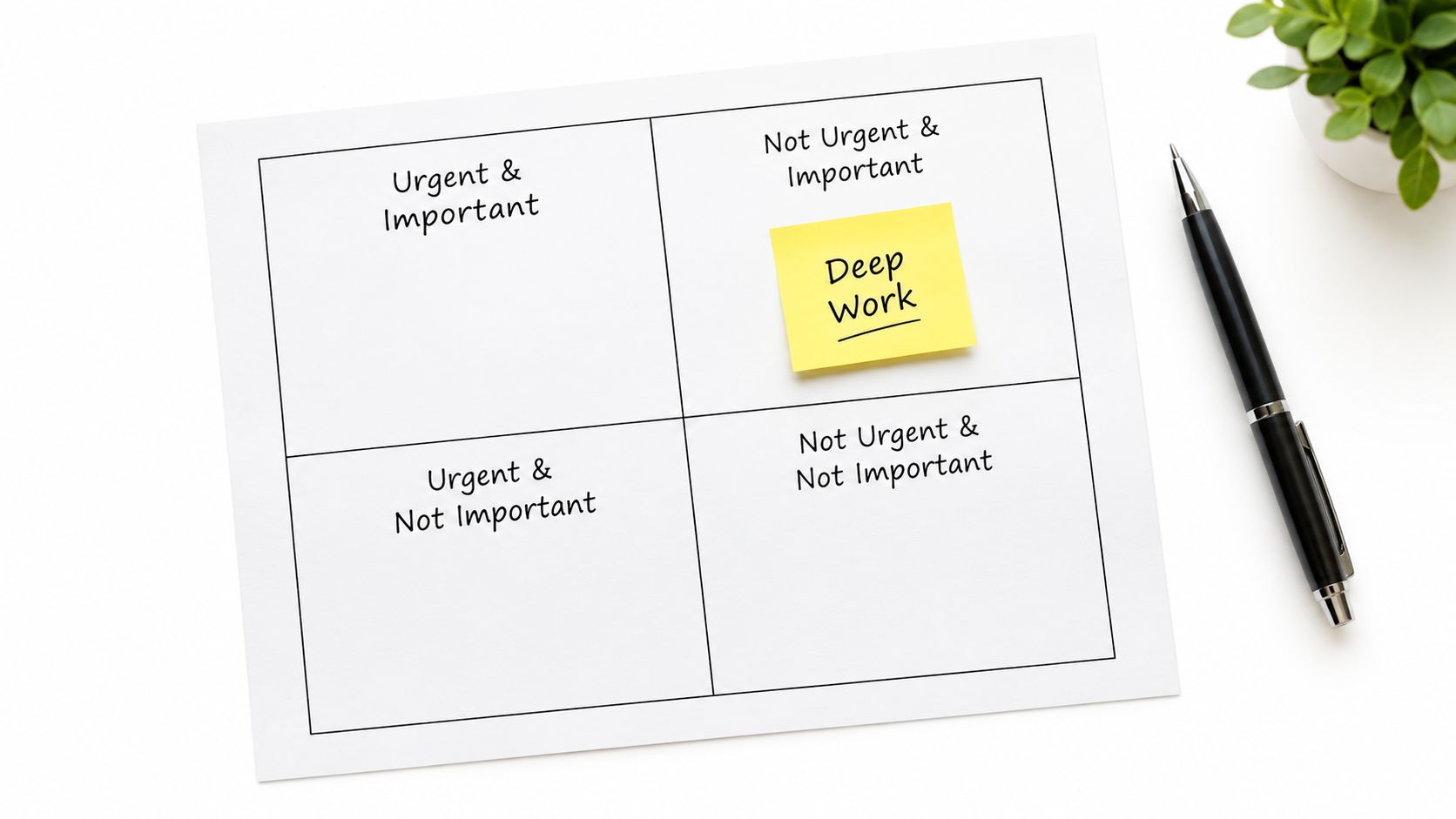
Create the matrix on Zemith's Whiteboard during weekly planning. Use Smart Notepad to classify your current commitments, then schedule important, non-urgent work first.
- Review the grid weekly: Move tasks as deadlines and consequences change.
- Name the trade-off: If urgent work consumes the week, identify which important work keeps getting displaced.
- Use evidence: Ask Document Assistant to analyze project notes and reveal recurring fire-fighting patterns.
- Revisit the categories: A task that matters today may be irrelevant later.
The matrix works best as a daily prioritization layer, not as a complete goal system. Pair it with the practical guidance on how to prioritize tasks at work, then protect the work that prevents next week's emergencies.
4. The 12-Week Year
Annual goals create a dangerous illusion. January feels spacious, so teams postpone difficult work until the calendar starts making threatening noises. The 12-Week Year replaces the distant annual horizon with a compact cycle that creates urgency without making meaningful work impossible.
Creators can use a cycle to plan a defined publishing outcome. Developers might target a major feature. Researchers could complete a literature review. Entrepreneurs can run a focused product experiment. The framework fits people who need momentum and a clear operating cadence, especially after long-term plans have repeatedly dissolved into “we'll revisit this next quarter.”
Make the cycle small enough to finish
Start with a limited set of outcomes, not a catalogue of every admirable ambition. A Zemith Project can hold the cycle plan, milestones, owners, dependencies, and review notes. Set the cycle's opening date, define what “done” means, and identify the weekly actions that support it.
Friday reviews are useful because they make progress visible before the cycle becomes a last-minute scramble. Use Document Assistant to summarize updates and flag unfinished commitments. During the final stretch, Focus OS can protect execution blocks from routine interruptions.
A simple cycle template looks like this:
- Outcome: What meaningful result should exist at the end?
- Milestones: What evidence should appear each week?
- Lead actions: What recurring behaviors make the result more likely?
- Risks: What could consume capacity or change the plan?
- Review points: When will you adjust, continue, or stop?
Use the Prompt Gallery to create a role-specific cycle template, then record the retrospective in Zemith when the period ends. The office productivity guide offers a useful companion for designing the surrounding work habits.
The 12-Week Year isn't magic. It makes delay more visible. If your goal still doesn't fit the available capacity, a shorter calendar won't rescue it.
5. The Agile Goal-Setting Framework
Agile goal setting treats a goal as a working hypothesis rather than a stone tablet. Teams maintain a backlog, prioritize the next increment, inspect new information, and adjust the plan. That makes the framework a strong fit for uncertain environments, where the route to the result matters less than learning quickly without losing direction.
A software team might define a sprint goal for a feature while leaving implementation details open. A research lab can spend a sprint testing an experimental approach. A content agency can plan a small batch, review what worked, and change the next batch rather than defending an outdated editorial calendar.
Keep the goal stable enough to guide work
Agile doesn't mean changing priorities every time someone has a new idea. The team still needs a clear sprint outcome and a ranked backlog. The point is to change the plan when evidence justifies it, not when attention wanders.
Use Zemith Projects for the backlog and Whiteboard for sprint planning, standups, dependencies, and unresolved questions. The Document Assistant can capture retrospectives in a consistent format:
- Keep: What helped the team move?
- Change: What created friction?
- Test: What should the next sprint try?
Focus OS gives each contributor a protected execution block, while collaboration features keep distributed teams aligned without turning every update into a meeting. For engineering teams, this software development workflow guide provides a useful operational complement.
Agile's main risk is endless refinement. If every task remains “in discovery,” nobody ships. Set a definition of done, time-box investigation, and make the next smallest valuable increment visible.
6. The Pyramid Principle
Complex goals rarely fail because people lack enthusiasm. They fail because the work is poorly separated. The Pyramid Principle starts with the central conclusion, then breaks it into logical supporting areas and smaller actions. It gives researchers, strategists, writers, and product teams a structure for thinking before they start producing.
Take “improve our research methodology.” That's a direction, not a plan. A pyramid could separate the work into research question design, source discovery, evaluation criteria, synthesis, and validation. Each branch can then divide into concrete activities without mixing unrelated problems together.
Decompose without creating a decorative diagram
The useful test is whether every branch answers a distinct question and whether the branches together cover the decision. Product teams might break “improve user experience” into accessibility, performance, navigation, and support. Writers can divide a definitive guide into foundations, applications, examples, and implementation.
Sketch the structure in Zemith Whiteboard. Draft the hierarchy in Smart Notepad, then ask the AI to identify gaps, overlaps, or unsupported leaps. Save the approved structure in the Library so contributors can use the same logic while researching and drafting.
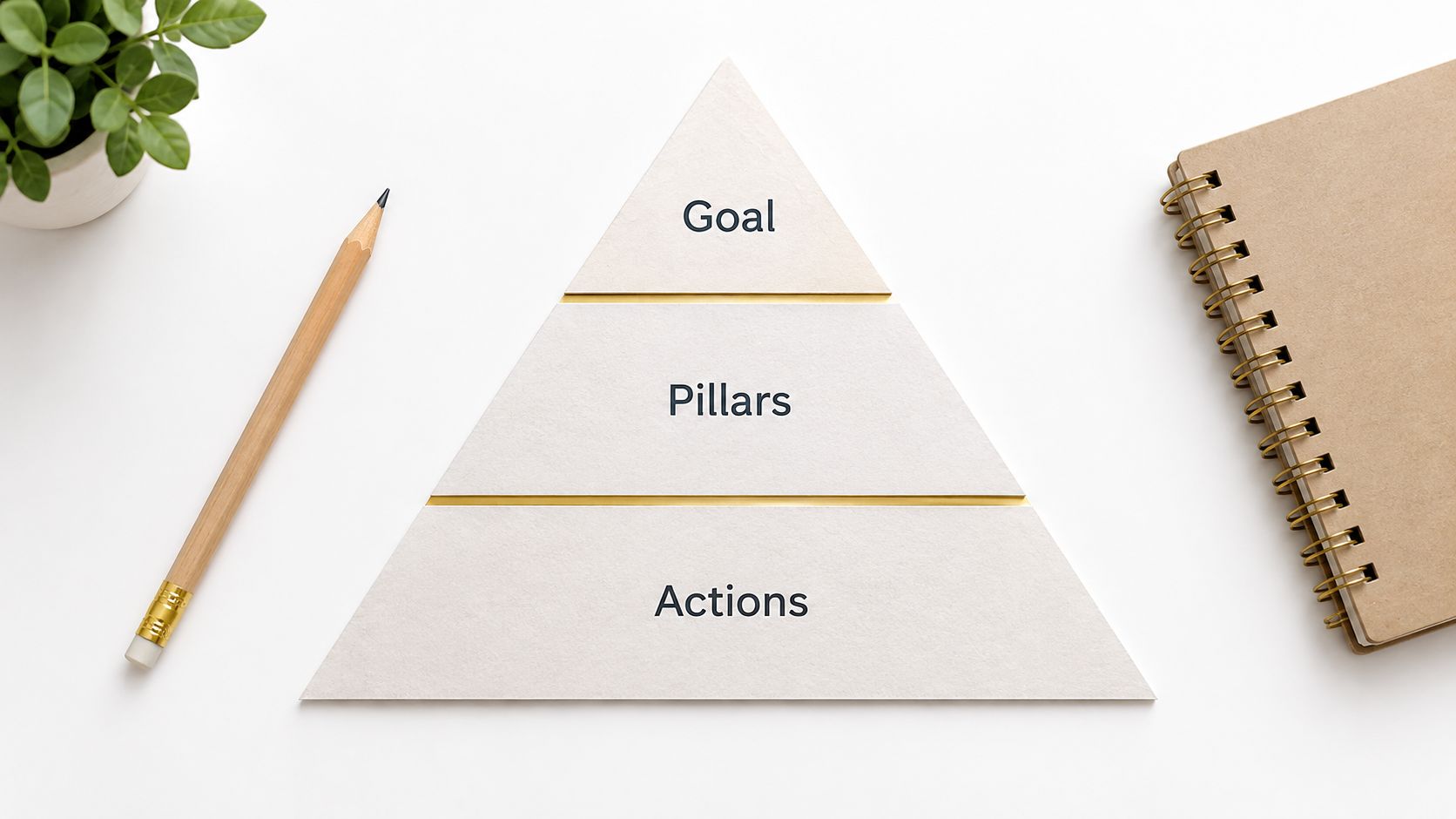
Deep Research can support each branch with relevant sources, but don't confuse a full folder with a complete argument. A pyramid earns its keep when it helps someone decide what to investigate, what to ignore, and what evidence would change the conclusion.
This framework is strongest before execution. Pair it with SMART goals for the lower-level commitments and Agile planning when new findings force the hierarchy to change.
7. The Personal Mission Statement
A mission statement answers the question that metrics often avoid: why does this work matter? It gives goals a values-based filter, which helps people reject attractive opportunities that point in the wrong direction.
A developer might aim to create tools that make advanced technology more accessible. A researcher might prioritize knowledge that practitioners can use. A creator might value genuinely useful explanations over empty reach. The wording doesn't need to sound like it was engraved above a corporate reception desk. It needs to help you choose.
Turn values into decisions
A mission becomes practical when it changes behavior. “I want to help people” is broad. “I create clear research-based tools for independent teams that need to work with less operational friction” gives you a sharper test for projects, partnerships, and content topics.
Draft and refine the statement with Zemith Document Assistant. Save it in the Library, then keep a shorter version in Smart Notepad for quarterly planning. Before accepting a new goal, ask:
- Does this serve the mission?
- What value does it protect?
- Which tempting metric might distract from it?
- What would I stop doing if this became the priority?
That last question matters. Values-based planning isn't a permission slip to pursue every meaningful goal at once. It helps you choose one direction and decline the rest without inventing elaborate excuses.
A mission statement works best as the top layer of a goal stack. It won't tell you what to do on Tuesday morning. It will help you decide which Tuesday morning tasks deserve to exist.
8. The Results-Only Work Environment Principle
ROWE changes the management question from “How busy were you?” to “What result did you deliver?” The framework defines outcomes and deadlines, then gives people autonomy over how and when they work. That makes it particularly relevant to distributed teams, asynchronous collaboration, and roles where visible activity is a poor proxy for value.
A content team might agree on a set of high-quality research pieces for a period while leaving the production schedule to the writers. A development team can define a reliability outcome and let engineers choose the technical path. A researcher can own a publication result without being judged by time spent sitting in a particular chair.
Define the result before granting autonomy
ROWE fails when leaders offer freedom without agreeing on what finished work looks like. Write the outcome, quality standard, deadline, dependencies, and review method in Document Assistant. Then place the commitment in Zemith Projects, where the team can review delivered work rather than activity theatre.
- Define done: Describe the artifact or change that counts as complete.
- Name quality: Include acceptance criteria, not just a delivery date.
- Respect method: Don't replace outcome management with status surveillance.
- Calibrate regularly: Discuss whether the target remains useful and achievable.
Zemith's shared workspaces, asynchronous notes, and project context can support this style without forcing every decision into a live meeting. Focus OS also lets individuals choose protected work periods that match their responsibilities.
ROWE isn't suitable for work with hidden dependencies, unclear ownership, or outcomes nobody can evaluate. It requires trust, but it also requires unusually clear agreements. Autonomy without clarity is just a scavenger hunt with a calendar invite.
9. The Kaizen Continuous Improvement Methodology
Kaizen is less a formal goal template than a way to improve the system that produces the work. Instead of waiting for a dramatic reset, teams look for small changes they can test, keep, or discard. A developer might improve code review hygiene. A creator might refine distribution after each release. A support team might remove one recurring source of customer friction.
The approach fits stable operating environments that still contain repeated waste. It also works well inside a larger cycle. A 12-Week Year can provide the timebox, while Kaizen supplies the small experiments that improve execution during that period.
Track the behavior, not just the aspiration
“Improve quality” is too broad for daily improvement. “Add a review step for the recurring error found in recent drafts” is observable. Record the change, the reason for testing it, and what happened afterward.
Zemith Projects can hold a simple improvement log. Smart Notepad works for short daily observations, while Focus OS can reserve a brief session for process maintenance. Deep Research can help you investigate how other teams address a recurring bottleneck, but the local experiment still matters more than collecting inspirational workflows.
A useful Kaizen loop is:
- Notice: Identify repeated friction or avoidable rework.
- Change: Choose a small intervention.
- Observe: Record what changed in the work.
- Keep or remove: Don't preserve a ritual just because it sounds disciplined.
- Share: Make the improvement available to the people who face the same problem.
Kaizen's weakness is that small improvements can become a comfortable substitute for difficult strategic choices. Keep a larger outcome visible, and use continuous improvement to support it, not hide from it.
10. The Design Thinking Goal Framework
Design Thinking starts before the goal is fully known. It asks teams to understand people, investigate the problem, generate possibilities, prototype, and learn from feedback. That's valuable when the risk isn't poor execution but solving the wrong problem with impressive efficiency.
A creator may begin with “publish more articles,” then discover that the audience needs clearer answers to a few recurring questions. A product team may assume users need another feature when observation reveals that the current workflow is confusing. A researcher may find that the most valuable question comes from practitioners rather than from the original project brief.
Research before you lock the target
Use Zemith Deep Research for competitor analysis, stakeholder context, and source discovery. Capture interview notes and observations in the Library. Whiteboard can hold empathy maps, journey diagrams, problem trees, and alternative problem statements. Document Assistant can synthesize repeated themes, while the Prompt Gallery can help prepare interview questions and analysis structures.
Keep the early goal deliberately provisional. Write:
- Observed problem: What are people struggling with?
- Evidence: Which observations support that interpretation?
- Assumption: What might we be getting wrong?
- Experiment: What small test could teach us more?
- Decision rule: What result would change the direction?
Create a prototype with Zemith's image generation or Coding Assistant when the idea needs something tangible. Then collect feedback before converting the discovery into a fixed SMART goal or OKR.
Design Thinking can feel slow to teams desperate to produce a plan. That discomfort is useful when the cost of committing to the wrong target is high. The framework isn't an excuse to research forever. Set a learning question, run a bounded experiment, and make the next decision explicit.
10 Goal-Setting Frameworks Compared
Build a Goal Stack That Survives Real Work
No single framework covers direction, discovery, execution, prioritization, and adaptation. A practical system combines them according to the work:
- Use a mission statement when you need direction and a values-based filter.
- Use Design Thinking when you don't yet understand the problem.
- Use the Pyramid Principle when the problem is complex and needs clean decomposition.
- Use OKRs when several people or teams need alignment around ambitious outcomes.
- Use the 12-Week Year when a shorter cadence would create momentum.
- Use SMART goals when the result needs precise wording, ownership, measurement, and a deadline.
- Use Agile planning when priorities and methods will change as evidence arrives.
- Use the Eisenhower Matrix when daily attention is being hijacked by urgent work.
- Use Kaizen when repeated small improvements can strengthen the operating system.
- Use ROWE when capable people need autonomy over how they deliver agreed outcomes.
The combinations matter more than the labels. A research team might begin with Design Thinking to identify a useful question, use the Pyramid Principle to structure the investigation, set an OKR for the quarter, write SMART milestones for the next stage, and review the work through Agile cycles. A creator could use a mission statement to filter topics, a 12-week cycle to set the publishing outcome, Eisenhower to protect research time, and Kaizen to improve the workflow after each release.
A reusable Zemith workflow
Start by capturing the rough idea in Smart Notepad. Don't polish it too early. Ask what problem it addresses, who benefits, and what would change if you succeeded.
Use Deep Research to investigate the context and Document Assistant to summarize source material, compare alternatives, and turn notes into a clearer draft. If the goal is still fuzzy, keep it provisional and test the assumptions before setting a hard target.
Move the thinking to Whiteboard. Map the problem, dependencies, branches, stakeholders, or priorities visually. Hidden contradictions often become obvious here. A goal that sounded simple in a paragraph can look suspiciously large once every dependency is on the wall.
Turn the clarified outcome into a Project. Add milestones, owners, documents, review dates, and decision points. Then use Focus OS to protect the actual execution blocks. A plan without protected time is just a beautifully formatted request for future disappointment.
Use this compact checklist:
- Direction: Does the goal support a clear mission or strategic objective?
- Problem: Do we understand the person, constraint, or need behind it?
- Outcome: Can we describe what will be different when the work is done?
- Evidence: What will we measure, observe, or review?
- Cadence: When will we inspect progress?
- Adaptation: What would make us revise, pause, or abandon the goal?
- Execution: Where is the work scheduled and protected?
- Ownership: Who decides, contributes, and accepts the result?
Goal setting research has a long empirical history. Locke and Latham's work developed across roughly 1,000 studies from 1968 to 2019, and a 2019 retrospective described more than 50 years of research. Its central lesson is that specific, difficult goals can outperform vague or easy goals, while commitment, feedback, ability, task complexity, and situational constraints shape the result, as summarized in this review of goal-setting theory.
That last point is the one busy teams tend to skip. A well-formed goal can still fail if people lack capacity, feedback, cues, alignment, or permission to change course. SHRM reported that 94% of HR professionals said employees set goals, while 37% of organizations don't cascade organizational goals to individual goals, a disconnect discussed in this analysis of goal-setting and behavior change. The sentence on the page isn't the behavior. The review, the calendar block, the manager conversation, and the next visible action are what give it a chance.
A framework earns its keep only when it changes what happens next. If it doesn't help you choose, schedule, review, or revise the work, it's probably decoration with excellent typography.
Zemith brings Smart Notepad, Deep Research, Document Assistant, Whiteboard, Projects, and Focus OS into one workspace for turning goal ideas into executable work. Build your next goal stack without scattering notes and decisions across tools, then visit Zemith to put the workflow into practice.
Explore Zemith Features
Every top AI. One subscription.
ChatGPT, Claude, Gemini, DeepSeek, Grok & 25+ more








Always on, real-time AI.
Voice + screen share · instant answers
What's the best way to learn a new language?
Immersion and spaced repetition work best. Try consuming media in your target language daily.
Voice + screen share · AI answers in real time
Image Generation
Flux, Nano Banana, Ideogram, Recraft + more

Write at the speed of thought.
AI autocomplete, rewrite & expand on command
Any document. Any format.
PDF, URL, or YouTube → chat, quiz, podcast & more
Video Creation
Veo, Kling, Grok Imagine and more

Text to Speech
Natural AI voices, 30+ languages
Code Generation
Write, debug & explain code
Chat with Documents
Upload PDFs, analyze content
Your AI, in your pocket.
Full access on iOS & Android · synced everywhere
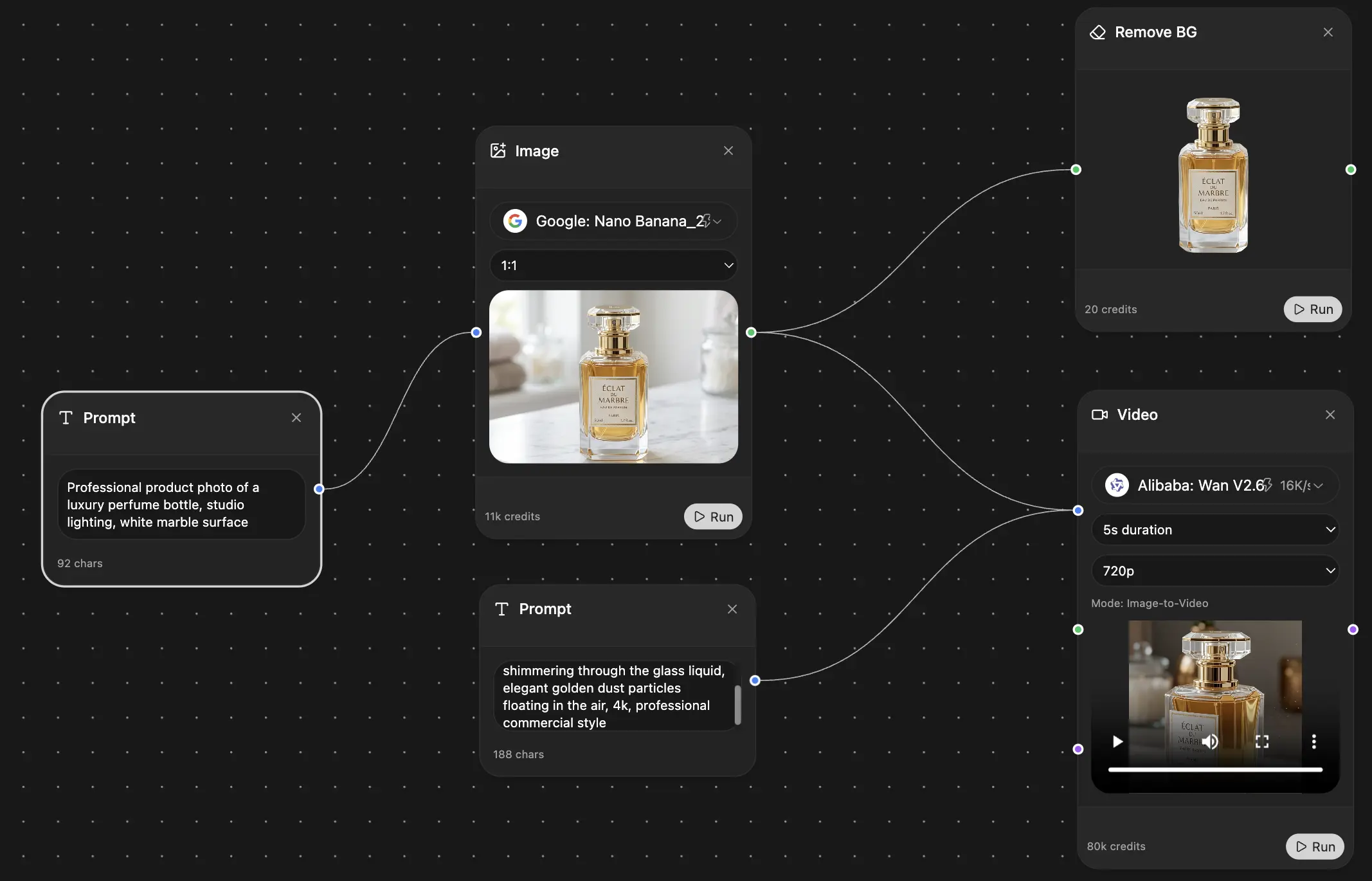
Your infinite AI canvas.
Chat, image, video & motion tools — side by side
Transparent, High-Value Pricing
Free
No credit card required
- Limited daily usage
- Selected AI models to try
- Limited features
Plus
- Choose from multiple leading models — GPT, Claude, Gemini and Grok.
- 25× more usage than Free.
- Create and edit images with Creative Studio.
- Connect your favorite apps and get work done in one place.
- Research the web and turn sources into clear answers.
- Turn documents, websites and YouTube into podcasts, flashcards and reports.
- Build repeatable workflows and stay focused with FocusOS.
Professional
- Everything in Plus, and:
- Unlock every model on Zemith, including GPT 6 Astra, Claude Opus and Sonar Pro.
- 50× more usage than Free.
- Create more with the full Creative Studio toolkit.
- Let agents work in the background — run Cloud tasks and schedule recurring work.
- Push further on complex work with Max Mode.
- First access to new features.
Trusted by teams at






What Our Users Say
Great Tool after 2 months usage
"I love the way multiple tools they integrated in one platform. Going in the right direction."
— simplyzubair
Best in Kind!
"The quality of data and sheer speed of responses is outstanding. I use this app every day."
— barefootmedicine
Simply awesome
"The credit system is fair, models are perfect, and the discord is very responsive. Quite awesome."
— MarianZ
Great for Document Analysis
"Just works. Simple to use and great for working with documents. Money well spent."
— yerch82
Great AI site with accessible LLMs
"The organization of features is better than all the other sites — even better than ChatGPT."
— sumore
Excellent Tool
"It lives up to the all-in-one claim. All the necessary functions with a well-designed, easy UI."
— AlphaLeaf
Well-rounded platform with solid LLMs
"The team clearly puts their heart and soul into this platform. Really solid extra functionality."
— SlothMachine
Best AI tool I've ever used
"Updates made almost daily, feedback is incredibly fast. Just look at the changelogs — consistency."
— reu0691