You're standing in your aunt's hallway, phone pointed at a painting that's been there forever. Or you've spotted a thrift-store canvas with an intriguing signature and a frame heavy enough to require its own seat belt. You want a name before dinner, preferably without accidentally announcing that the family owns a masterpiece.
To identify a painting from a photo, start with a clear image, search the visible clues, and check the strongest candidates against collection records. The important part is knowing what you've identified: the published picture, the composition, a possible artist, or the actual object.
What Your Photo Can and Cannot Prove
Four outcomes a painting photo can support
That distinction matters even when an app sounds certain. The foundational Painting-91 benchmark reported correct painter classification for 50% of previously unseen paintings, with style attribution succeeding in more than 60% of cases; the broader dataset survey described in the same source reported artist-identification accuracy ranging from 30.2% to 92.9%.
Those are results from particular tests, not odds that your hallway discovery is genuine. A system can recognize a familiar composition while having no way to distinguish the museum's painting from a poster showing it.
The perfect match still leaves a question
Say your photograph returns a museum page with an apparently identical scene. You've found a useful reference image. You haven't established whether the object in front of you is a print, a hand-painted copy, another version, or that recorded painting.
The Mississippi State University Libraries image-search guide explains that differences in color, contrast, brightness, cropping, and image quality can affect results, and recommends verifying images against the institution holding the original. Compare distinctive details rather than trusting a similar-looking thumbnail.
Object authentication needs a different evidence packet: photographs of the front and back, labels, signatures, stretcher, frame, and surface cracking, plus ownership records where available. Missing provenance deserves investigation, but a gap doesn't independently prove fraud.
Practical rule: Label each search result likely match, possible related work, or no reliable match before anyone starts discussing value.
Use image analysis to describe visible features, not to turn resemblance into a certificate. A patient description of the subject, palette, and composition gives you something testable. A confident artist name without supporting records gives you something awkward to retract over dessert.
Photograph the Painting Before You Search
Shoot like a cataloger, not a tourist. Your search copy should make the painted surface easy to compare, while your originals preserve the surrounding evidence.
Keep this checklist beside your camera.
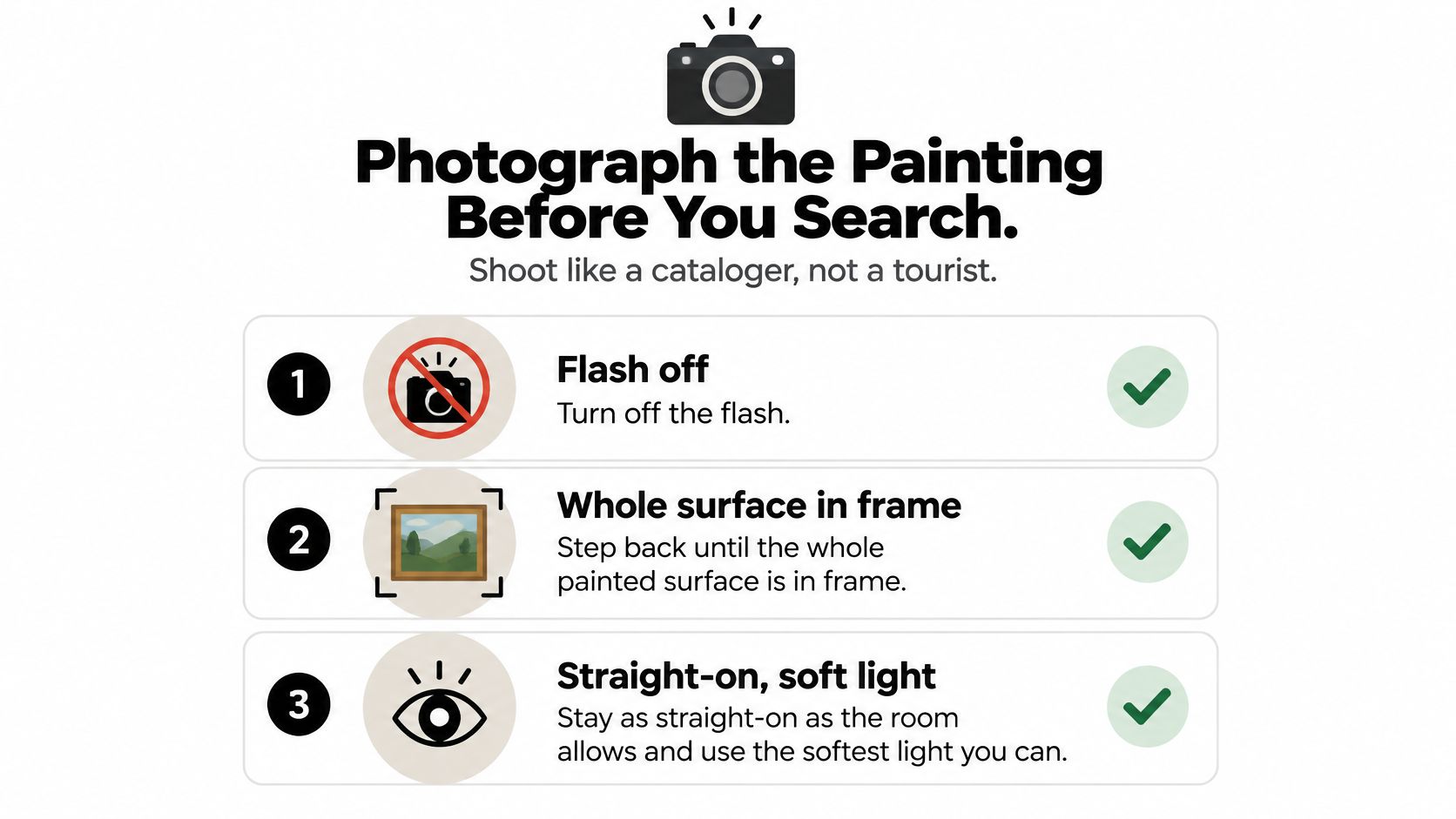
- Start with the whole surface. Turn off the flash and step back until the entire painted area fits. Hold the phone as parallel to the work as the room allows, using soft, even light so shadows don't hide detail.
- Move reflections out of the way. If glass glares, shift slightly sideways or wait for softer light. Gallery glare has a remarkable talent for landing directly over the signature.
- Keep context, then make a crop. Save an uncropped photograph showing the frame and surroundings. Make a separate search copy cropped to the paint so the search doesn't fixate on ornate gold corners.
- Photograph identifying details. Capture the signature, inscriptions, an unusual face or object, surface cracking, and damage. Tap to focus and check the result before leaving.
- Document the reverse safely. If you own the work and can handle it without risk, photograph the back, stretcher, stamps, labels, and visible fasteners. Don't dismantle a frame or disturb fragile paint.
- Record scale and labels separately. Photograph the wall label or include a ruler beside the work when permitted. Keep text legible rather than squeezing everything into the main image.
- Preserve the original file. Keep its metadata attached, then straighten and adjust exposure on a duplicate. Avoid filters that change the palette.
Why the extra photographs help
Clean catalog images don't contain the tilt, reflections, blur, frames, and compression found in handheld photographs. An artwork-recognition study reported about 30% recognition during in-museum testing of museum artifacts, despite much higher benchmark scores, a useful warning about field conditions rather than a painting-specific success rate.
For a more deliberate home setup, consult Colorado Art Services on lighting artwork. Pay particular attention to reflections and uneven illumination before trying to fix them with editing.
For an additional demonstration, watch the photography walkthrough below.
Be especially cautious with obscure, local, folk, and privately held works, which may be poorly represented in public reference collections. Leave with a small stack of useful files, not one lucky snap.
Run the Search from Clues Not Guesses
Start by describing what's visible before suggesting who painted it. Once you type an artist's name, it's easy to interpret every vaguely similar tree as confirmation.
Use this description-first sequence.
Build a shortlist from visible evidence
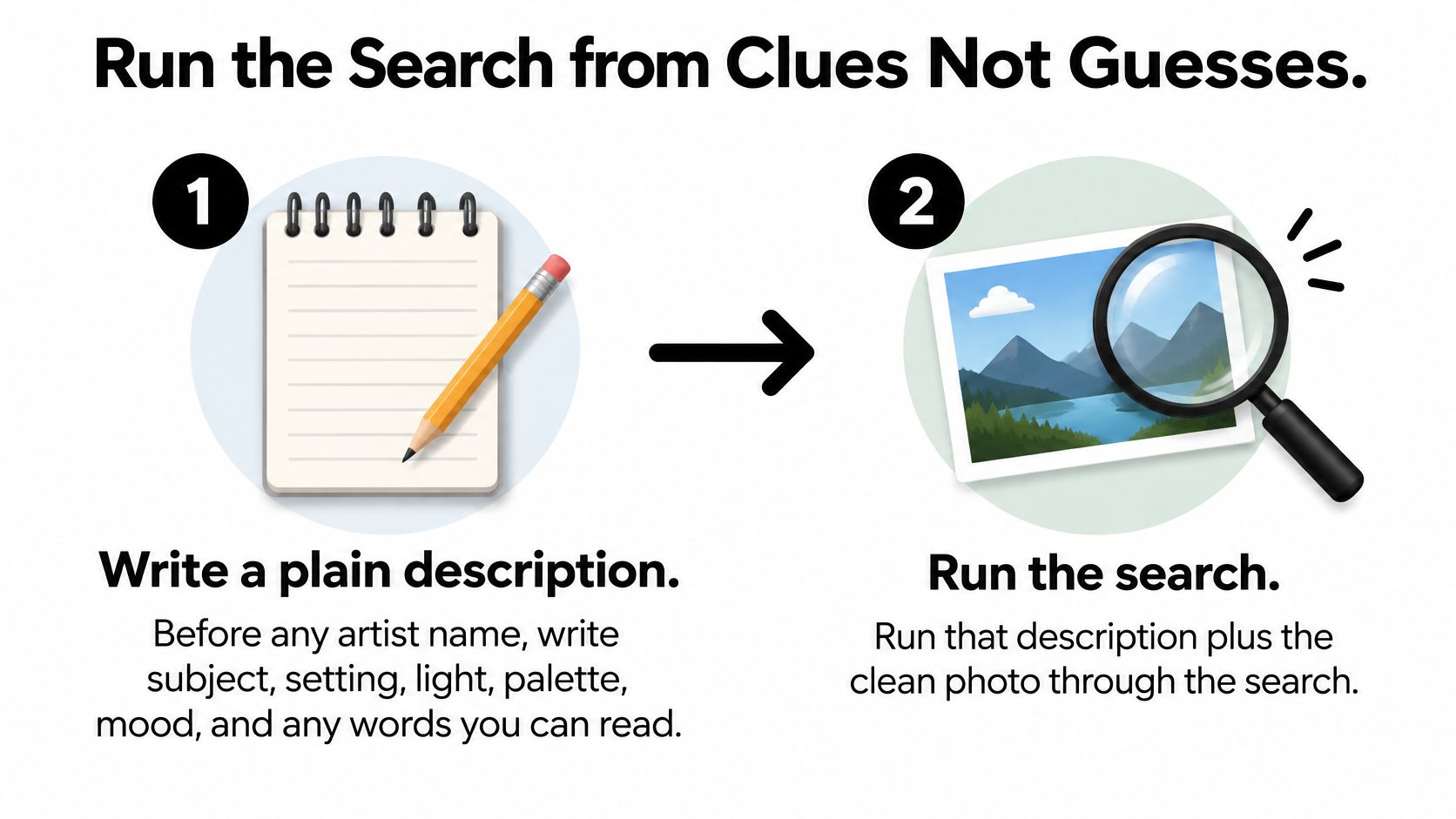
Write a plain description. Include subject, setting, lighting, palette, mood, and readable words. For example: a seated woman holding a red parasol beside a pale stone bridge, with green water and hazy afternoon light. Leave the artist field blank.
Search the description and clean photograph. Upload the cropped image to Google Lens or Bing Visual Search, then use an image-aware chat to help describe details. Ask for observations and candidate sources separately. Don't accept an artist biography as evidence that the identification is correct.
Search the odd detail. Try combinations such as red parasol stone bridge painting rather than maybe Monet. If you're trying to identify a painting from a photo of a signature, search alternate readings of uncertain letters alongside the subject. Don't force a flourish into the name you hoped to find.
Keep the top five lookalikes. Save their titles, source pages, and result order. Include candidates that look plausible but disagree in a distinctive feature, since those differences help you reject a tempting answer.
Inspect what matched. Compare the painted surface, not the surrounding frame or wall. Look at a figure's hand position, the shoreline, an odd-shaped window, or where branches cross. A matching beige background isn't much of a breakthrough.
Change the search copy deliberately. Correct perspective, try a tighter crop of the unusual detail, and repeat the search. Change one thing at a time so you can tell whether the improvement came from removing glare, excluding the frame, or revealing a more distinctive region.
Separate object retrieval from style attribution. Instance recognition aims to retrieve the cataloged object represented in a photograph; style attribution suggests a category or manner. A synthetic-gallery recognition study reported Global Average Precision of 35.97 before augmentation and 38.48 after adding synthetic views, so treat retrieval scores as ranking evidence, not authentication or a personal probability of correctness.
Stop at candidates you can verify. Move forward when you have titled works with traceable records. If the results remain generic lookalikes, save no reliable match rather than encouraging the tool to invent a more satisfying answer.
Keep the description separate from the guess
If you need to identify a painting from a blurry photo, start with the largest readable shapes and any surviving text. Enlarging a blur won't recover evidence that wasn't captured.
The same clue-first habit helps when identifying a movie from a picture: distinctive details are more useful than a premature name. The model isn't your aunt who just knows Impressionism. Ask it to show its work.
Confirm Artist Title and Origin
Open the museum or collection object page before repeating a candidate title as fact. Search-result captions, shopping listings, and reposted images can repeat the same unsupported attribution.
Fields that confirm a painting identification
Treat these as comparison fields, not boxes to tick optimistically. A signature isn't independent proof, and a credit line may describe a gift or acquisition rather than name the artist, so read the full catalog entry.
Institutional matching can be powerful within a known collection. In a collaboration with Google Arts & Culture Lab, MoMA recognized more than 20,000 artworks in exhibition photographs by comparing them with over 65,000 works in its online collection.
That demonstrates recognition beyond pristine catalog photographs. It doesn't establish that a private canvas belongs to that collection, or identify its current owner.
Make contradictions visible
Compare the recorded medium and dimensions with the object, not just its image. If a catalog describes an oil painting but you're examining an obvious print, reject the object-level identification even if you've correctly named the reproduced composition.
Measure the work without including the frame, and check whether the institution lists framed or unframed dimensions. A size difference that framing and cropping can't explain should stop you from treating the objects as identical.
If numbering or an edition inscription appears, Striped Circle's explanation of how limited edition prints work provides useful context before you mistake edition information for proof of a unique painting.
Then examine origin: place of making, provenance, and exhibition history. Record blank fields as unknown, not as permission to fill in a plausible story. The habits in analyzing primary sources are useful here: distinguish what the record states from what you infer.
Check permission before publishing
An old painting doesn't automatically make every photograph of it unrestricted. A discussion of museum-image rights notes that some Nationalmuseum files use CC BY-SA, requiring attribution, disclosure of changes, and the same license for adaptations.
Keep an evidence note with the URL, exact credit, matching features, conflicting details, and unresolved questions. That gives you a defensible reason to accept, downgrade, or reject the candidate.
Fix a Match That Feels Off
The classic mistake is naming the artist because the thumbnail looked right. Open the full image and suddenly the boat faces the wrong way, the signature is elsewhere, and your supposed masterpiece has acquired an extra sheep.
Downgrade the name when the evidence doesn't support it. Don't keep polishing the explanation until the contradiction disappears.
A review of AI painting authentication describes a pipeline that correctly matched 53 of 92 paintings, about 58%, and notes that iMet contains 155,531 samples with 1,103 expert-curated attribute labels, illustrating why successful attribute recognition isn't the same task as looking up a title.
Painting photo problems and the next move
Change the evidence, not the story
A crop containing only sky or drapery gives the search little to distinguish. Replace it with a face, inscription, unusual object, or intersection of recognizable shapes.
For an unreadable signature, return to the original file or take a closer photograph. Compare uncertain spellings against catalog entries rather than adopting the spelling from a Pinterest caption.
If the same composition appears online but your canvas looks recently manufactured, treat reproduction as a working explanation to investigate. Don't manufacture an age assessment from yellow varnish, surface texture, or cracking in a phone photograph.
A failed search is a reason to change the photograph or the question, not a reason to demand a more confident answer.
Keep a short audit trail: image source, resizing and crop settings, candidate rank, displayed confidence, and the regions that drove the apparent match. That makes a second review useful instead of turning it into another round of guesses.
Use source-evaluation checks to distinguish a documented collection entry from a page copying someone else's caption. If reflections, compression, obstruction, or contradictory records remain unresolved, reject the identification or escalate it for human examination.
A conservator or qualified specialist may need documentary research and technical examination to investigate materials, alterations, and authorship. Don't replace that work with an unsupported artist or valuation claim.
Save the Lead and Say Only What You Can Defend
Decide what you could comfortably tell someone tomorrow, after the excitement wears off. Keep the conclusion narrower than the evidence, not broader.
- Likely match. The reference record agrees on the visible composition, artist and title information, medium, and approximate size. Name the collection you checked and make clear which object details remain unverified.
- Possible related work. The composition resembles a documented image, but the medium, dimensions, or object history doesn't align. Describe it as a related image or possible reproduction.
- No reliable match. The candidates don't survive comparison. Preserve the photographs and description for a specialist, local museum inquiry, or relevant catalogue raisonné.
Keep one usable evidence note
Save your original photographs, ranked shortlist, catalog links, credit lines, and unresolved conflicts together. In Zemith, our research tools and organized workspace can help you cross-check the catalog pages you've opened and keep candidate comparisons alongside their citations. Verify the cited pages yourself rather than treating a generated summary as another independent source.
Follow these habits for avoiding AI hallucinations: preserve uncertainty, inspect supporting records, and remove claims you can't trace.
Keep editing separate from evidence. Straightening and cropping a duplicate can help a search, but never generate a missing signature, invent brushwork, or replace an obscured detail.
If the next question is value, take the evidence packet to an appropriate appraiser. A tidy sentence isn't an appraisal, and an honest, sourced lead is a much better result than a famous name you can't defend.
Visit Zemith to organize your painting photographs, compare candidate records, and keep your research citations together. Our image to prompt, remove background, and image upscaler tools can support separate working copies, while generative fill and replace objects should stay out of identification evidence. Start a note with your clearest photograph, plain description, and current result label, then verify the strongest candidate before giving it a name.








 MidjourneyUS$10.00
 ElevenLabsUS$6.00
 RunwayUS$15.00
 Gamma PlusUS$12.00
 Otter ProUS$16.99
 QuillBot PremiumUS$19.95
 Photoroom ProUS$12.99
 Quizlet PlusUS$7.99












 Podcast
 Quiz
 Flashcards
 Mind map
 Infographic