


Every top model, with tools built in.
Search the web, run deep research, read files, create images and run code with GPT, Claude, Gemini, Grok and more.
Artificial intelligence you can talk to, explained simply: how speech-to-text, TTS and live audio work, plus privacy tips and real everyday uses.
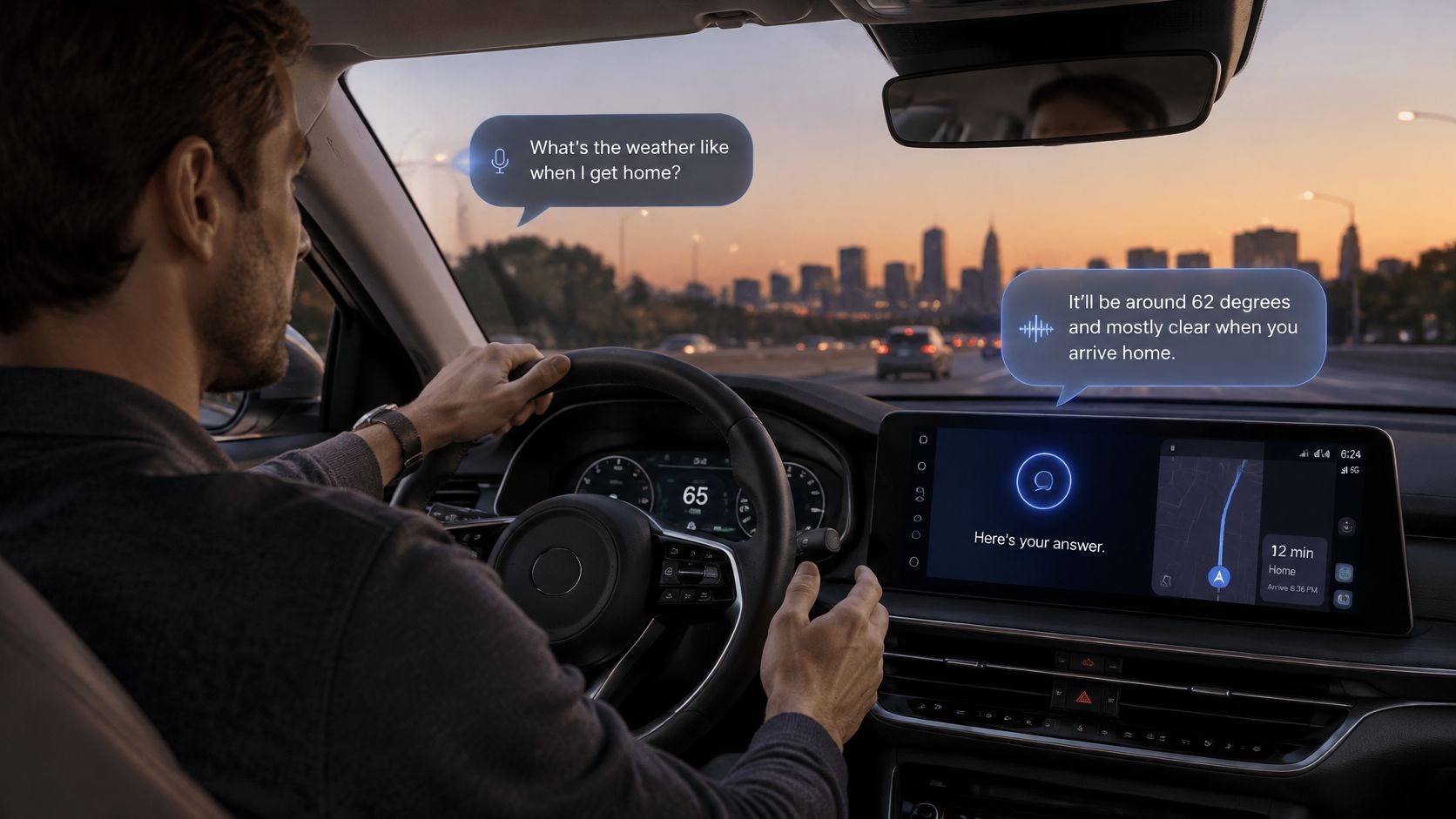
You're driving home, mentally juggling tomorrow's meeting and the document you still haven't read. You ask a question out loud, and a spoken answer comes back a moment later. Talking to AI means using software that listens to your speech, interprets your request, and speaks a reply in a continuous loop.
That loop can feel wonderfully simple. Underneath, though, there are separate opportunities to fail: hearing, timing, and trust. Understanding those failure points makes artificial intelligence you can talk to more useful, and makes a polished demo much less likely to fool you.
A basic voice assistant behaves a bit like a walkie-talkie. You speak, stop, and wait for your turn to come around again. You might not say over, but the awkward pause does it for you.
Live conversational AI aims to feel more like a phone call. You can clarify a request, interrupt a long explanation, or change direction without restarting the interaction. The important distinction is conversation rather than isolated voice commands, something our guide to what conversational AI means explores in more detail.
This confusion predates realistic synthetic voices. In 1966, MIT computer scientist Joseph Weizenbaum introduced ELIZA, whose DOCTOR script simulated a Rogerian psychotherapist by spotting keywords and turning them into follow-up questions, as described in his original ACM paper.
Mention your family, and the program could ask about family relationships. That response might feel attentive even though the software was manipulating language patterns rather than understanding your situation. The tendency to attribute humanlike understanding or emotion to machine dialogue became known as the ELIZA effect.
Today's systems are much more capable, but a reassuring voice still isn't evidence that an answer is correct. Pleasant delivery and reliable comprehension are separate things.
Conversational assistants now appear across phones, smart speakers, televisions, and wearables, rather than living on a single dedicated device. In a February 2024 survey of 1,072 U.S. adults conducted by Momentive for Voices, 81% of Americans reported using voice assistants in their day-to-day lives, according to the Voices report.
The useful question isn't whether talking to software is normal anymore. It's whether a particular tool can handle your words, your conversational pace, and your need for evidence.
A voice interface can feel conversational long before it truly understands anything.
Say you ask an assistant to explain the cancellation policy in a PDF. In a common voice architecture, your request travels through speech-to-text, a language model, and text-to-speech before you hear the answer.
These stages can overlap. The system may transcribe while you're still speaking and start playing its reply before it has generated the entire response. That's streaming, and it helps avoid the feeling that your assistant has gone away to make tea.
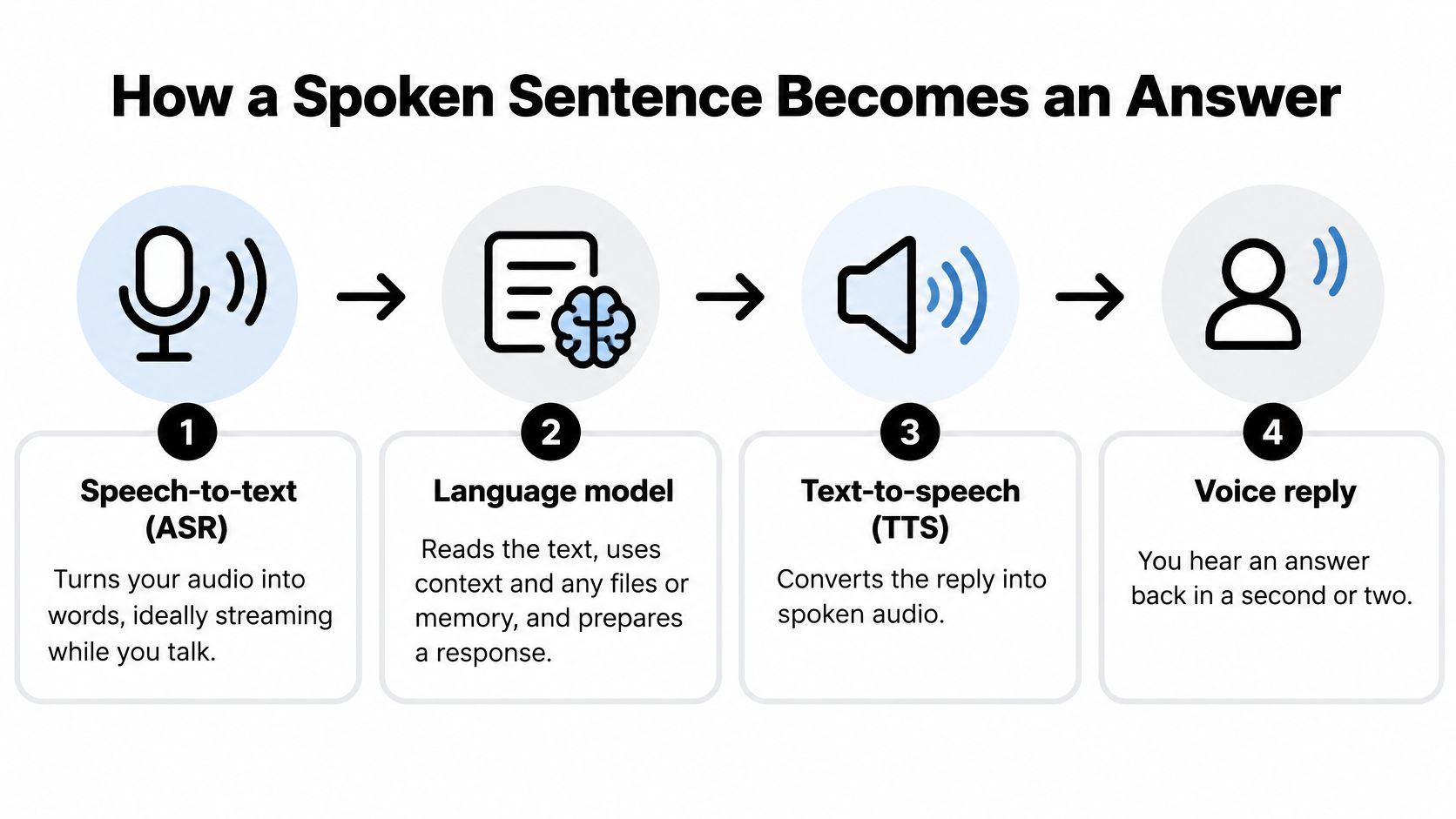
Automatic speech recognition, usually shortened to ASR, produces the words the next stage receives. If it turns a product name into an ordinary noun, the language model may answer a completely different question. A visible transcript, like those discussed in our audio-to-text AI guide, gives you somewhere to inspect that mistake.
The language model combines the request with available conversation history, files, or permitted memory. Text-to-speech then produces audio, often from chunks of the developing reply.
A cascaded system chains these components together. A native speech-to-speech system handles audio directly rather than requiring the same separate text handoffs. Cascades are comparatively straightforward to inspect because you can check the transcript, the generated answer, and the spoken rendering independently.
For document questions, the assistant also needs the right evidence. Retrieval finds relevant passages and supplies them to the model instead of asking it to answer solely from learned patterns.
In a prospective benchmark of clinical questions derived from a German S3 guideline, transparent guideline retrieval reduced pooled content-level hallucination from 42% to 4%, according to the clinical retrieval benchmark. That's evidence for grounding in that setting, not a promise that every document assistant achieves the same result.
Suppose you ask about the cancellation paragraph in your current contract, but the system retrieves an expired version. It can hear you perfectly and produce a beautifully spoken, confidently wrong answer.
Open the cited paragraph and check the document version. The voice is the delivery mechanism, not the evidence.
You pause after saying you'd like to compare the proposals, but you haven't yet added excluding the discontinued option. Should the assistant answer now or keep listening?
That's turn-taking. Silence can mean you're finished, thinking, searching for a word, or briefly distracted. A transcription engine can recognize every word correctly while the conversation still feels like arguing with an impatient elevator.
The TurnBench benchmark evaluated 14 heterogeneous turn-taking systems using 30 hours of triple-annotated dyadic speech and a 104-hour training set, reporting the following strongest-system results.
These are detection measurements, not guarantees of the full time until an answer starts or playback stops. Generation, networking, and audio playback can add their own delays.
The benchmark found no system that was simultaneously fast, selective, and high-recall. Reducing delay can mean claiming a turn prematurely; making interruption detection more sensitive can mean stopping whenever you murmur agreement.
A capable pipeline can combine voice-activity detection, vocal rhythm and intonation, signals that a sentence is complete, and an answer stream that can be interrupted. Our explanation of how AI assistants work provides useful background for understanding those moving parts.
For everyday use, prefer a short default delay with adjustable interruption sensitivity, where available. Someone who pauses to formulate a thought may need a different setting from someone who speaks in quick, uninterrupted bursts.
Run these tests on any live voice AI tool:
Don't grade only politeness. Grade whether you can control the conversation without repeatedly starting over.
Privacy concern doesn't necessarily lead to informed choices. A 2026 survey of 1,999 U.S. AI-assistant users found that more than 80% were concerned about conversation-data use, roughly 60% didn't know whether their assistant trained on their conversations, and only 18% had paid for stronger privacy protection, according to the AI-assistant privacy survey.
Paying isn't itself a privacy guarantee. The practical lesson is to understand what happens to a conversation before placing sensitive material inside it.
A voice session can involve an audio recording, a transcript, and generated responses. Those may have different retention rules, and the recording can capture tone, background sounds, or someone nearby who never intended to join your chat.
Treat these risk labels as a practical screening guide, not a formal security classification.
Text gives you an opportunity to redact before sending. It isn't automatically private, but it's easier to remove a customer's name from a paragraph than to unsay it during a live session.
Likewise, temporary doesn't necessarily mean nothing is retained. Local processing and cloud processing are different arrangements, so don't infer either one from a microphone icon.
Look for explicit answers to these questions:
For workplace material, follow your organization's rules even if a personal account feels convenient. An unpublished product plan doesn't become public information because you discussed it casually while making coffee.
Before speaking, remove names and account numbers, use redacted text for sensitive documents, and choose a private chat rather than a shared workspace. If disclosure would hurt someone, withholding the detail is safer than relying on a setting you haven't verified.
In August 2024, nearly 40% of U.S. adults aged 18–64 reported using generative AI at work or at home, and workers who used it reported saving an average of 5.4% of their working hours, about 2.2 hours in a 40-hour week, according to the Federal Reserve Bank of St. Louis.
Those findings concern generative AI broadly, not a measured benefit from voice alone. Voice is useful when speaking removes a specific obstacle, such as typing ideas while walking or switching away from a document to compose a question.
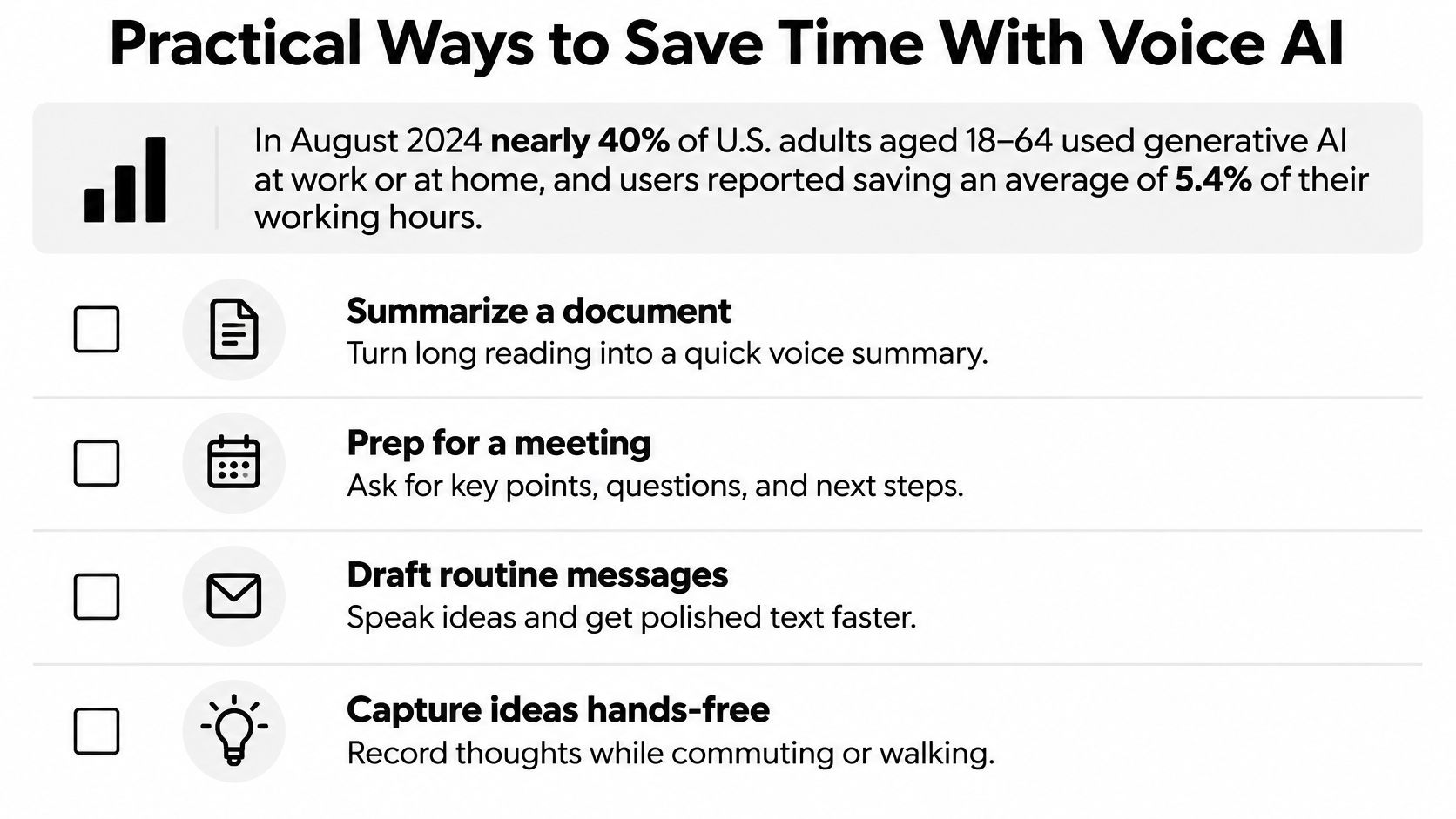
These prompts need input. A briefing requires priorities or calendar information you've supplied or explicitly connected; a debugging explanation needs the error message and relevant code changes. Don't mistake a plausible plan for evidence that the assistant can see your schedule.
For driving, keep the interaction optional and hands-free, and leave document inspection or corrections until you're parked. No summary is important enough to deserve your attention more than the road.
The strongest workflow ends with something reusable: a checked action list, a saved explanation, or a draft ready for review. A pleasant conversation that leaves you recreating everything afterward hasn't saved much effort.
Use these habits alongside the examples in our AI productivity guide:
Zemith's AI Live Mode, documents, and notes can keep conversational work and its outputs in one workspace rather than scattered across apps. The goal is less reconstruction, not just more talking.
In a 2025 study of nine ninth-grade students using a voice-enabled programming tutor, only 71.4% of 416 evaluated feedback outputs were correct, and the tutor struggled to speak programming-code elements clearly, according to the Stanford-reviewed classroom study.
That's a small, specific classroom setting, not a verdict on every voice tutor. It does expose a bad assumption: an answer that's easy to hear isn't necessarily accurate or easy to use.
For a blind user, assistant speech may also compete with screen-reader output and nearby conversation. For someone who needs more processing time, rapid replies and aggressive interruption handling can make access worse rather than better.
Accessibility rule: Hands-free isn't the same as accessible. The user needs control over pace, format, and when the assistant speaks.
Choose the channel that preserves the information you need. Our guide to multimodal AI explains why combining audio, text, and visual information can be more useful than insisting on voice alone.
Ask the assistant to separate quoted facts from inferences, name its sources, and flag uncertainty. If it cannot support a claim, ask it to identify what information is missing rather than fill the gap.
For learning, request a hint before a solution and explain your reasoning back. That gives you a way to check understanding instead of confusing a smooth explanation with something you can reproduce yourself.
Finish your evaluation with a pronunciation check: spell a technical term and read a code snippet aloud, then compare what the assistant captured and spoke with the text on screen. If meaningful details disappear, keep that part of the workflow in text.
Start with a low-stakes document summary or meeting-preparation task. Don't begin with medical decisions, account information, or confidential client files. You want a mistake to be easy to spot and inexpensive to fix.
Choose a task whose source you already understand. A familiar document lets you evaluate the assistant instead of relying on it to tell you whether its own answer is good.
A simple home-office session is enough to begin.
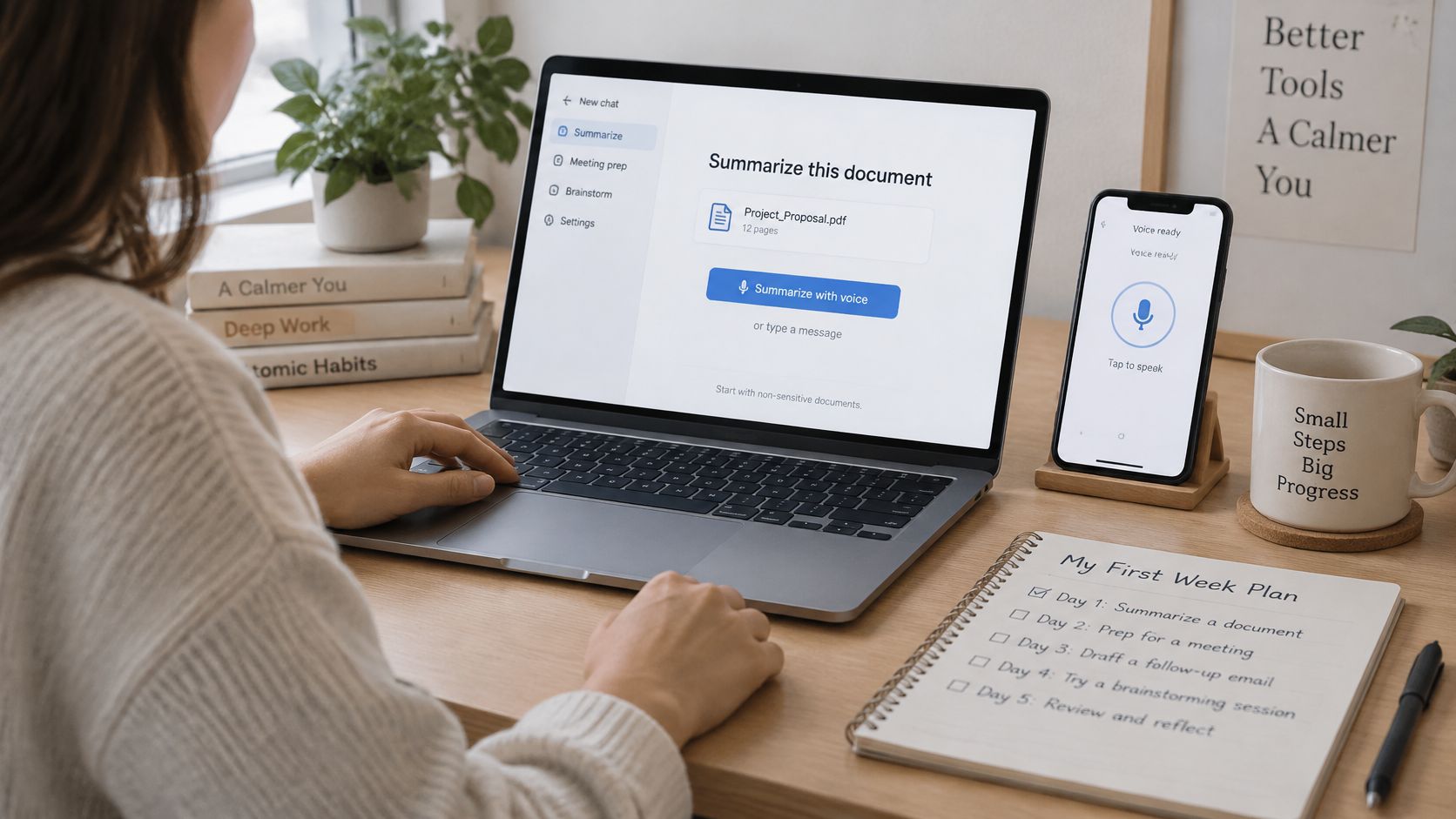
Pick a recurring job. Choose a briefing, document question, meeting follow-up, or code explanation. Define a useful finished result, such as a short agenda with evidence for each discussion point.
Run the pause, backchannel, and spoken-correction tests during a realistic request. Don't change your speaking style just to help the tool pass. You're testing compatibility with you, not auditioning to become its ideal microphone operator.
Set privacy defaults deliberately. Disable training on your chats where that control is available, check workspace access, and choose temporary chats where appropriate. If you can't confirm the safeguards, keep sensitive information out.
Verify each factual answer against its source. For a summary, check the original passage; for meeting preparation, confirm commitments and dates. Reject unsupported details even when they sound helpful.
Save the checked output. Keep it alongside the source in a searchable workspace, then repeat the task later. Judge whether the process reduces editing and searching, not whether the assistant sounds impressive.
Our AI Live Mode lets you talk about what you see by sharing your camera or screen. You can start a chat on your phone and continue on the web, with chats available across iOS, Android, and web.
Our document chat bases answers on the files in the project where you ask. You can also switch AI models at any time, even in the middle of a chat, without treating a second model's agreement as independent proof.
You can watch the workflow before trying your own session.
Zemith is one option, and it should face the same evaluation as any other voice tool: latency, interruption control, privacy settings, and source visibility. Don't assume a feature or safeguard exists merely because the conversation feels natural.
Start a session today with a document you're comfortable sharing. Ask a question you can check, introduce a correction, and see whether the assistant helps you reach a usable result without surrendering control.
Zemith brings live voice, document chat, and notes into one workspace, so a spoken question can become work you can revisit and verify. Visit Zemith, try a low-stakes document session, and test its hearing, timing, and evidence before trusting it with more.
Pay less than one AI subscription and get GPT, Claude, Gemini and more, plus 50+ AI tools.


Trusted by teams at






The top models, plus image, video and voice tools, in one plan.
Without Zemith
ChatGPT PlusUS$20.00Claude ProUS$20.00Google AI ProUS$19.99SuperGrokUS$30.00Perplexity ProUS$20.00 MidjourneyUS$10.00
 ElevenLabsUS$6.00Le Chat ProUS$14.99
 RunwayUS$15.00Kling StandardUS$8.80
 Gamma PlusUS$12.00
 Otter ProUS$16.99
 QuillBot PremiumUS$19.95
 Photoroom ProUS$12.99
 Quizlet PlusUS$7.99
Total if paying separatelyUS$234.70/mo
"I love the way multiple tools they integrated in one platform. Going in the right direction."
— simplyzubair
"The quality of data and sheer speed of responses is outstanding. I use this app every day."
— barefootmedicine
"The credit system is fair, models are perfect, and the discord is very responsive. Quite awesome."
— MarianZ
"Just works. Simple to use and great for working with documents. Money well spent."
— yerch82
"The organization of features is better than all the other sites — even better than ChatGPT."
— sumore
"It lives up to the all-in-one claim. All the necessary functions with a well-designed, easy UI."
— AlphaLeaf
"The team clearly puts their heart and soul into this platform. Really solid extra functionality."
— SlothMachine
"Updates made almost daily, feedback is incredibly fast. Just look at the changelogs — consistency."
— reu0691
Hand off the research, writing, design and follow-ups. Zemith picks the tools it needs and brings back finished work.
Search the web, run deep research, read files, create images and run code with GPT, Claude, Gemini, Grok and more.
Zemith keeps working in the cloud and pings you when it's done.
Notion, Linear, Canva, Airtable and more. It asks before it creates or changes anything.
Docs, slides, sheets and PDFs, ready to send.
Chain models and tools on a visual canvas, from one prompt to a finished promo video.
Briefings, reports and reminders run on a schedule and are ready when you need them.
Real-time voice that can see your camera or screen.
The best image and video models, in one studio.
Turn PDFs, links and YouTube videos into podcasts, quizzes, flashcards and mind maps.













 Podcast
 Quiz
 Flashcards
 Mind map
 Infographic